Software for interior designers and architects usually means two different tools: one for drawing and visualisations, and one for running the project. When you choose project management software, check whether it takes you through all the work with a client: from the questionnaire, through choosing products, the cost estimate and visualisations, to approvals, the build schedule and teamwork. The key questions are: can the client approve and comment on a specific product, can they open everything without logging in, and is all the project information in one place?
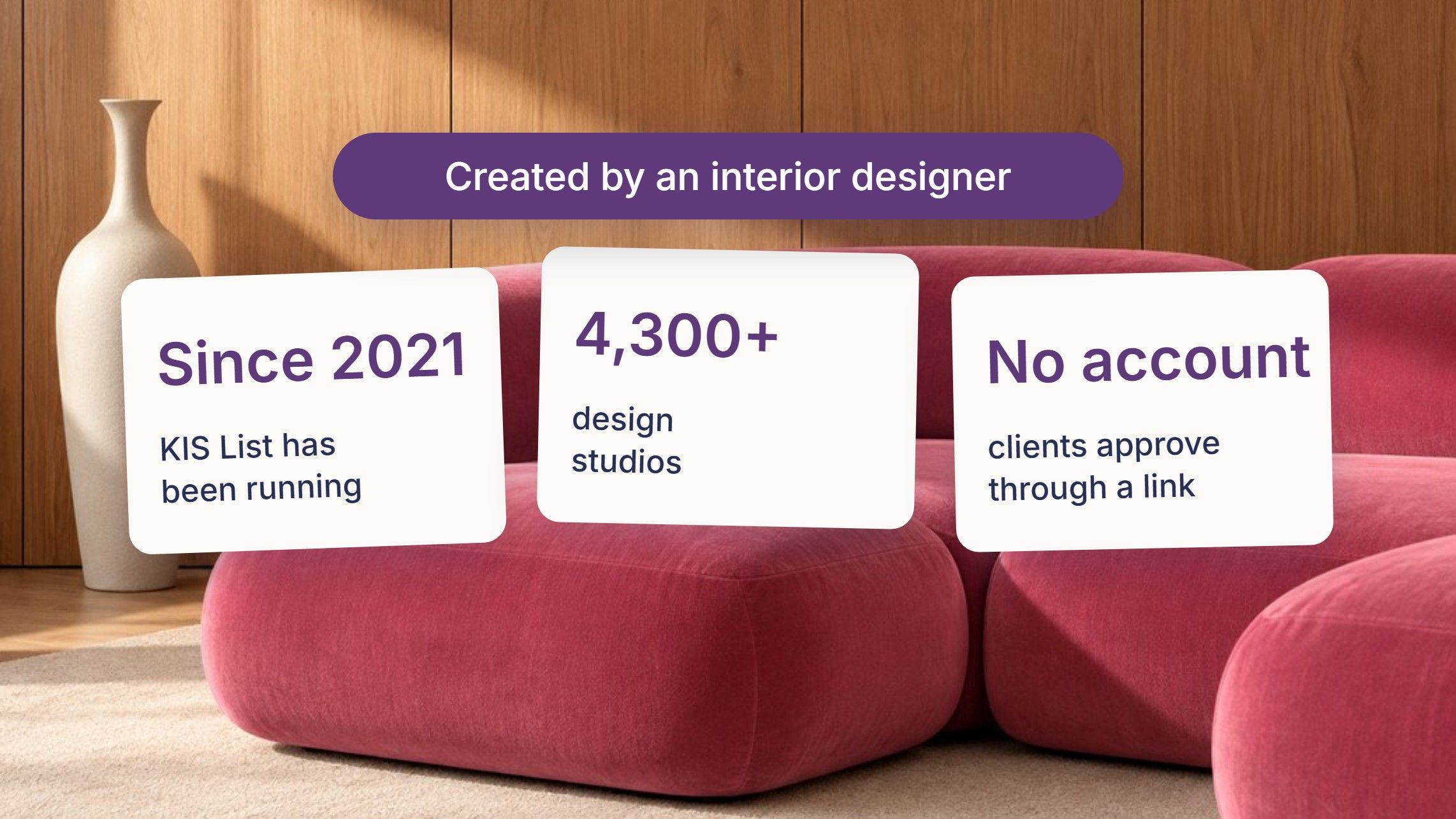
I've been designing interiors since 2011. For years I made product lists in Word and searched my email for what I'd agreed with clients. In 2021, together with Robert Czapski, I created KIS List (kislist.com), software for interior architects and designers. Today more than 4,300 design studios use it. Below I go through a project stage by stage, the way I explain it to designers at workshops. At each stage I say what to look for when choosing software and how we do it in KIS List.
Interior design software or project management software?
Interior design software is for drawing floor plans, 3D models and visualisations. Project management software handles everything around that: the questionnaire, the shopping list, the furnishing cost estimate, talking to the client, files, deadlines and the team. Most designers need both. This guide is about the second kind.
Stage 1: you listen to the client. Will the questionnaire answer a client who doesn't know something?
Clients who come to us often don't know basic terms. They're asked, "Do you prefer veneer or laminate?" and don't know what to say, because they don't know the difference. The same goes for a concealed or a surface-mounted tap. So they answer "I don't know" or pick at random, and you have to go back to it at the next meeting.
An ordinary questionnaire is deaf. It records the answer, but it can't answer the client's question.
What to look for: whether the client can ask "what's that?" during the questionnaire and get an answer they understand.
In KIS List the questionnaire is run by the AI assistant KISjusz. When the client doesn't know an answer, they ask, and KISjusz explains the difference. That way the client makes an informed decision, and you don't have to explain the basics at every meeting. The client doesn't have to type: they can dictate their answers lying on the sofa with their phone. They can also attach a floor plan, photos or inspiration, and you get a report with the answers. KISjusz is part of the paid KISjum add-on with a limited AI budget. More: interior design client questionnaire.
Stage 2: you choose products. Can you save a product without copying it into Excel?
Choosing products is a big part of a designer's work. It usually goes like this: you browse shop and manufacturer websites and copy the name, price, photo and link into Excel or Word. I did it in Word, one product at a time.
There's another way: a browser extension. You open it on the product page and it reads the key information by itself. All you do is pick the project and the room, and add the product.
What to look for: whether the extension works in your browser and on your phone, and what you do when it can't read the photo or the price.
In KIS List this is done by the KISer extension. It reads the name, price, photo, catalogue number, shop and link. It works in Chrome, Firefox, Safari and Edge, and as an app for Android and iPhone. In the Chrome Web Store it has 9,000 users and a 4.9 rating. When a shop page is unusual, you cut out the photo with the scissors tool, and from the PRO plan you fill in a missing field by selecting text on the page.
I also choose products in physical shops. When I look at them with clients, I take photos on my phone. Then on the list I click "Add multiple products" and add those photos, and each one becomes a product (it's a new feature, in every plan). Later I find those products online, for example tiles we looked at in a showroom, open the extension and fill in the product with data from the page. I don't type in the name, size or link by hand.
Stage 3: the preliminary estimate. Can you swap an item without retyping it?
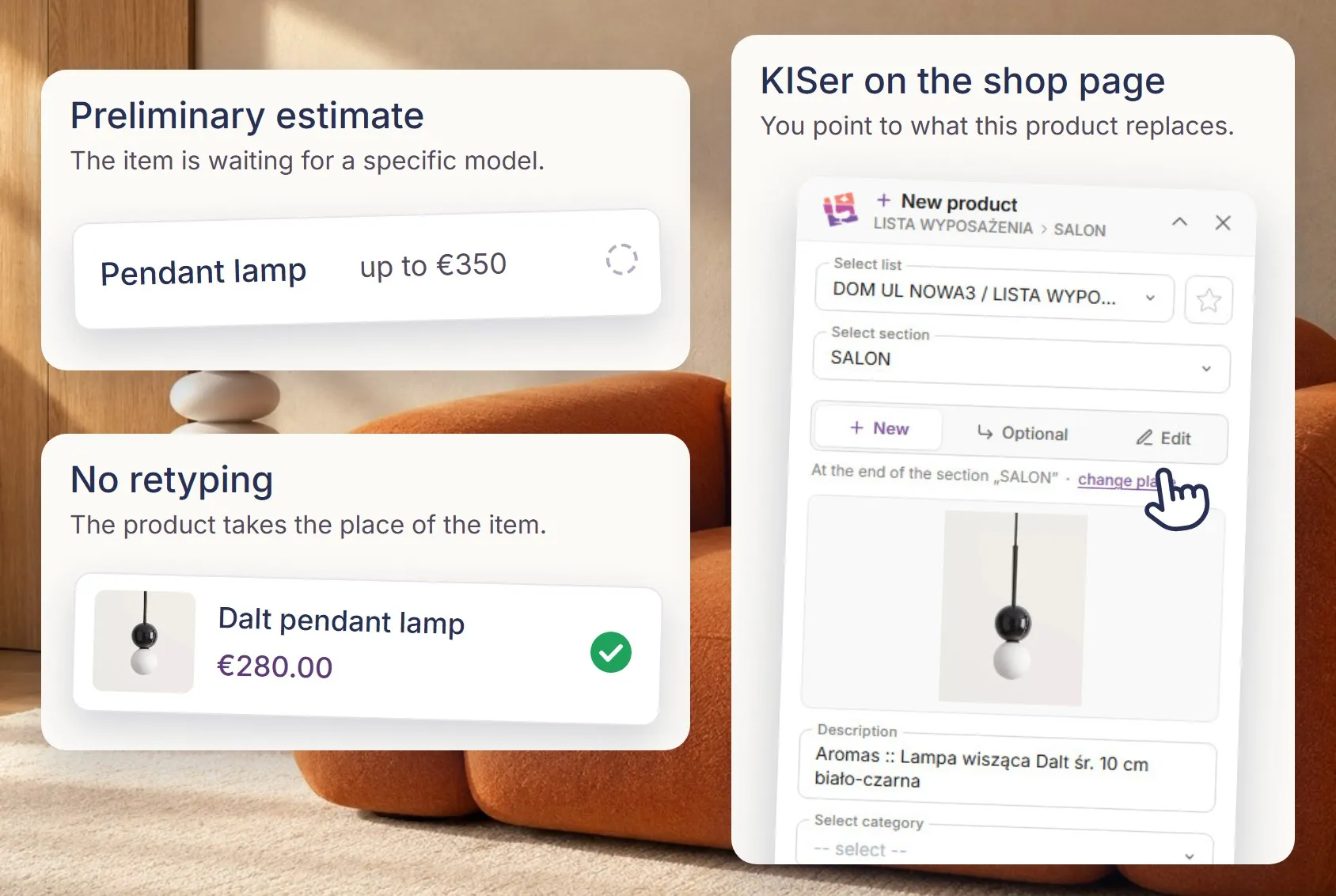
Do you work with preliminary estimates? Great. Then you start with items like "sofa, up to €1,500" and choose the specific model later. At that point you don't want to copy, move or make new versions of the document.
What to look for: whether, from the extension, you can replace an item in the preliminary estimate with a product from a shop, or add a product as an option to that item.
In KIS List you open KISer on the product page and point to the item in the preliminary estimate that the product should replace. You can also save the product as an option to that item when you want to show the client two sofas. Both features are in the PRO and EXPERT plans. I described how to take an estimate from preliminary to final in the guide to the furnishing cost estimate.
Stage 4: your favourite products. Where do you keep products you trust?
Almost every designer builds a favourite products library. When I talk to designers, I hear that they keep them in browser bookmarks or on Pinterest. That works until, in the next project, you're looking for that one extending table from a year ago.
What to look for: whether you can add a product to your library while browsing a shop, and whether you can find it later by tag or in a folder.
In KIS List you add a product to your favourite products library straight from the shop page, using the extension. You add tags and group products into folders, for example "extending tables" or "sofa beds". From the library you add a product to the list in a new project. You have the favourite products library on every plan, and tags, folders and saving from the extension from the PRO plan.
Stage 5: visualisations. Will AI really speed up your work?
At a workshop at the Warsaw Home trade fair I asked the designers in the room: "How long does rendering a visualisation take you?" People called out 30 minutes, an hour, and some said even longer to get a photorealistic result.
But is rendering itself valuable to the client? No. Your design is what's valuable. There's a reason people have long worked purely as render artists. That's why rendering should take you as little time as possible.
There are many AI tools today, from ChatGPT to specialised software. Each has its limits: sometimes it adds something that wasn't there, or changes something.
What to look for: whether the AI works on your visualisation and keeps your design, whether further shots of the same room look consistent, and how easily you can fix what the AI changed. In the end, simply check whether it actually speeds up your work.
In KIS List we built KISaya for this. We went for simplicity: you upload a raw visualisation and get a photorealistic one with a few buttons. KISaya enhances further shots of the same room in the same style, so the views are consistent. If it adds or changes something, you can remove that element or ask for it to be changed. KISaya doesn't create an interior from scratch; it enhances yours. It's part of the paid KISjum add-on.
On a recent project, the renders alone would have taken me 3-4 days: arranging decorations, looking for 3D models. In KISaya I did it in about 20 minutes. More: how to improve an interior visualisation with AI.
Stage 6: you talk to the client. Can the client comment right on the product?
You can do all your communication with clients by email, but it's tiresome for both the client and the designer. Information gets lost, you have to copy it somewhere, and discussing products is awkward.
There's one story I like to tell. I sent clients two sets of bathroom fittings: a toilet, a washbasin and a tap. The clients replied: "Magda, we prefer the loo that's a bit rounder." I spent ages wondering which one they meant, because to me both were rounded. That's why we talk about a product next to the product. Then neither the client nor we have to guess.
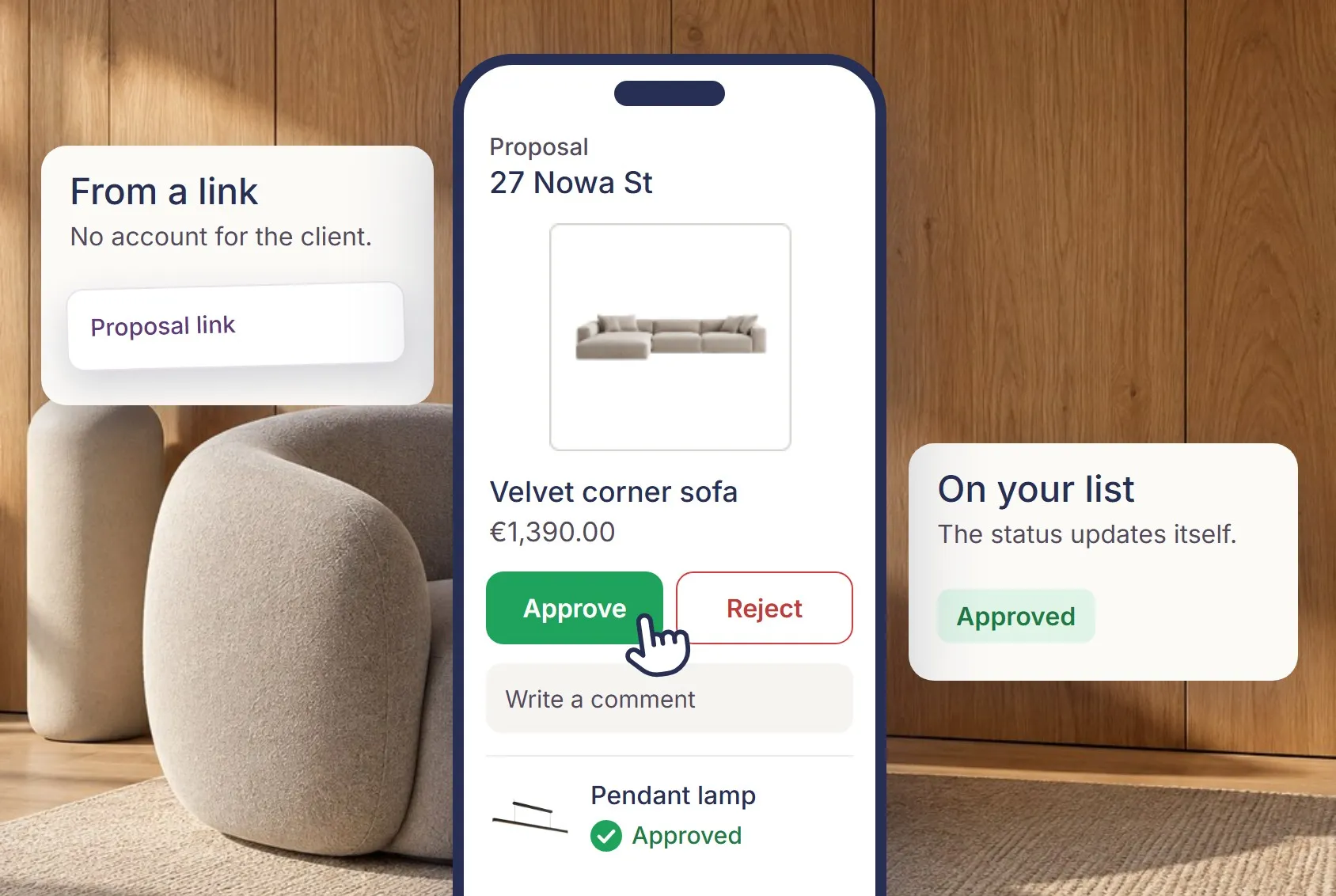
I once talked to a large design studio about how they work with clients. They told me several clients had said outright that a cost estimate in Excel feels a bit old-fashioned. I agree. Excel is great, but not necessarily for an interior designer's work with clients. We're all in a rush, and clients shouldn't have to learn new software to see their project. They should click a link and see everything straight away, clearly and attractively presented.
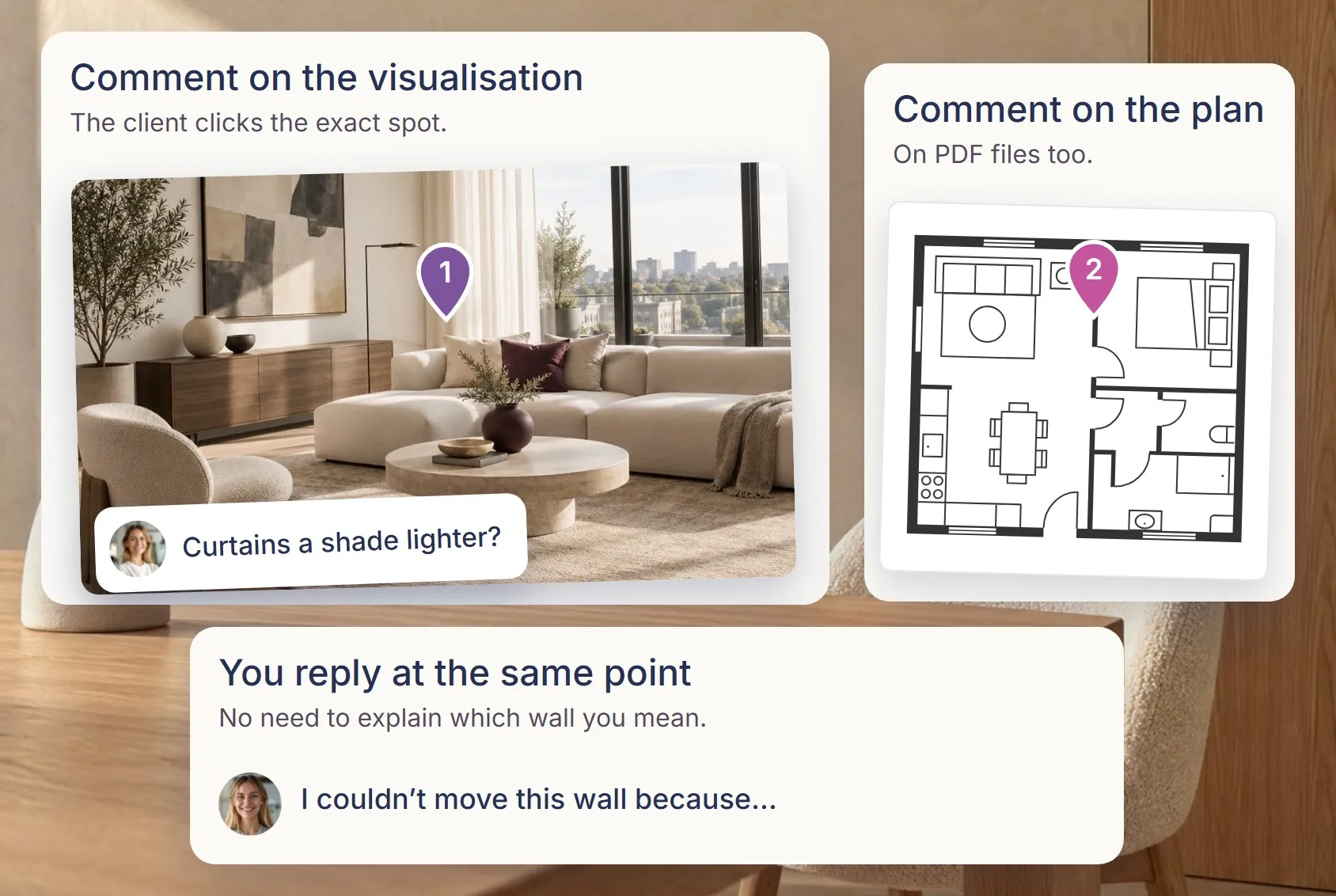
What to look for: whether the client opens materials without creating an account and logging in, whether they approve and comment on a specific product, and whether they leave a remark about a visualisation or floor plan at a specific spot in the file or visualisation.
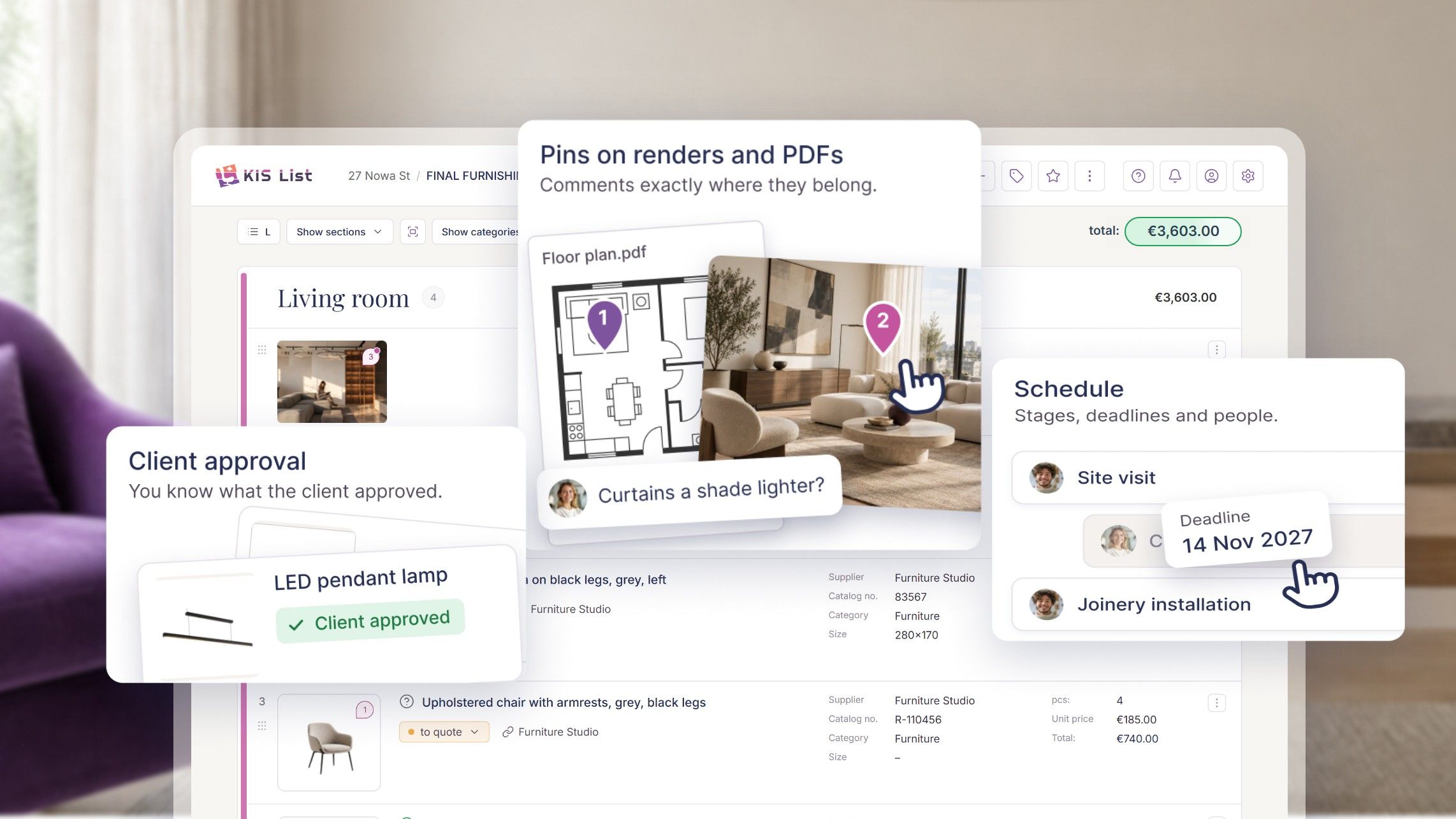
In KIS List the client opens the list and the proposal through a link, without an account or logging in (from the PRO plan). They approve, reject and comment on specific items, and the statuses on your list update by themselves. In the EXPERT plan the client has a single screen, the client panel. There we talk about a visualisation on the visualisation, and about a floor plan on the floor plan PDF: you drop a pin with a comment at a specific spot. I no longer have to write: "Monika, I couldn't move the wall next to the bathroom on the right-hand side, as you wanted." I drop a pin at that spot and write: "I couldn't move this wall because…". You decide what the client sees: you can hide working notes, prices and shop links. The client can open the list, the proposal and the client panel on a computer or a phone.
Stage 7: files and agreements. Do you know where to look for things?
When I worked mainly by email, clients often wrote: "Magda, could you send that file again, I can't find it", "Magda, where is it?" After a while it's hard to find your way around email, especially on a bigger project. Searching for information took me a huge amount of time too. Something I'd agreed with a client on the phone, I'd written on a piece of paper; something else on a drawing.
What to look for: whether files, agreements, notes and messages are attached to the client's project, so that both you and the client know where to look.
In KIS List I keep everything in the client's project, and I know that if I'm looking for something, it's there. I share documents with the client in the project file centre, and files sent in the chat land there automatically. The client can reach them from a phone too. The project panel and the file centre are in the EXPERT plan.
I do a lot on my phone. When I'm in a shop with clients, I take photos of products, and later, back in the car, I select them all and upload them to the project files. The same on a site measurement visit: I take a photo of the sheet with the measurements and send it straight to KIS List. I have everything in one place.
Stage 8: the build. Does the client know how long the project takes and what's happening on site?
Clients often don't realise how many things need doing in an interior design project and how long it takes. A schedule that the client can see helps here.
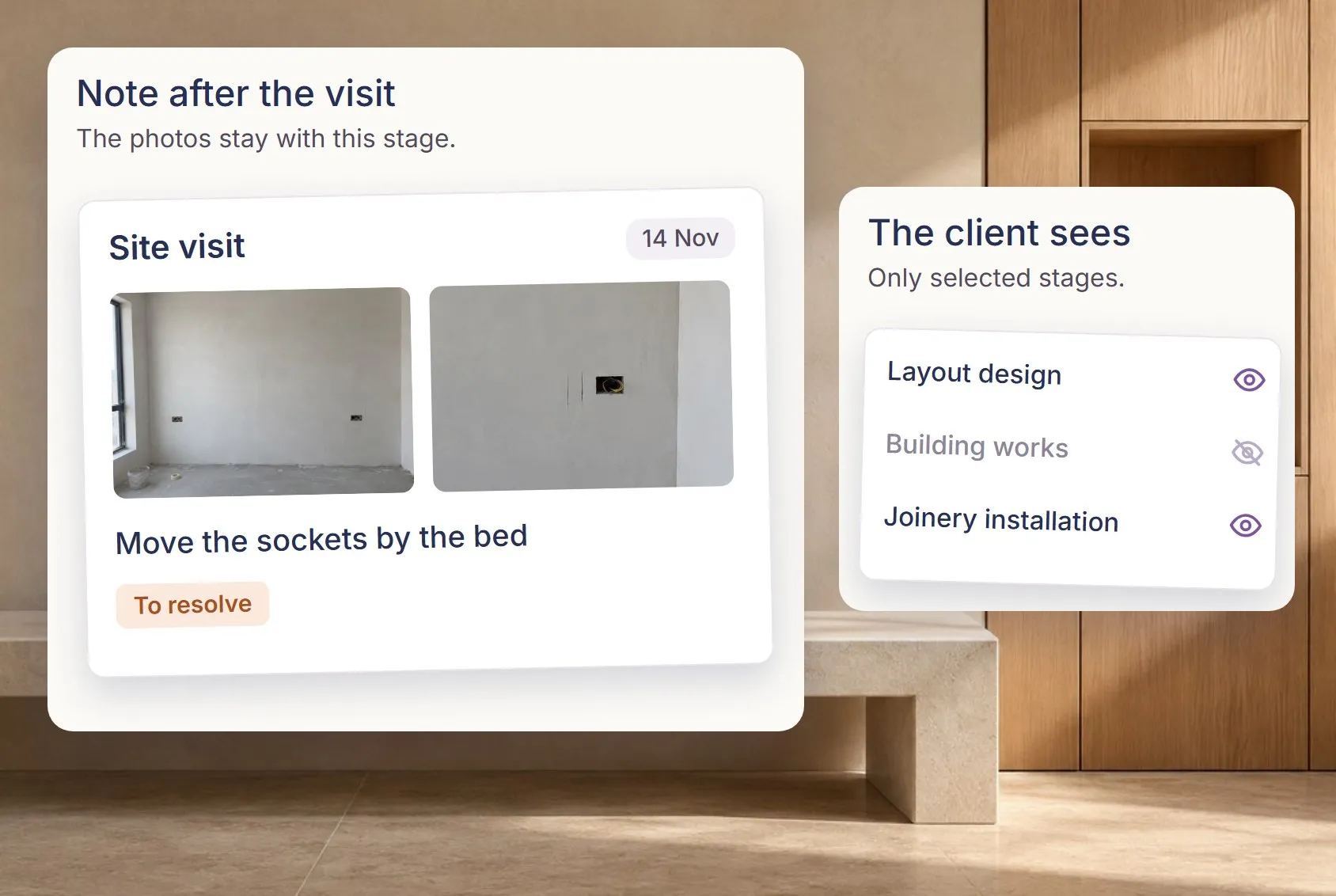
What to look for: whether the schedule shows the client only selected stages, whether you can save notes and files with the stages, and whether it connects to the calendar you already use.
In KIS List the schedule is more than dates. You collect information and files in its items. I run the build in it and leave notes after site visits, with photos. You connect the schedule to Google Calendar and share only selected stages with the client. The schedule is in the EXPERT plan.
On site with your phone
On site, the software has to work on your phone. The builders ask me, for example: "Magda, you wanted a ceiling cornice here, what size is it?" I open the product list on my phone, tap the cornice, go to the shop page and show him: "Look, Paweł, this is the cornice." I can send him the link straight away, add a note, check what the client wrote and send the client a message.
What to look for: whether the software works in your phone's browser and whether you can find everything you need on site in a few seconds.
In KIS List you work in your phone's browser or install KIS List on your phone's home screen as an app (PWA), without an app store.
Stage 9: you work with a team. Does your team discuss the project in the same place?
Every studio organises its team differently: some use Trello, others Asana, others have their own ways. Then the project is in one place and the conversation about it in another.
What to look for: whether the team has comments the client can't see, and whether you can assign a person to a task or a remark. If you work alone, you can skip this stage.
In KIS List everything happens in one tool. When I work with a visualiser, we leave each other pins on the visualisation that only the team sees, not the client. I assign a person to a pin, and in the schedule I assign people tasks or whole activities. These are EXPERT plan features. Tagging a colleague with @ in comments is available from the PRO plan.
How much does software for interior designers cost?
Don't start with the price of the software. Start with what an hour of your work, and your team's work, is worth. Then count how many hours a month you spend copying products into Excel, chasing information from the client and clearing up misunderstandings.
We often assume our time is free. It isn't. In that time we could improve our marketing or win another client.
A cost estimate in Word used to take me about 2 days. If an hour of your work is worth, say, €25, two 8-hour days cost €400 on a single project. Only then compare the price of the software, and use the trial to check how much of that time you actually get back. Also work out the cost for the whole studio: the number of people, the plan with the features you really need, and AI. Check whether the client takes up a paid seat in your plan and whether you can test the software without entering card details.
In KIS List the net monthly prices are START €15, PRO €22 and EXPERT €35 per person (as of November 2026). With annual billing you get 2 months free, and in the PRO and EXPERT plans a seat costs less when there are several people. The client doesn't take up a paid seat. AI, meaning KISjusz and KISaya, is the paid KISjum add-on with a limited budget, from €24 net a month. For 14 days you can test the full EXPERT plan without a card. Details: KIS List pricing and plans.
Is your clients' data safe?
In the software you keep your clients' addresses, budgets, photos and decisions, and as the designer you're responsible for them to the client. Before you buy, check where the servers are, whether the provider makes backups and whether it has a data processing agreement.
In KIS List the data is on servers in the European Union, and we keep several backups on different servers. That's safer than keeping projects on your own computer, which can break or get lost. When a service provider, for example an AI provider, processes data outside the European Economic Area, it is protected by mechanisms approved by the European Commission, described in the privacy policy. The connection is encrypted, and the data processing agreement is part of the terms of service, so you don't sign a separate one. You can reach your projects from anywhere, all you need is the internet.
When is Excel enough?
Excel or Google Sheets is enough when you design as a hobby or do one small project every six months for friends. Excel is great at adding up numbers. But the calculation is only a small part of the work on furnishing an interior. The rest is copying links, photos and dimensions, checking variants, exchanging messages with the client about substitutes and keeping track of which version of the spreadsheet is current.
When I talk to designers, I hear that a product list can have 350 items, and preparing it takes from two to five days.
Many new designers think: "I only have one or two projects now; software can wait until I have more clients." It's the other way round. With two projects, your biggest problem isn't the lack of a spreadsheet, it's the lack of time for marketing and winning more work. Every hour spent on a manual estimate is an hour taken from what builds your business.
Excel is enough as long as your time is free. You don't adopt project management software when you have too much work, but so that you have time to win that work.
What KIS List doesn't do
- Drawing floor plans and 3D models. For that you need interior design software.
- Generating interiors from scratch. KISaya enhances your visualisation.
- AI included in the plan price. The AI assistants are a paid add-on.
- Importing lists from Excel or PDF. You start a new project in KIS List, and you can finish ongoing projects where you started them.
- List templates. You copy a whole list or section into a new project (from PRO).
Which KIS List plan includes these features?
| Feature | Plan |
|---|---|
| KISer: saving a product from a shop, scissors tool | all plans |
| KISer: replacing a preliminary estimate item, product as an option, filling in fields by selecting text | PRO and EXPERT |
| "Add multiple products": phone photos as products on the list | all plans |
| Working in your phone's browser and installing as an app (PWA) | all plans |
| Favourite products library | all plans |
| Tags, folders, saving to favourites from the extension | PRO and EXPERT |
| Online list and proposal: client approvals and comments without logging in | PRO and EXPERT |
| Notes on the list, with your choice of whether the client sees them | PRO and EXPERT |
| Tagging people with @ | PRO and EXPERT |
| Client panel, project panel, pins on visualisations and PDFs, file centre, schedule with Google Calendar, team comments | EXPERT |
| KISjusz and KISaya | paid KISjum add-on to any plan |
Checklist for comparing software
Write in the names of the software you're testing and tick what worked on your project.
| What I'm checking | Software 1 | Software 2 | Software 3 |
|---|---|---|---|
| The questionnaire answers a client who doesn't know something | |||
| The extension saves a product from a shop, also from a phone | |||
| I can replace a preliminary estimate item with a product | |||
| Favourite products library with tags and folders | |||
| AI keeps my design and consistent shots | |||
| The client opens a link without an account and comments next to the product | |||
| A pin with a comment on a visualisation and a PDF floor plan | |||
| Files and agreements are in the client's project | |||
| A schedule with notes, files and a calendar | |||
| The team has comments the client can't see | |||
| Annual cost for the whole studio | |||
| EU servers, backups, data processing agreement |
Frequently asked questions
What software do interior designers and architects use?
Usually two kinds: drawing software (CAD or 3D) for floor plans and visualisations, and project management software for the shopping list, cost estimate and work with the client. Many designers still use Excel, Word and email instead of the second kind.
What software should a new interior designer start with?
At the start, the most important things are saving products, the cost estimate and client approvals (stages 2, 3 and 6). The schedule, teamwork and AI become useful once you have more projects.
Does the client have to create an account in the designer's software?
They shouldn't. Logins and passwords often push decisions back into email. In KIS List the client opens the list and the proposal (from the PRO plan) and the client panel (EXPERT) through a link, without an account.
Can I run an interior design project on my phone?
Check whether the software works in your phone's browser, not only on a computer. KIS List works in your phone's browser, and you can install it on your home screen as an app (PWA). You save products from shops with the KISer app for Android and iPhone, and the client opens their link on a phone.
Is KIS List related to KIS, the Polish National Tax Information service?
No. KIS List (kislist.com) is software for interior architects and designers, unrelated to Krajowa Informacja Skarbowa, the Polish tax information service.
Less searching, more designing
Good software won't design the interior for you. It should make sure the client knows what they approved and you know where to find every piece of information. Try KIS List on your own project: try it free for 14 days, no card needed. Real people answer the chat, Monday to Friday, 8:00-16:00 Polish time (CET), and you can book a free online training session to get started.