“The best projects start with a good brief…” - that's what we should write here, but we won't, because we all know what client briefs are like. You'll conjure a project out of it anyway - the only question is why struggle when there's a simpler way?
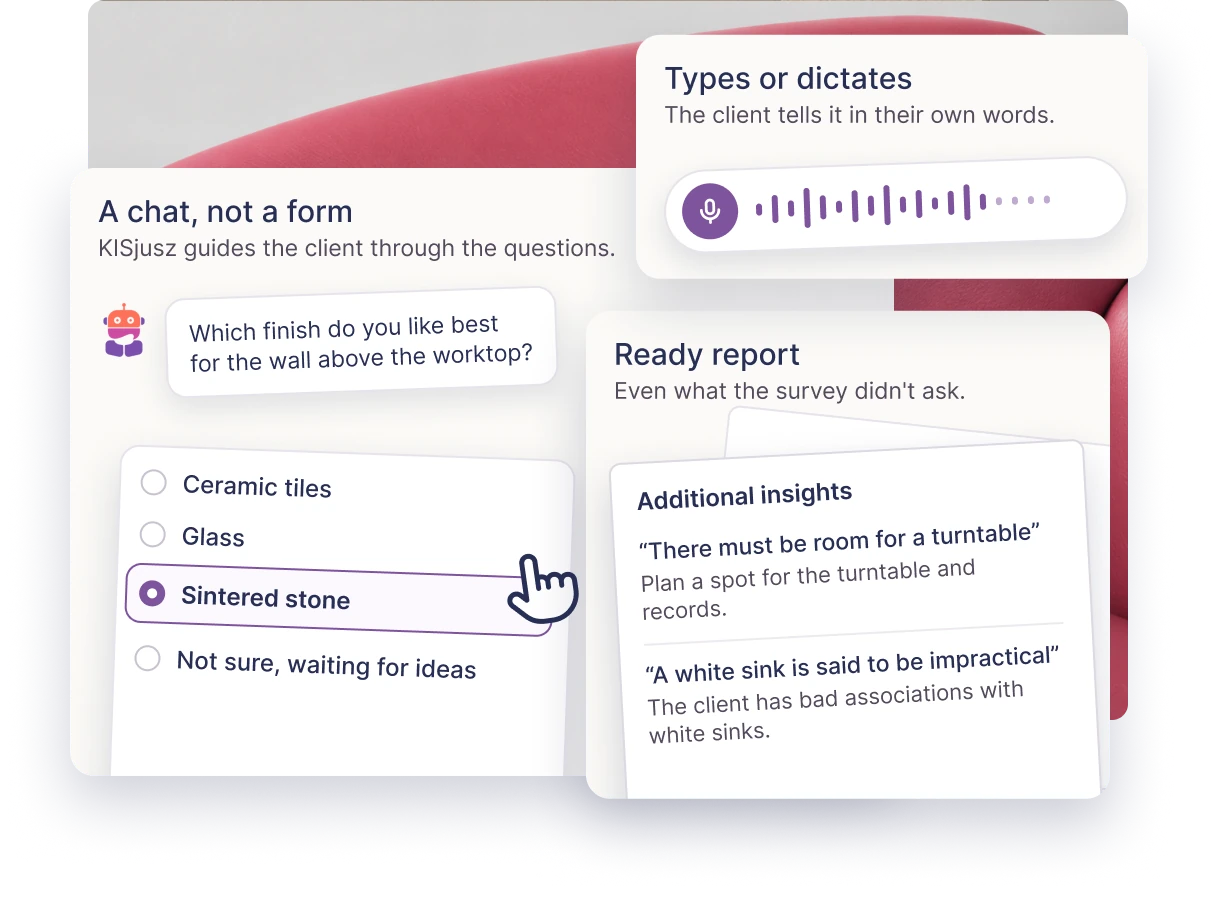
KISjusz - a smart client survey
AI add-on
The first meeting with the client, without you having to be there.
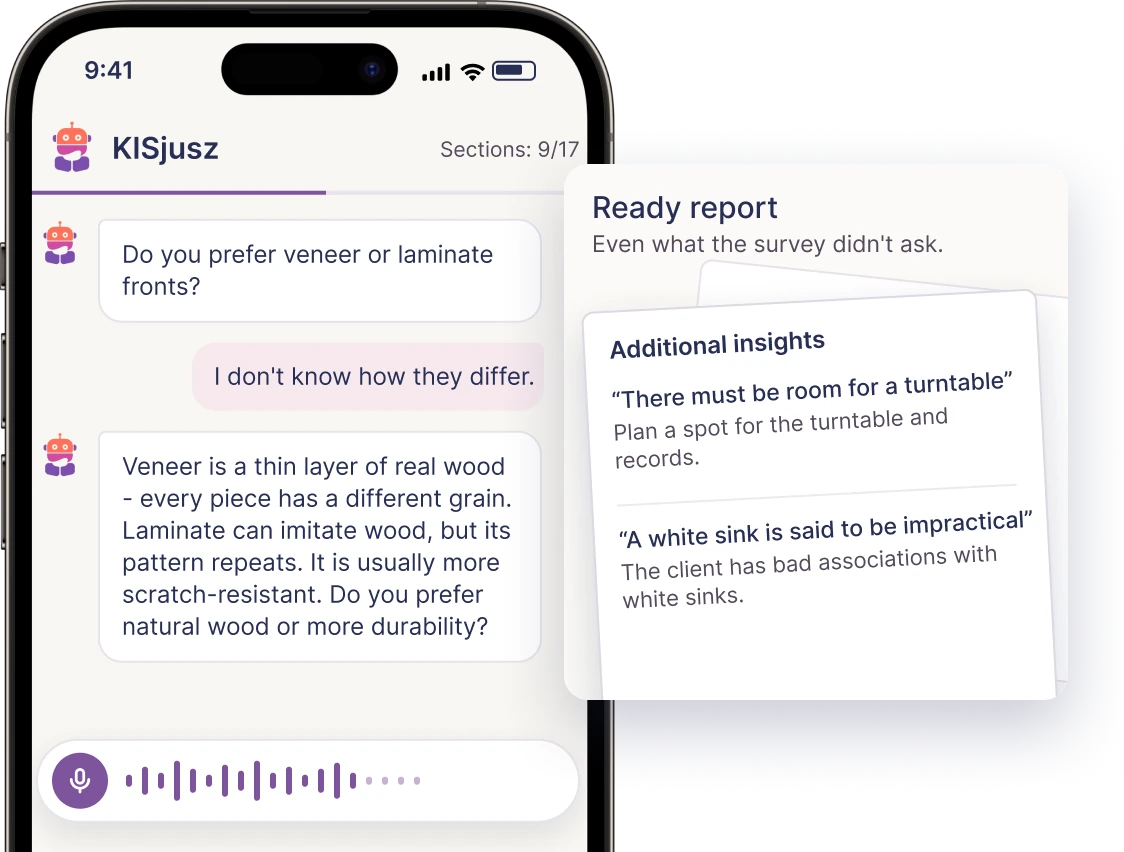
You write the questions or pick a survey template, and KISjusz walks the client through it as a conversation. It asks for details and explains unfamiliar terms - following your questions, without leaving the client alone with a form. The client can type or dictate: speaking freely makes it easier to develop a thought and share details. You get an organised report and a starting point for the next conversation.
Paid add-on, available with every plan
Notes, to-dos and attachments in the project
Expert
Everything you need to know but don't need to remember - in one place.
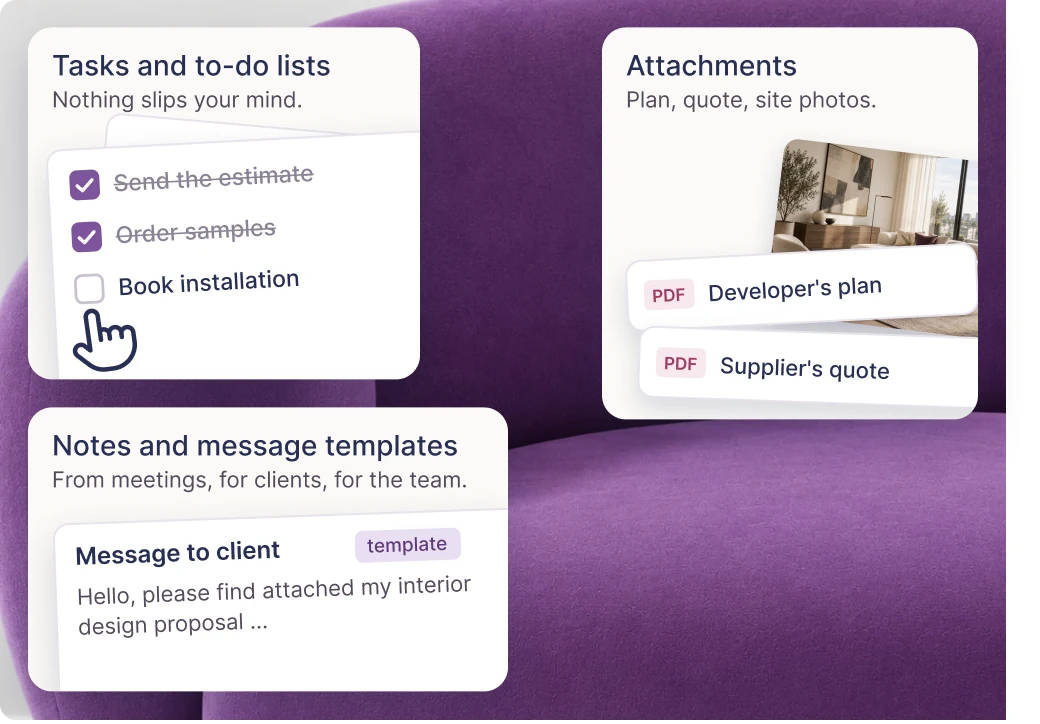
Every KIS List project lets you collect meeting notes, client guidelines, to-do lists and attachments: the developer's floor plan, a supplier's offer, photos from the site visit. Ready-made note and message templates speed up communication, and you can come back from a week's holiday and know right away where you are with the project.
Selecting products is the tedious part of your work - and most of your hours. KIS List gives you those hours back: a product from a shop lands on the list in one click, the favourites library keeps your favourite products, and lists build themselves in the background. In short - you just choose, the rest happens by itself.
KISer - the extension that knows what it sees
All plans
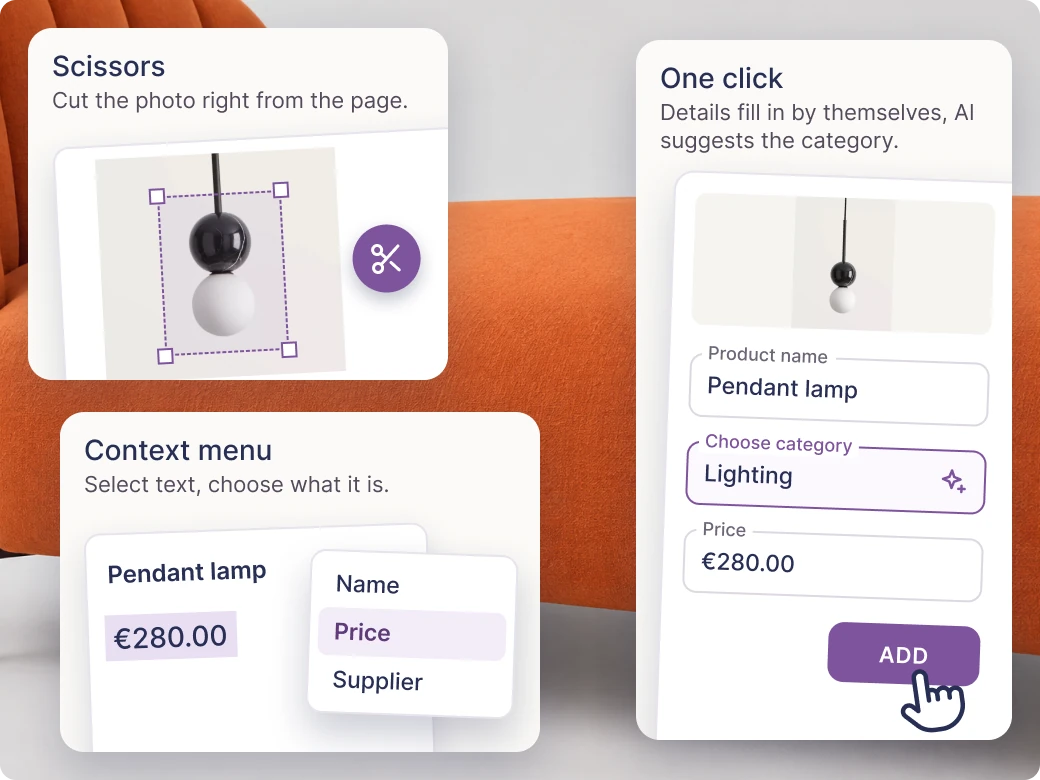
One click - and the product lands on the shopping list with all its details.
A browser extension (and a separate KISer extension for Android and iPhone). You open any shop's page, click the icon, and KISer picks up the photo, name, price, supplier and link. You choose which list and category it goes to. YES, it's THAT simple!
ScissorsThe photo didn't come through? Select part of the page and KISer saves it as the product photo.
Context menuSelect text on the page and choose what it is: the name, the price or the supplier. KISer fills in the form.
AI auto-categorisationKISer suggests the product category itself - a small thing, but it saves one click every time you add something.
The extension in all plans. Context menu in PRO and Expert. AI auto-categorisation in the Expert plan.
Favourite products library
All plans
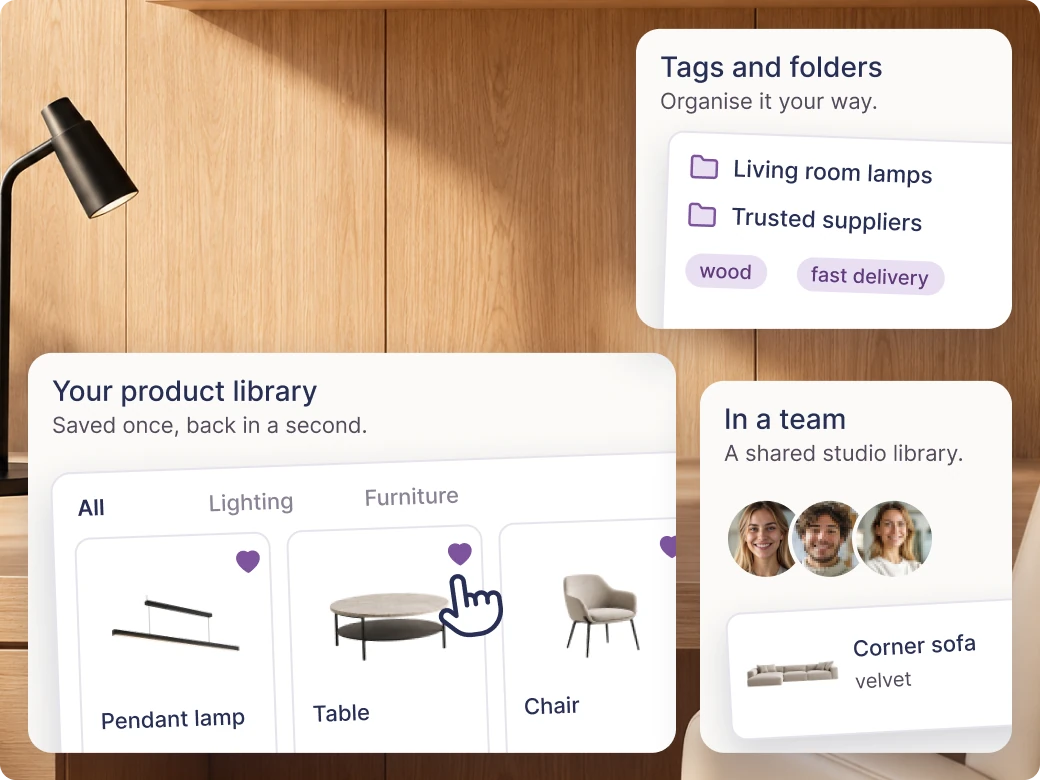
The lamp you added to a “just in case” list a year ago is back in a second.
Every product you save once lands in your personal library of favourite products. Next project - you pull it out in 3 seconds. The PRO and Expert plans add tags, your own folders and editing products in the extension and, from two seats, sharing the library with your team.
Library in all plans. Tags and folders in PRO and Expert. Team sharing in PRO and Expert.
Shopping lists that build themselves
All plans
You're still browsing shops, and the list is already done.
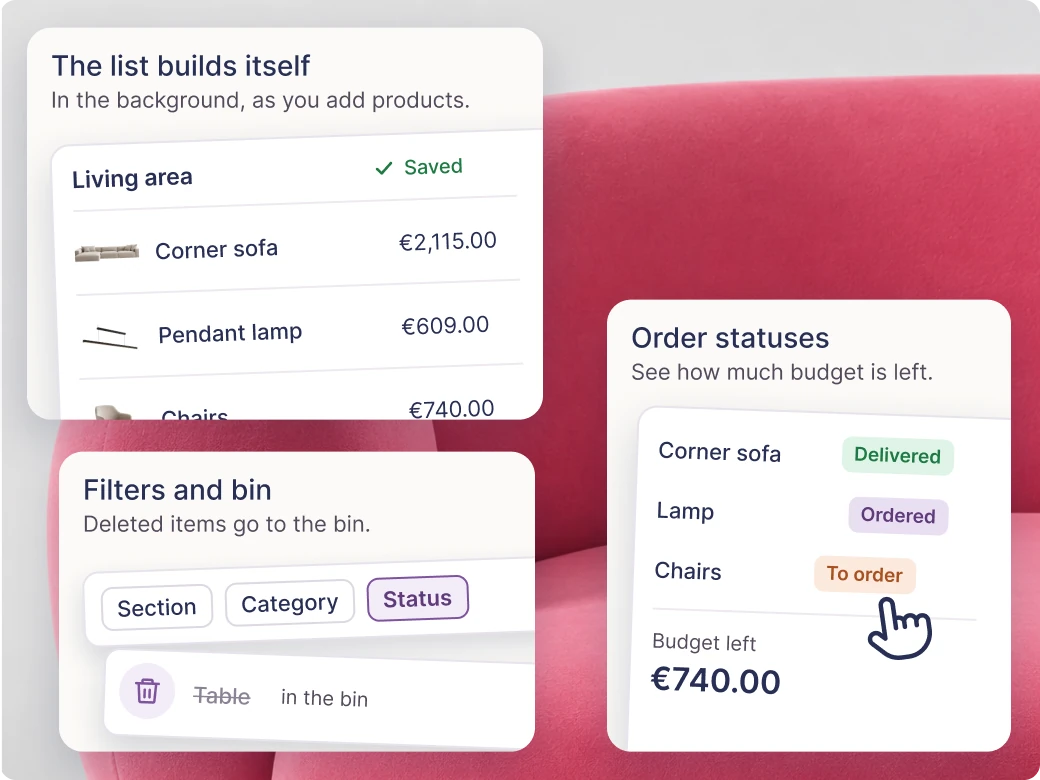
In the background, as you add products, KIS List puts the list together. You filter by section, category and status. Autosave works live, and deleted items go to the bin. PRO and Expert add copying lists and sections, moving items between lists, bulk editing, and your own categories and order statuses.
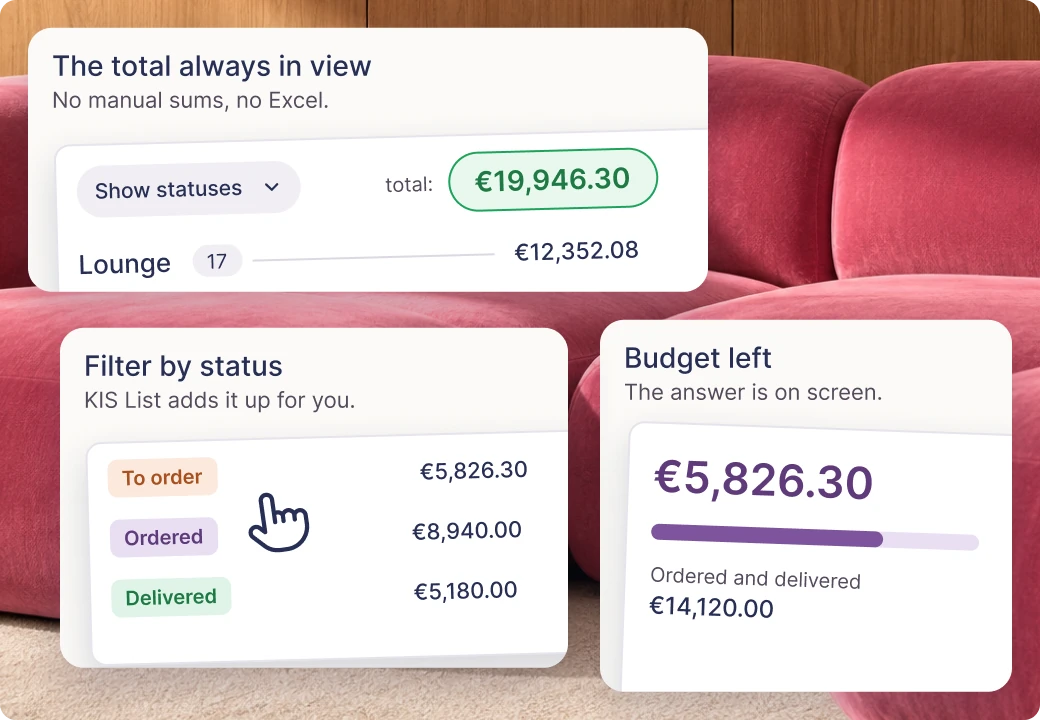
Order statusesYou mark what's to be ordered, ordered and delivered. KIS List adds it up, filters it and shows how much is left to spend.
25 lists in Start. Unlimited in PRO and Expert. Advanced operations in PRO and Expert.
The client buys a vision, not a spreadsheet. KIS List gives you moodboards, visualisation enhancement and exports that look as beautiful as your projects - so the first impression works for you. This is the stage where your work becomes visible.
KISaya enhances your visualisations
AI add-on
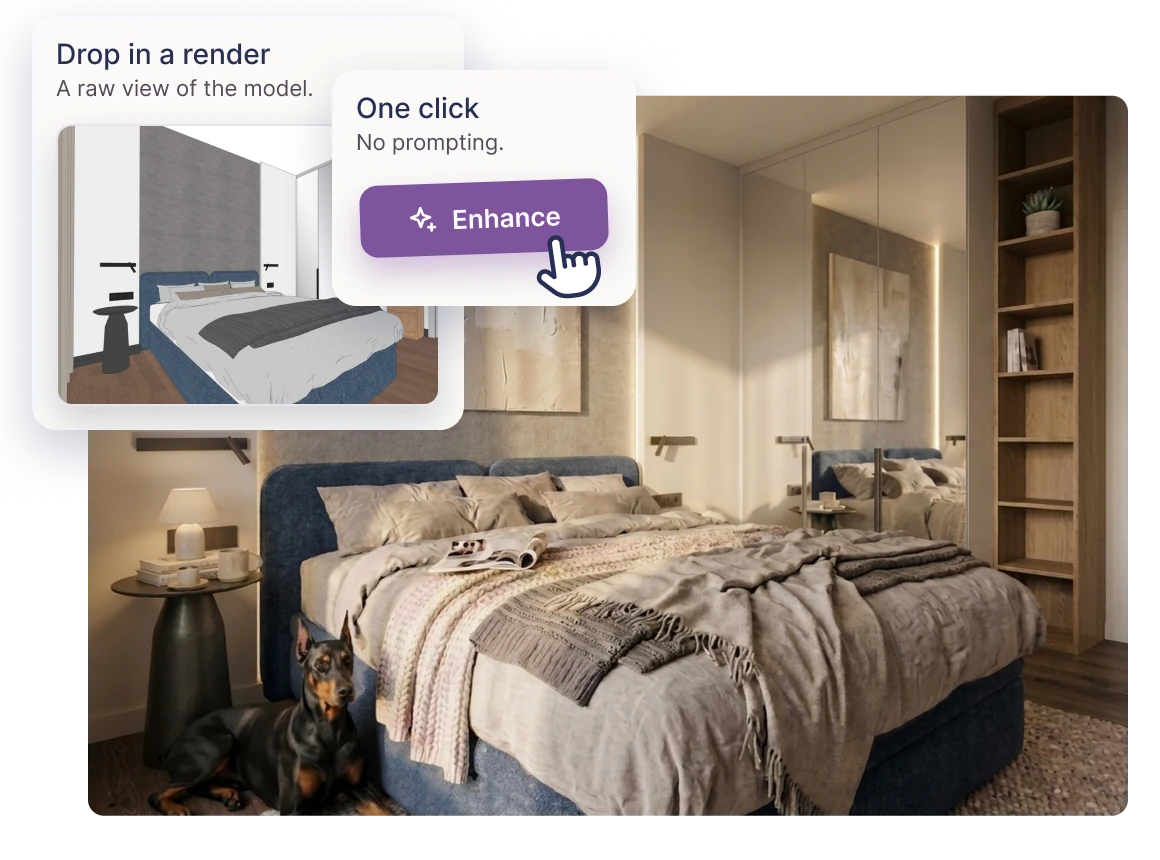
Your visualisation in editorial quality. In one click.
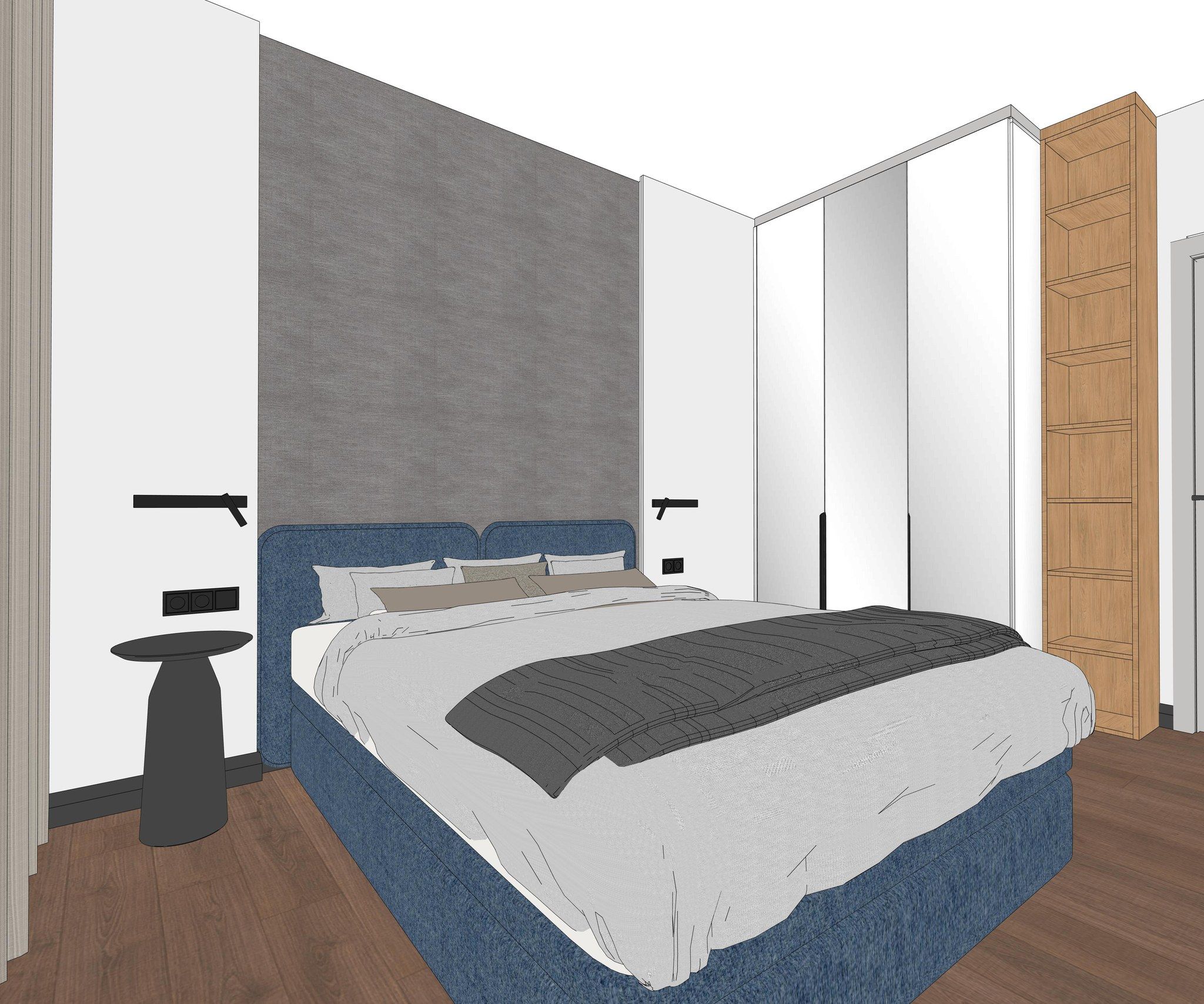
You upload a render from your design software. KISaya, with the help of AI, turns it into a visualisation that looks like a photo of the finished interior: light, textures, atmosphere, framing. A total wow effect - no prompting, every detail preserved, in one click.
Paid add-on, available with every plan
Moodboard view
All plans
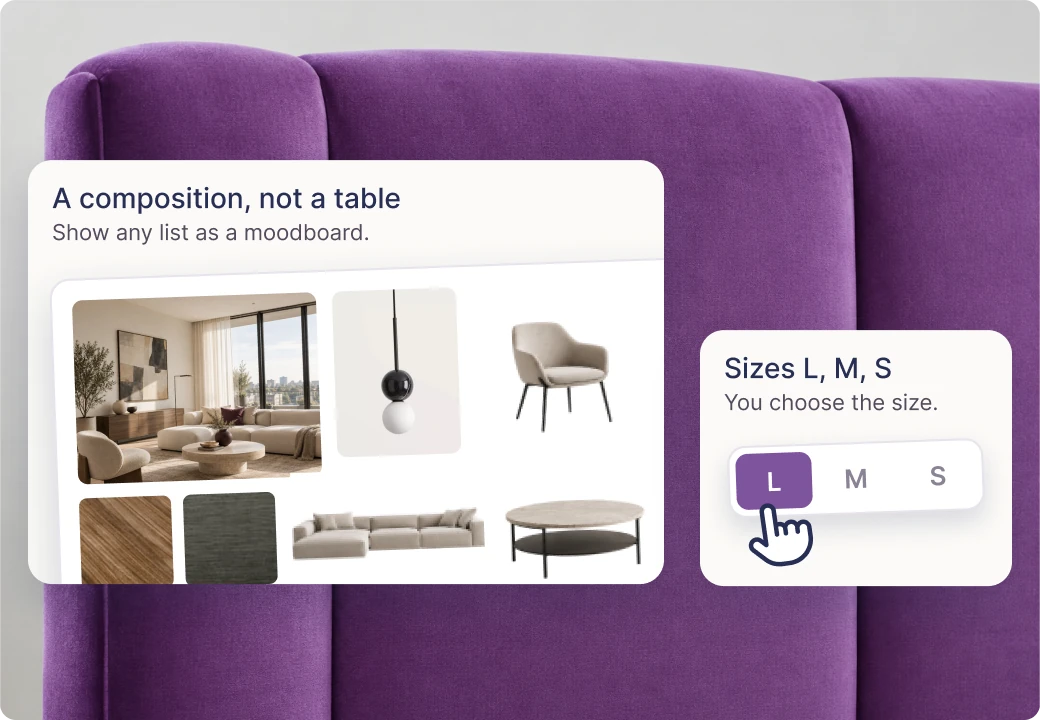
An idea you can see at first glance.
You can show any list in the moodboard view - product photos arranged visually, in L, M or S sizes. A composition instead of a table. You share the proposal with the client online: they see the inspiration and the actual products in one place, and comment on what they see.
Available in all plans
PDF and Excel exports
PDF - all · Excel - PRO and Expert
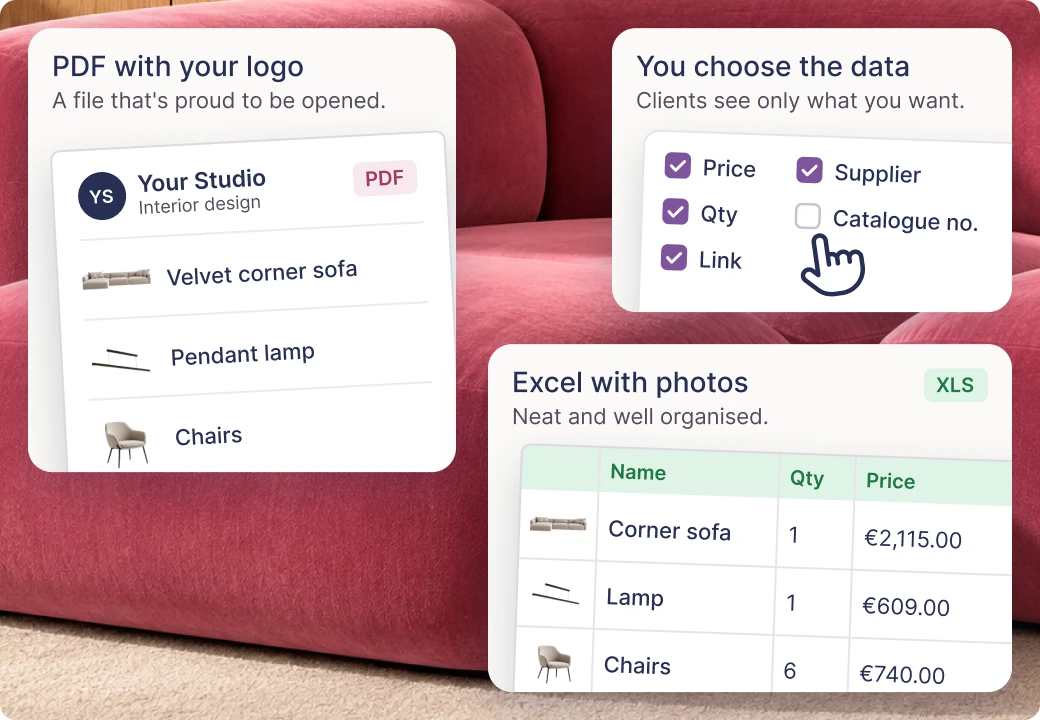
A file that isn't embarrassed to be opened.
We understand that some investors will prefer a good old file - so PDF export of lists is available in all plans. In PRO and Expert you can also export the list to Excel - neat, well organised and with product photos straight away. You set the visible data: price, quantity, link, supplier and catalogue number. You add a note, a logo and your studio's contact details.
PDF: all plans. Excel and settings: PRO and Expert. Full branding: Expert.
Visualisations on the list
Expert
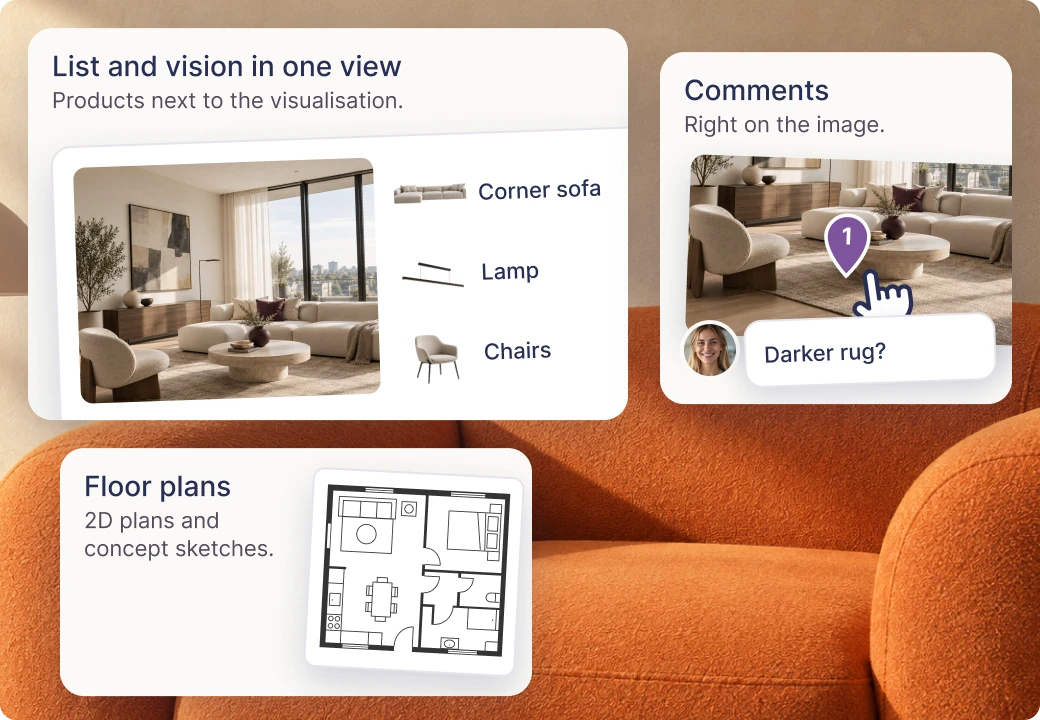
The list and the vision in one view.
You add interior visualisations to the list or the moodboard. The client sees the products next to the vision of the interior, comments in one place and makes decisions with the full context. You can also add floor plans, 2D drawings or concept sketches - anything that helps see the whole picture.
Available in the Expert plan
Price presentation: discounts, margin, VAT
Expert
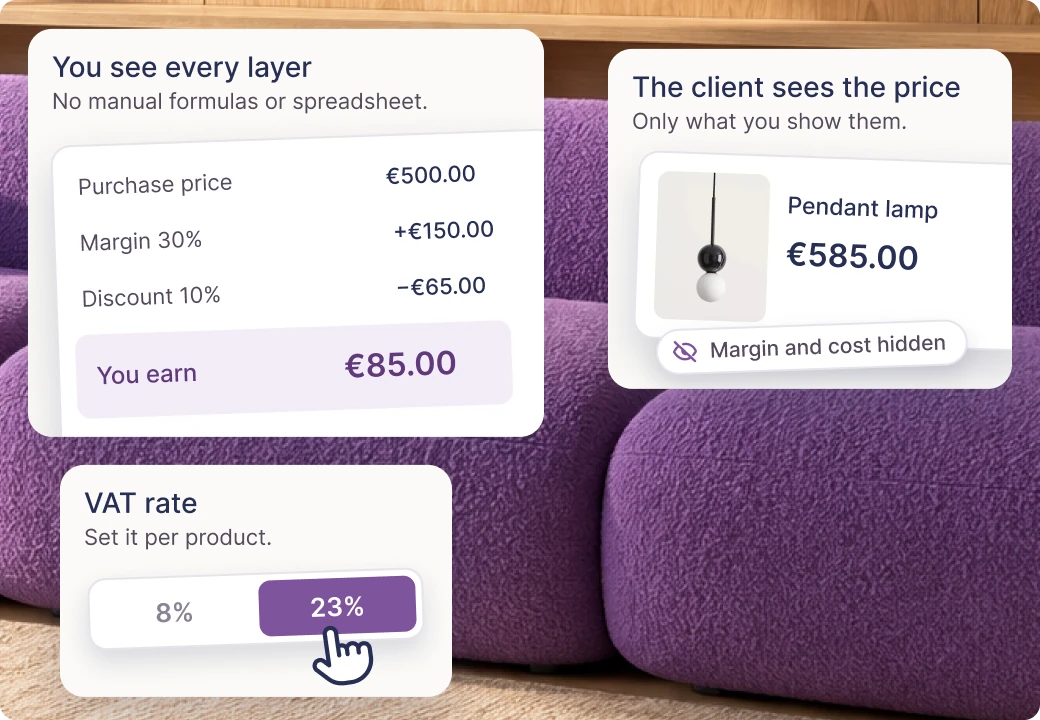
The client sees a price they understand. You see the price you earn.
You add discounts to products, calculate your commission and margin, and choose the VAT rate. In the online proposal the client sees only what you show them. Internally you see every layer of the price - clearly, without manual formulas or an extra spreadsheet.
Sound familiar: “but I said not that one” - that's why KIS List gives the client a place to approve (or reject) specific things, and you have it in black and white until the end of the project. No more digging through emails, texts and WhatsApp messages.
Online proposals with approvals and comments
PRO and Expert
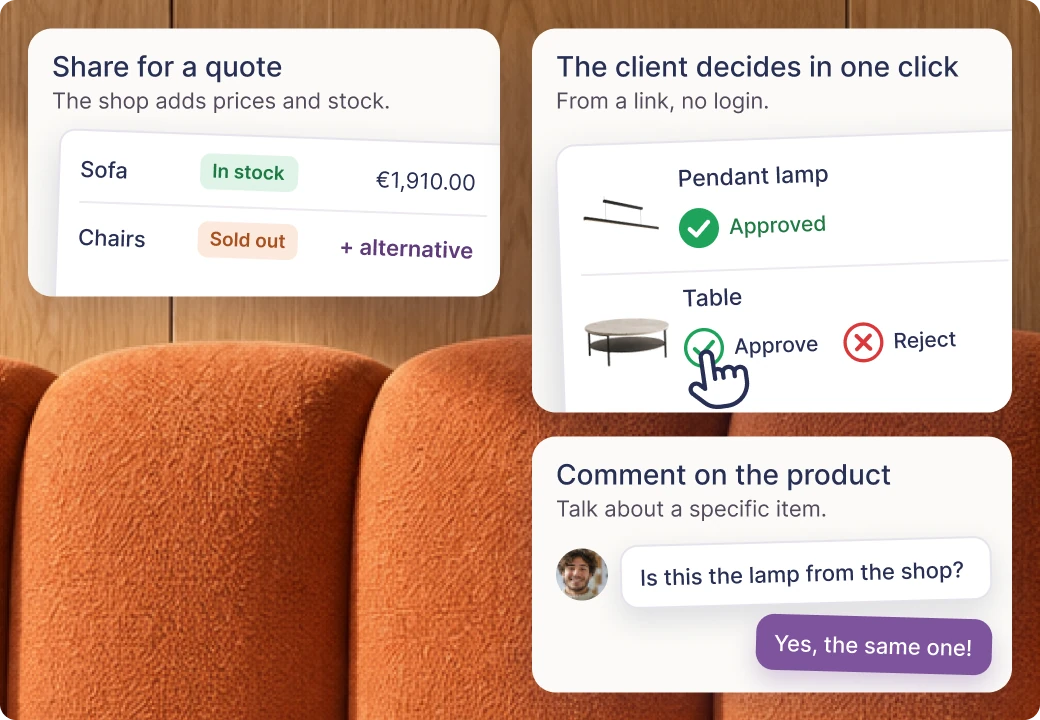
The client “approves” or “rejects” in one click.
You send the client an online list - no email attachments and no PDFs. The client views the products and the moodboard, comments on specific items, approves them or asks for a change, without logging in. You can also share the proposal with a shop for a quote, to check availability and suggest alternatives.
Sharing for a quoteYou can share the proposal with a shop or supplier: they see the products, add their prices and availability. They can also suggest alternatives when something isn't available, ask about details and add products needed for the order. The discussion takes place on specific items.
Client panel
Expert
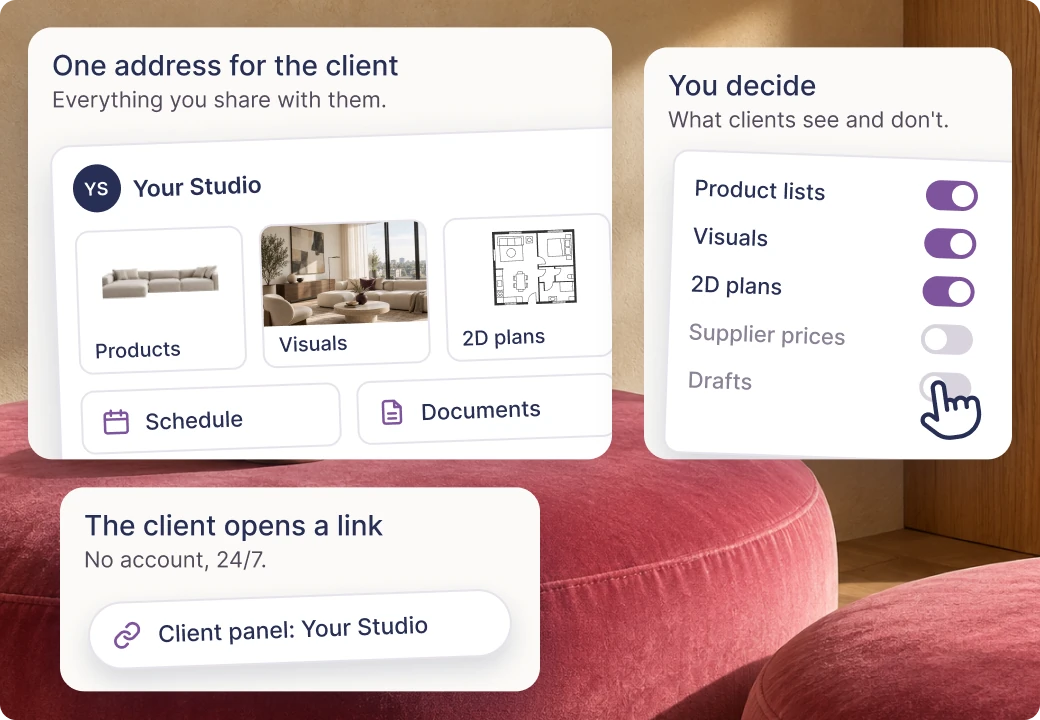
Everything the client should see. And nothing they shouldn’t.
The client gets a single link with everything you share: product lists, visualisations, 2D drawings, the schedule and the project documentation. You decide what goes there. The client doesn’t need an account - they open the link, 24/7.
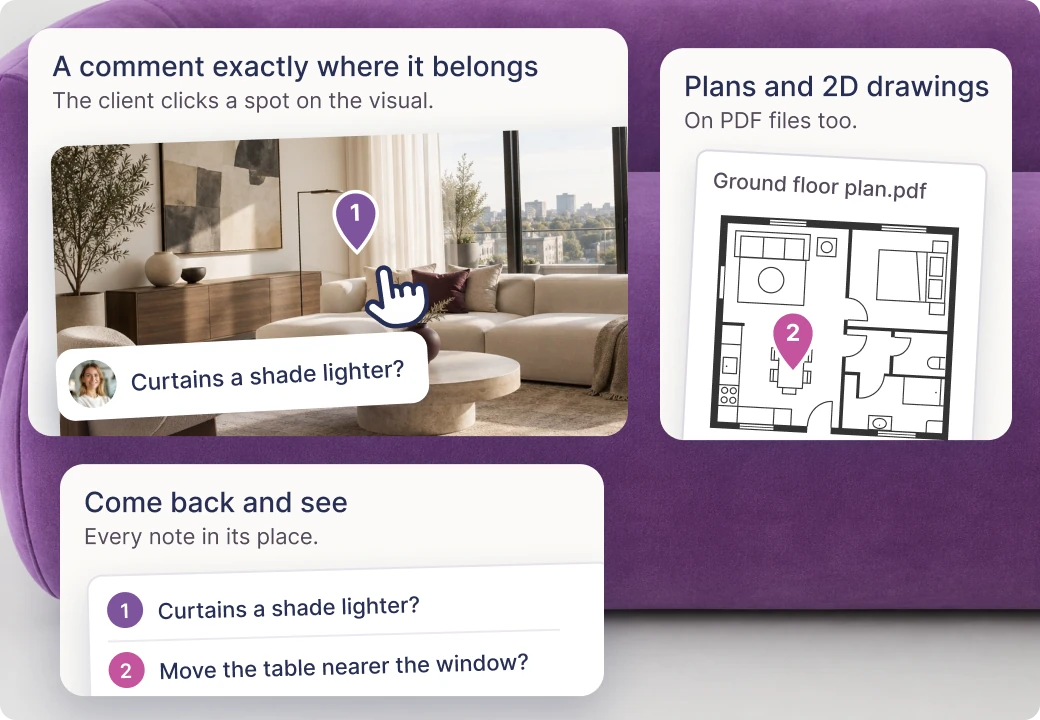
Pinning comments on visualisations
Expert
No more talking about “that thing on the left”.
The client clicks a specific point on the visualisation and leaves a comment right there. You come back and see the pin exactly where it refers to. It works on visualisations, floor plans and 2D drawings - wherever you need precise feedback.
Orders, site supervision, documentation, coordinating the crew - it's not the Insta-friendly part of design, but it's where a studio's reputation is built. KIS List guides you through those long months of work: the project panel, the schedule, files and the team.
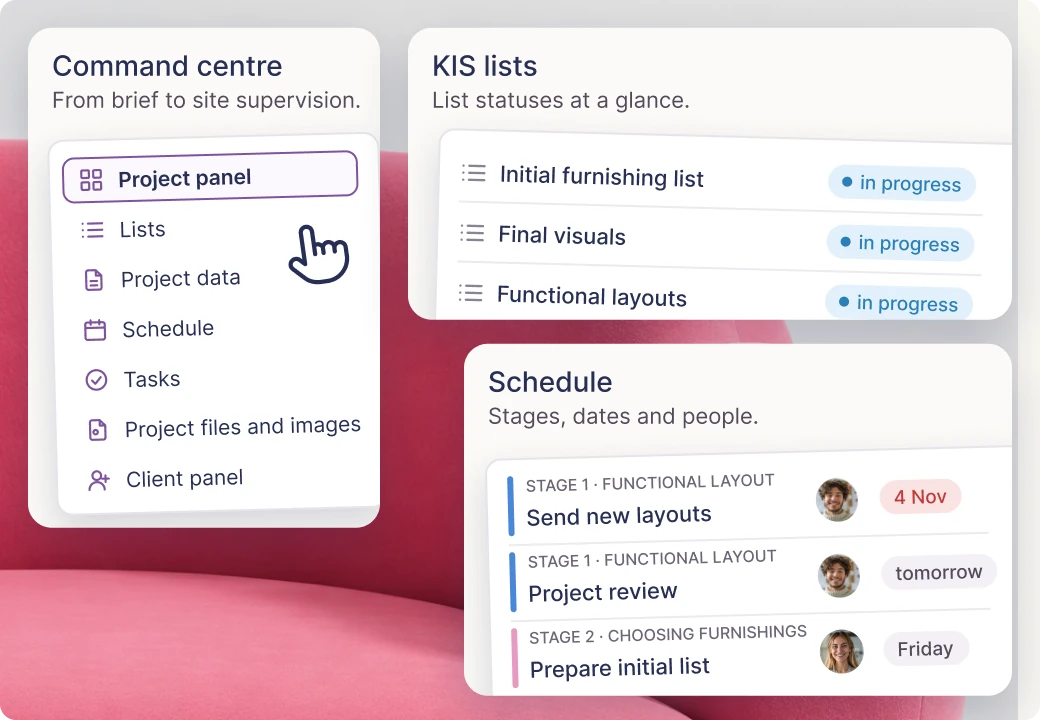
Project panel - the command centre
Expert
You open the project and know straight away what's happening. Without asking anyone.
Recent comments, the product list with statuses of orders, the schedule, files, client approvals and upcoming tasks are all in one place. A command centre for every project - from the brief to design supervision.
Available in the Expert plan
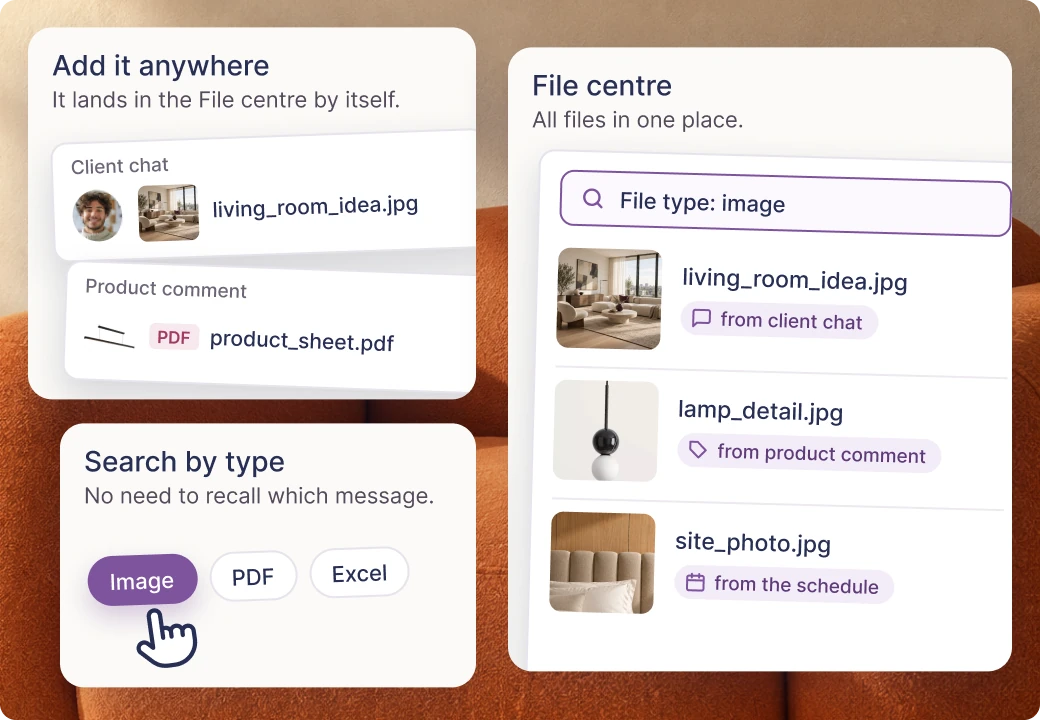
Project file centre
Expert
No more “which message did the client send it in?”.
Every project file lands in the file centre. It doesn't matter whether you add it in a product comment or the client sends it in the chat. You search by type, for example images, instead of scrolling through messages. Floor plans, visualisations, offers and invoices are all in one place, and you share them with the client through their panel.
Available in the Expert plan
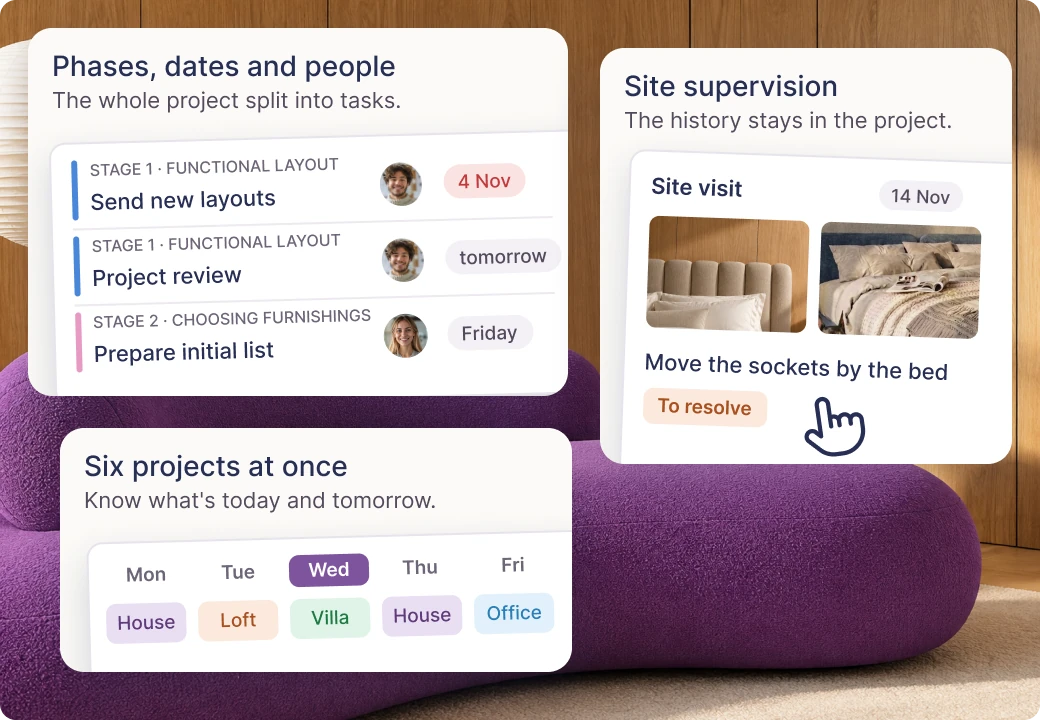
Schedule, supervision and work planning
Expert
6 projects at once, and you know what’s today, what’s tomorrow and what was two weeks ago.
You break the project down into phases and tasks. You assign deadlines, priorities and people, and KIS List reminds you when a deadline is approaching. Six projects at the same time? No sweat!
DESIGN SUPERVISIONDesign supervision in the schedule: you add notes, photos from the site, remarks and problems to solve. The client sees progress in their panel, and the history of site visits stays in the project.
Available in the Expert plan
Budget control and order tracking
Expert
“How much is left to spend?” The answer is on screen, not in Excel.
Every product has a status: to be ordered, ordered or delivered. KIS List adds up the amounts, filters by status and shows how much of the budget is left to spend - without manual counting and mistakes.
Statuses in all plans. Advanced budget tracking in the Expert plan.
Table view - your fields, your views
Expert
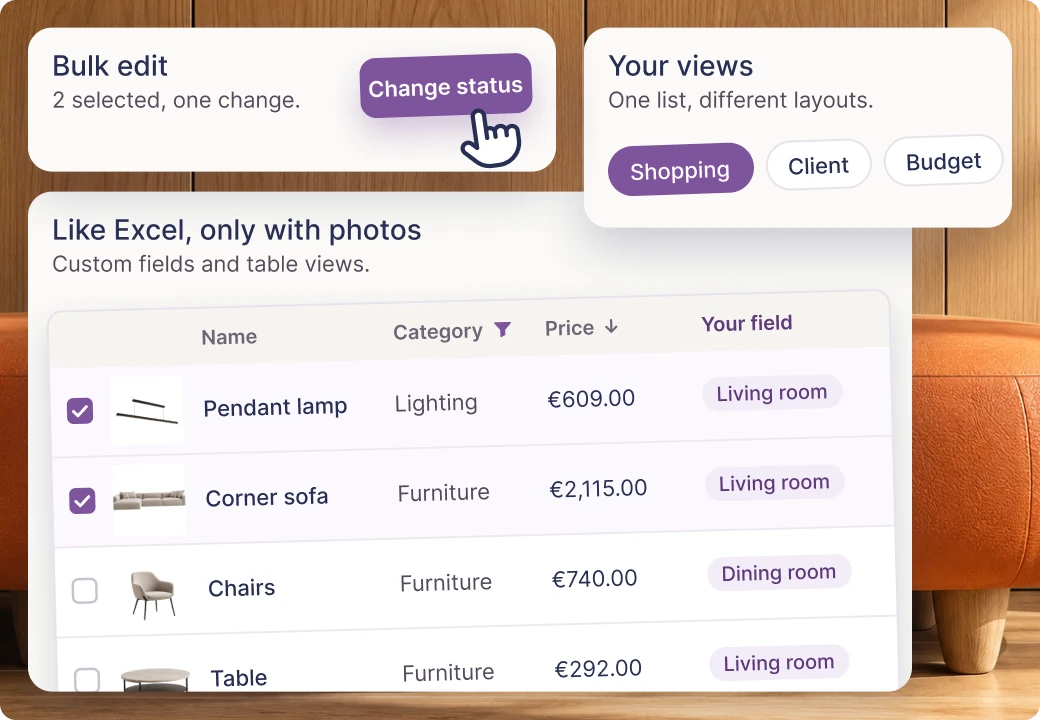
Everything you used to do in Excel. Only now a beautiful photo of the lamp is right next to it.
Your own fields and table views, filtering, sorting and bulk editing. Everything you used to do in Excel works here together with product photos, the client panel and the schedule.
KISjusz does 1 thing: a smart brief. KISaya does 1 thing: a beautiful visualisation. 2 assistants, 2 specific problems solved. Available with every plan, and more will join over time.
AI that understands design
AI KISjum · assistant 01
KISjusz
A smart client survey. No Word files. No first meeting.
From questions to a finished brief in a few minutes
Built-in AI automatically chooses the product category every time you add something. A small thing, but it saves one click. Available on the Expert plan.
As your studio grows, good organisation matters even more. KIS List helps your whole team work in one place, share tasks and run projects smoothly. You keep a clear head, and your studio can grow.
Office panel - all projects in one view
Open the office dashboard and you instantly see what your team is working on. All active projects, their stages, deadlines and the people responsible. One glance and you know where you stand.
Available in the Expert plan
Team work planning
You know who's running each project, what they're responsible for and what's still to do. It's easier to share out tasks, keep track of deadlines and plan the whole team's work. Without sorting everything out again every day.
Available in the Expert plan
Talk about the project. In the project.
Instead of swapping dozens of messages, you leave comments exactly where they're needed. On a visualisation, a floor plan or a specific product. Fewer misunderstandings, smoother teamwork and no more hunting for messages.
Available in the Expert plan
The whole studio. One place to work.
Projects, lists, agreements and files live in KIS List, not on personal computers or in inboxes. When someone on the team is away, the others can carry on smoothly, using the shared projects and the common product library.
Available in the PRO and Expert plans from 2 seats
Your studio is growing? KIS List keeps up.
Shared projects, tasks, conversations and materials in one place. Everyone knows what to do, and the whole studio works as one team. Start with just two seats and grow together with KIS List.
KISer - browser extension and phone appKISer is a browser extension and a phone app. On a shop's website, it saves a product to your list in one click: with its name, price, photo and link.
✓available
✓available
✓available
Scissors for cutting out product images
✓available
✓available
✓available
Context menu for filling in product data in the extension
—not available
✓available
✓available
AI product auto-categorisation
—not available
—not available
✓available
Favourite products library
✓available
✓available
✓available
Tags and your own favourites folders
—not available
✓available
✓available
Sharing favourites and lists with the team
—not available
from 2 seats
from 2 seats
Shopping lists
up to 25
∞
∞
Autosave, bin, filters and order statuses
✓available
✓available
✓available
Copying lists and sections, bulk editing
—not available
✓available
✓available
Your own categories and order statuses
—not available
✓available
✓available
Stage 03 · You present the concept
Moodboard and PDF export
✓available
✓available
✓available
Excel export
—not available
✓available
✓available
PDF export as a moodboard
—not available
✓available
✓available
Visible data settings in the export
—not available
✓available
✓available
Long note about the list in the export
—not available
✓available
✓available
Your own logo and contact details in the PDF
—not available
✓available
✓available
Full branding, visualisations and 2D drawings
—not available
—not available
✓available
Adding visualisations and 2D drawings
—not available
—not available
✓available
KISaya - the visualisation enhancer
add-on
add-on
add-on
Discounts, margin calculator and VAT
—not available
—not available
✓available
Stage 04 · You finalise the client's decisions
Online proposals, approvals and comments
—not available
✓available
✓available
Sharing proposals for a quote
—not available
✓available
✓available
Client panel and pinned comments
—not available
—not available
✓available
Pinning comments on visualisations and floor plans
—not available
—not available
✓available
Stage 05 · You run the project
Project panel, the command centre
—not available
—not available
✓available
Project file centre (floor plans, documentation, visualisations)
—not available
—not available
✓available
Project schedule with site supervision notes
—not available
—not available
✓available
Budget control and order tracking
—not available
—not available
✓available
Table view, your own fields and views
—not available
—not available
✓available
Studio · The studio view
Office panel, all projects in one view
—not available
—not available
✓available
Planning the team’s work on projects
—not available
—not available
✓available
Team comments (separate from the client)
—not available
—not available
✓available
Sharing lists for editing within the team
—not available
from 2 seats
from 2 seats
Prices in line with the current kislist.com price list.
KISer - browser extension and phone appKISer is a browser extension and a phone app. On a shop's website, it saves a product to your list in one click: with its name, price, photo and link.
Start
✓available
PRO
✓available
BestsellerExpert
✓available
Scissors for cutting out product images
Start
✓available
PRO
✓available
Expert
✓available
Context menu for filling in product data in the extension
Start
—not available
PRO
✓available
Expert
✓available
AI product auto-categorisation
Start
—not available
PRO
—not available
Expert
✓available
Favourite products library
Start
✓available
PRO
✓available
Expert
✓available
Tags and your own favourites folders
Start
—not available
PRO
✓available
Expert
✓available
Sharing favourites and lists with the team
Start
—not available
PRO
from 2 seats
Expert
from 2 seats
Shopping lists
Start
up to 25
PRO
∞
Expert
∞
Autosave, bin, filters and order statuses
Start
✓available
PRO
✓available
Expert
✓available
Copying lists and sections, bulk editing
Start
—not available
PRO
✓available
Expert
✓available
Your own categories and order statuses
Start
—not available
PRO
✓available
Expert
✓available
Stage 03 · You present the concept
Moodboard and PDF export
Start
✓available
PRO
✓available
BestsellerExpert
✓available
Excel export
Start
—not available
PRO
✓available
Expert
✓available
PDF export as a moodboard
Start
—not available
PRO
✓available
Expert
✓available
Visible data settings in the export
Start
—not available
PRO
✓available
Expert
✓available
Long note about the list in the export
Start
—not available
PRO
✓available
Expert
✓available
Your own logo and contact details in the PDF
Start
—not available
PRO
✓available
Expert
✓available
Full branding, visualisations and 2D drawings
Start
—not available
PRO
—not available
Expert
✓available
Adding visualisations and 2D drawings
Start
—not available
PRO
—not available
Expert
✓available
KISaya - the visualisation enhancer
Start
add-on
PRO
add-on
Expert
add-on
Discounts, margin calculator and VAT
Start
—not available
PRO
—not available
Expert
✓available
Stage 04 · You finalise the client's decisions
Online proposals, approvals and comments
Start
—not available
PRO
✓available
BestsellerExpert
✓available
Sharing proposals for a quote
Start
—not available
PRO
✓available
Expert
✓available
Client panel and pinned comments
Start
—not available
PRO
—not available
Expert
✓available
Pinning comments on visualisations and floor plans
Start
—not available
PRO
—not available
Expert
✓available
Stage 05 · You run the project
Project panel, the command centre
Start
—not available
PRO
—not available
BestsellerExpert
✓available
Project file centre (floor plans, documentation, visualisations)
Start
—not available
PRO
—not available
Expert
✓available
Project schedule with site supervision notes
Start
—not available
PRO
—not available
Expert
✓available
Budget control and order tracking
Start
—not available
PRO
—not available
Expert
✓available
Table view, your own fields and views
Start
—not available
PRO
—not available
Expert
✓available
Studio · The studio view
Office panel, all projects in one view
Start
—not available
PRO
—not available
BestsellerExpert
✓available
Planning the team’s work on projects
Start
—not available
PRO
—not available
Expert
✓available
Team comments (separate from the client)
Start
—not available
PRO
—not available
Expert
✓available
Sharing lists for editing within the team
Start
—not available
PRO
from 2 seats
Expert
from 2 seats
Prices in line with the current kislist.com price list.
Where does KISer work, and do I need to install it?
On a computer, KISer works as an extension for Chrome, Firefox, Safari, Edge and Brave. On your phone, you can use the app for Android and iPhone. Just install KISer to add products from shop websites straight to your lists in KIS List, quickly and easily.
What if a shop won't let me download the product photo?
Then cut it out of the page with KISer's image cutting tool. The same goes for text: if KISer doesn't fill something in, select that text on the shop's page and release the mouse. A menu appears where you choose what the text is, for example a note.
Do KISjusz and KISaya cost extra?
Yes. KISjusz and KISaya run on KISjum, a paid add-on AI budget for your account. You don't buy them separately: you use one budget across both assistants, however you need.
Can I work with a team in KIS List?
Yes. Shared lists and favourites work from 2 seats on the PRO and EXPERT plans. Team tasks and the studio panel are in the EXPERT plan.
Does the client get a notification after every comment I make?
Not after every one. We bundle notifications and send the client one email an hour, so they aren't flooded with messages.
Does KIS List work in German / English / Ukrainian?
Yes. KIS List is available in Polish, English, German and Ukrainian.
What exactly does the client see, and what don't they see?
In their panel the client sees only what you share with them: materials, visualisations, product proposals to approve and comments. Your internal arrangements and your team's conversations stay on your side. The client panel and team comments come with the EXPERT plan.
Can I share a proposal with a supplier or a shop?
Of course! Just filter the list down to one supplier's products and share it as an online proposal. You decide whether the recipient sees prices, statuses and product links, and whether they can comment on and approve them. The whole conversation happens right in the proposal, and the comments stay there.
Prefer a traditional summary? You can also generate a PDF or Excel file and send it to the supplier.
How quickly can I start working with KIS List?
In as little as 15 minutes! KIS List is intuitive, so you can start working on your project right away and discover more features as you go. Would you rather we showed you how to get started? Book a free online mini training session. We only need 15-30 minutes.
Want to try KIS List? You get 14 days free.
The best way to see is on your own project! Try KIS List and see how easily you can run all your work in one place. No payment card needed. Got questions? Message us on the chat. Would you rather we showed you the app? Book a short training session!