Imagine that instead of spending hours browsing the internet for the perfect piece of furniture or lighting, you have access to a carefully curated library of products that match your style and design requirements.
A place where every product you've saved for later, along with all the details you need, is waiting, ready to be added to the list you're putting together.
A place where you can get to them instantly.
This isn't just a utopia. It's a practical approach to the library of favourite products that most of us designers build.
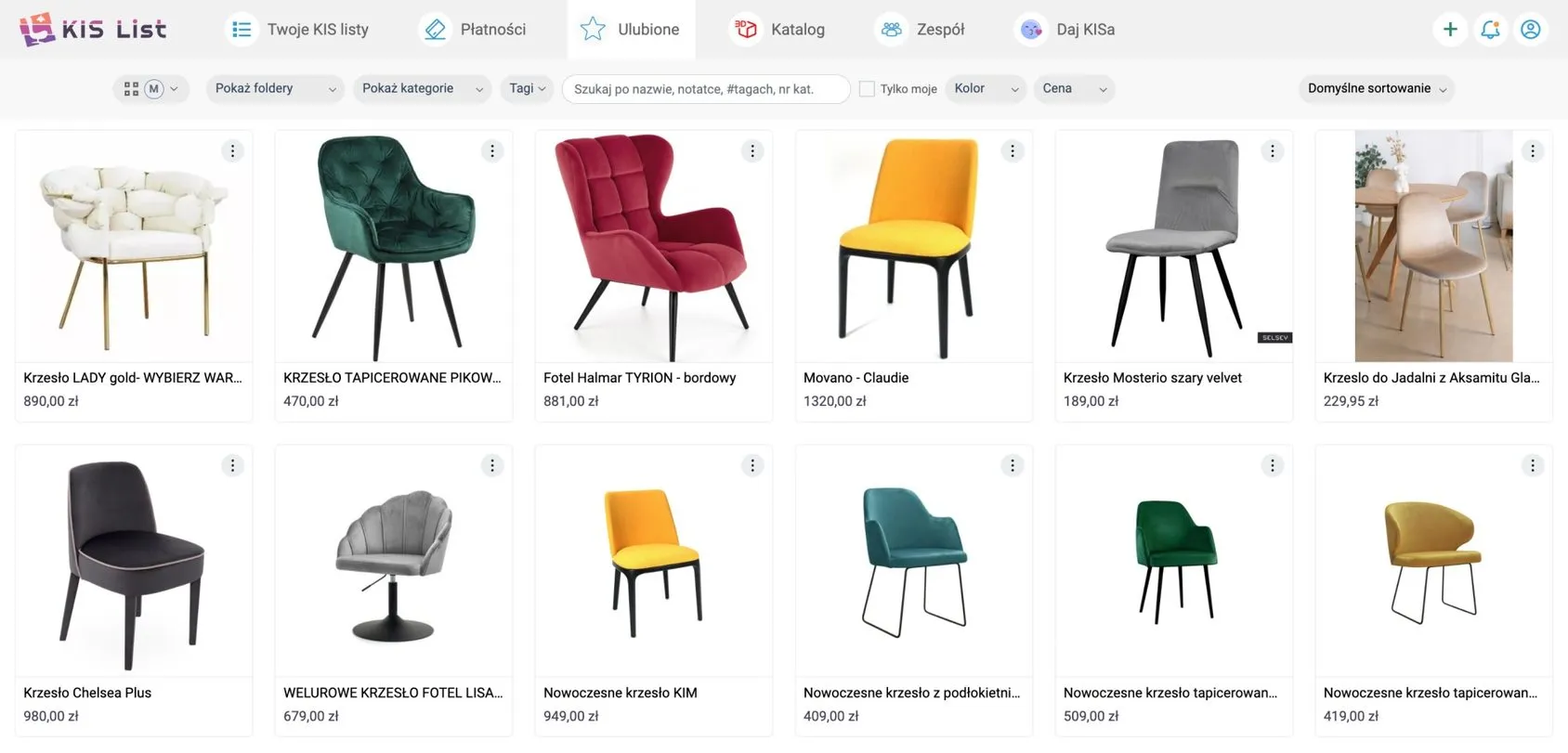
When browsing the internet for products for our current projects, we often come across real gems which, although they don't fit the project at hand, we save in our hearts (and in various databases) for the future.
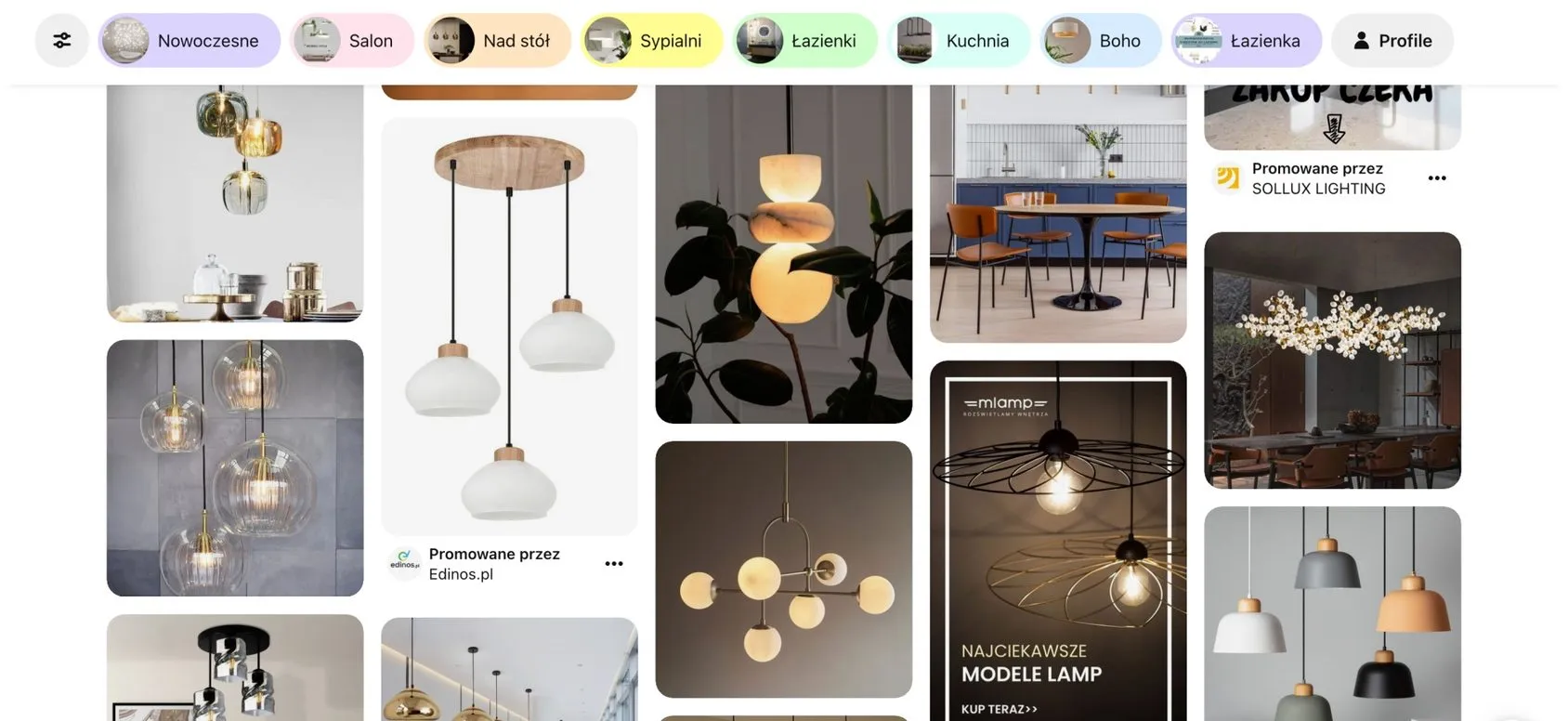
Each of us designers does this in our own unique way. Some collect links and save them as browser bookmarks, others keep photos and specifications on their computer drives, others build collections of photos on Pinterest that tell you nothing, and still others painstakingly build catalogues in spreadsheets.
But have you ever wondered how effective the methods mentioned above are?
At first glance, they may seem like simple solutions.
But over time they turn into time-consuming labyrinths
Looking for that one perfect product you once saved can turn into an expedition through a thicket of countless folders and bookmarks, eating up precious hours you could spend on creative work.
A library of favourite products as a work tool.
The library of favourite products you build should be not only a treasure trove of inspiration, but a powerful tool that makes your work process dramatically easier, instead of being yet another obstacle on the road to success.
It's meant to be a tool, not a meaningless collection of products that only waste your time as you add them to it.
In this article, I'll show you how to build a reliable library of favourite products that will become your most loyal ally when you're creating the cost estimate and shopping list for a project.
I'll go over the benefits of a well-organised library and share practical tips on how to achieve it.
And best of all, I'll show you how the KIS List app can help you with this!
The benefits of building a library of favourite products.
Diving into the process of building a library of favourite products from the perspective of a tool that's meant to support us in our work opens up a sea of possibilities.
I believe that organising it carefully is a very good move.
Here are the 3 most important benefits of having a library of favourite products.
Saving time.
Without a doubt, a well-organised library of favourite products saves you an enormous amount of time.
It's like a chest where you keep all your special products and which you can draw from endlessly.
Thanks to it, every product you've ever saved is within arm's reach. It's like having your own assistant who remembers every product you fell in love with, so you don't have to search the internet again to find it.
This in turn means you gain more time and space to develop your creativity and to immerse yourself in the parts of the project that bring you the most joy.
A smoother design process.
With a well-organised library of favourite products, every project you take on becomes faster and more efficient.
Imagine facing a new challenge, and the outline of the task takes shape as something familiar, something you've worked on before.
With a product library, you don't have to go back to square one.
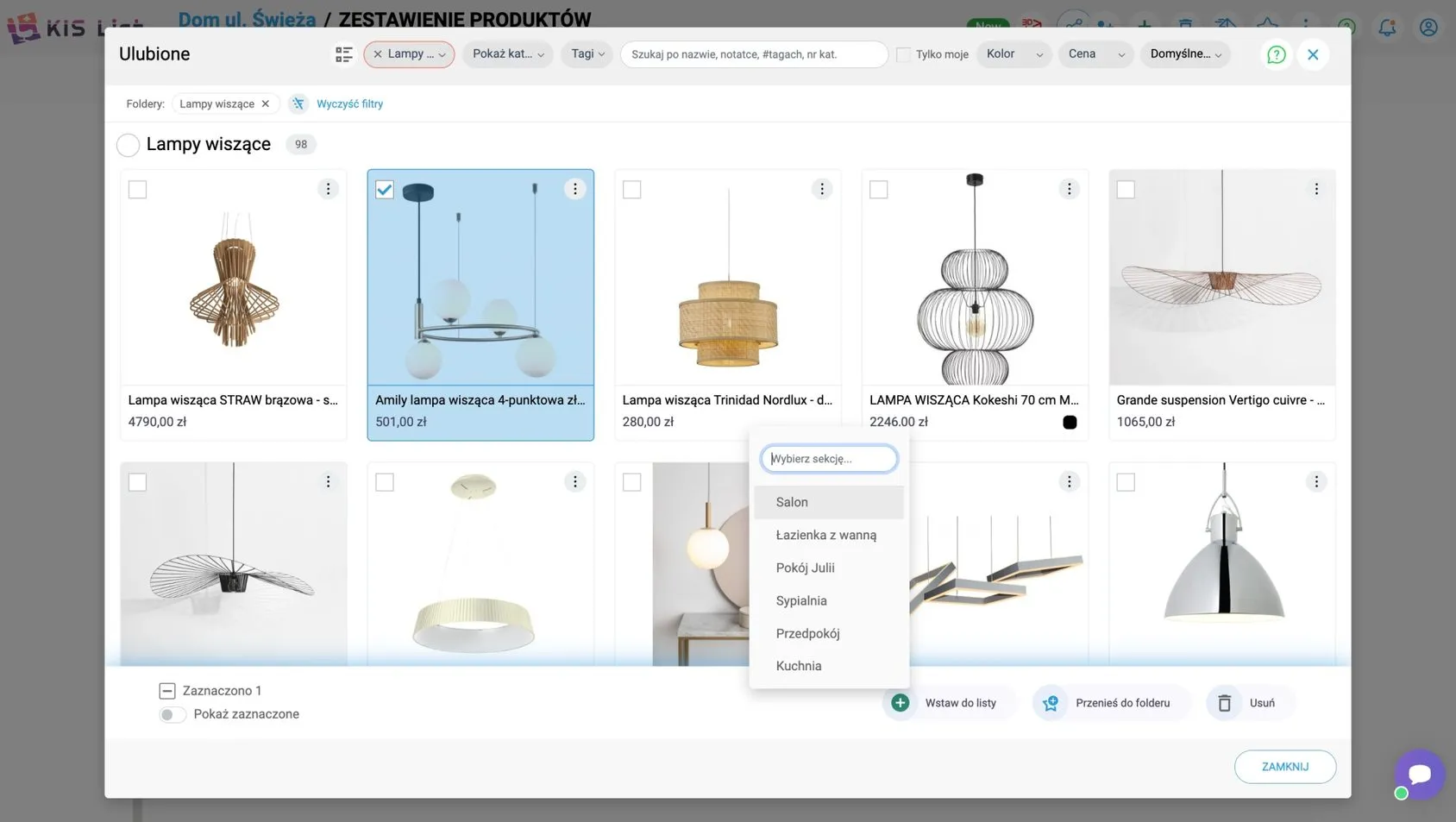
Saved products let you fill in your shopping list in no time. It's like having a head start in every race, which lets you get through the early stages of the work faster and, in the longer run, streamline your whole work process.
What's more, instead of venturing into the labyrinth of searching all over again, you can focus your energy on refining the project and on matching the other chosen elements to your client's expectations and dreams.
A source of inspiration.
A library of favourite products is also a place you can turn to at any time when you're looking for a spark to light the lamp of creativity.
Access to products that once stirred your imagination can open the door to new and exceptional ideas.
With all your products gathered in one place, you can easily play with different combinations of them and different visions, and in doing so spark your creativity.
Most importantly of all, you're drawing inspiration from products that are "real" in the sense that you can add them to the shopping list you're creating at any moment, knowing that the client will be able to buy them.
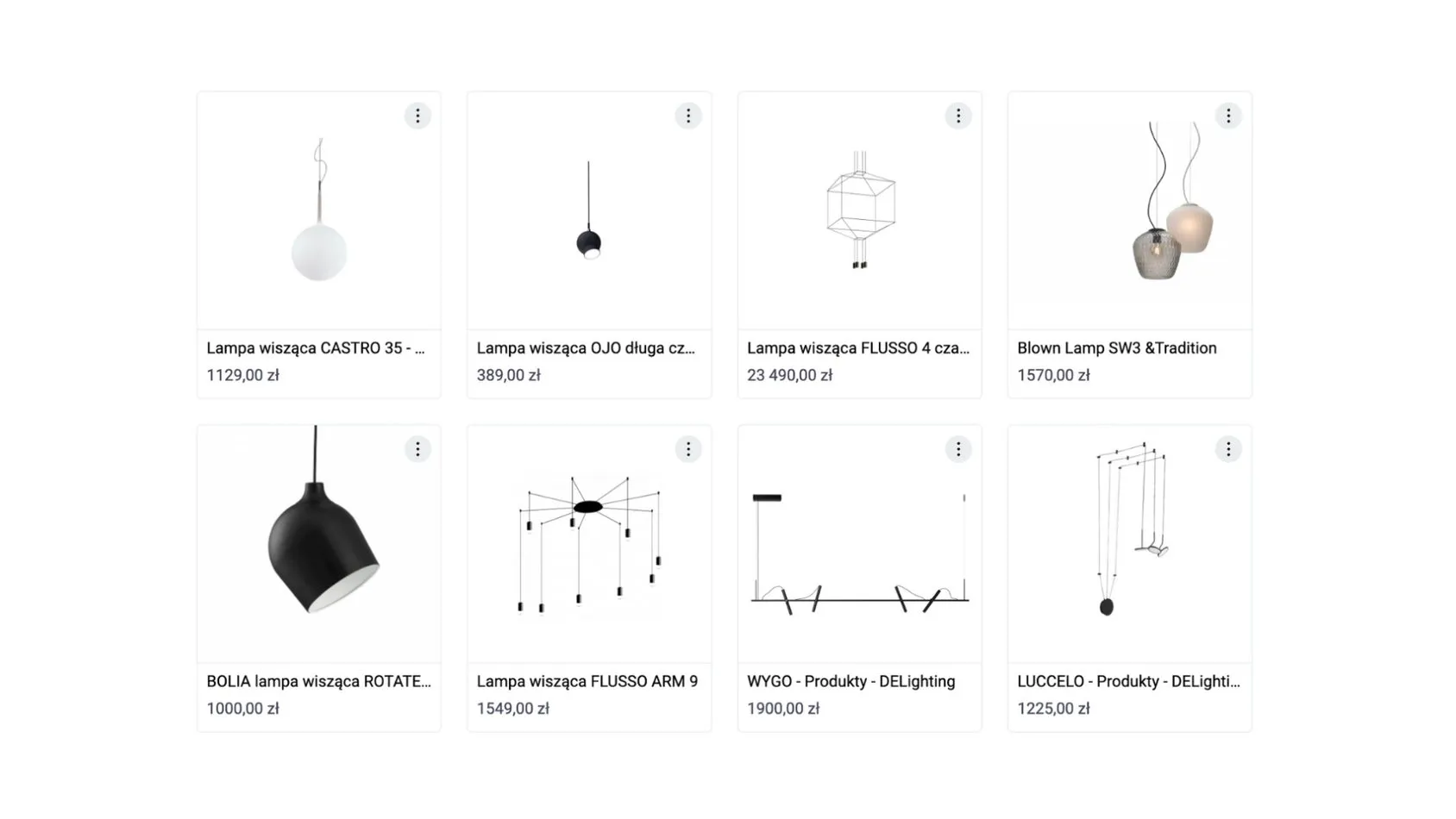
How do you organise a library of favourite products well?
Transforming your product library into a powerful tool that will put real wind in the sails of your work doesn't take anything complicated.
The secret of its effectiveness lies in a masterfully organised catalogue.
Here are a few key tips that will help you turn your library into a dynamic resource, instead of letting it remain just a shapeless sea of links.
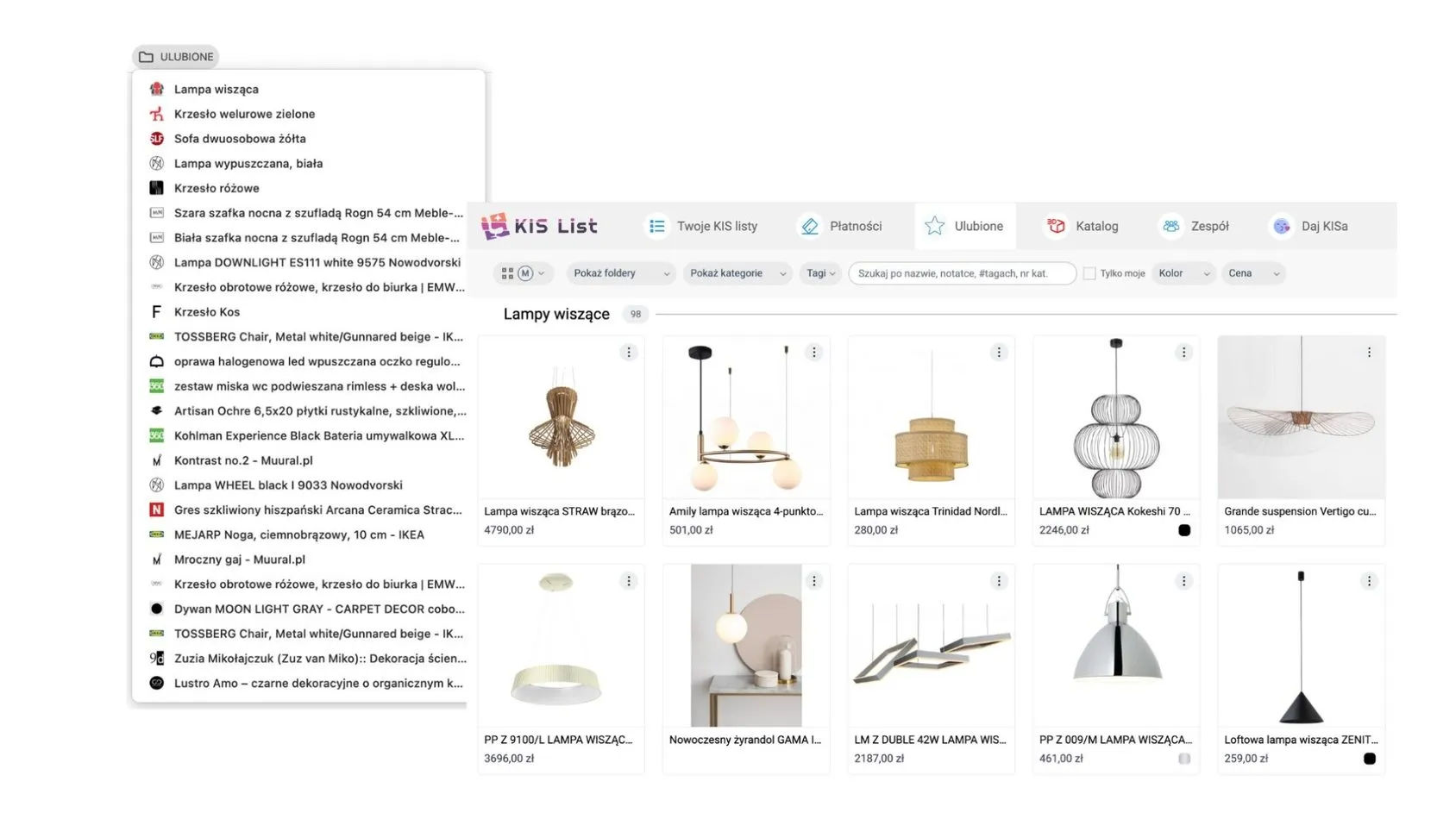
Sort your products into categories
Imagine that, in the heat of creating, you suddenly need the perfect kind of lighting. A gold lamp, for example.
With a library divided into categories, instead of diving into a sea of different products, you go straight to the place where a ready-made selection of lamps is already waiting for you.
What's more, dividing your library into categories makes it easy to manage, especially as it starts to grow.
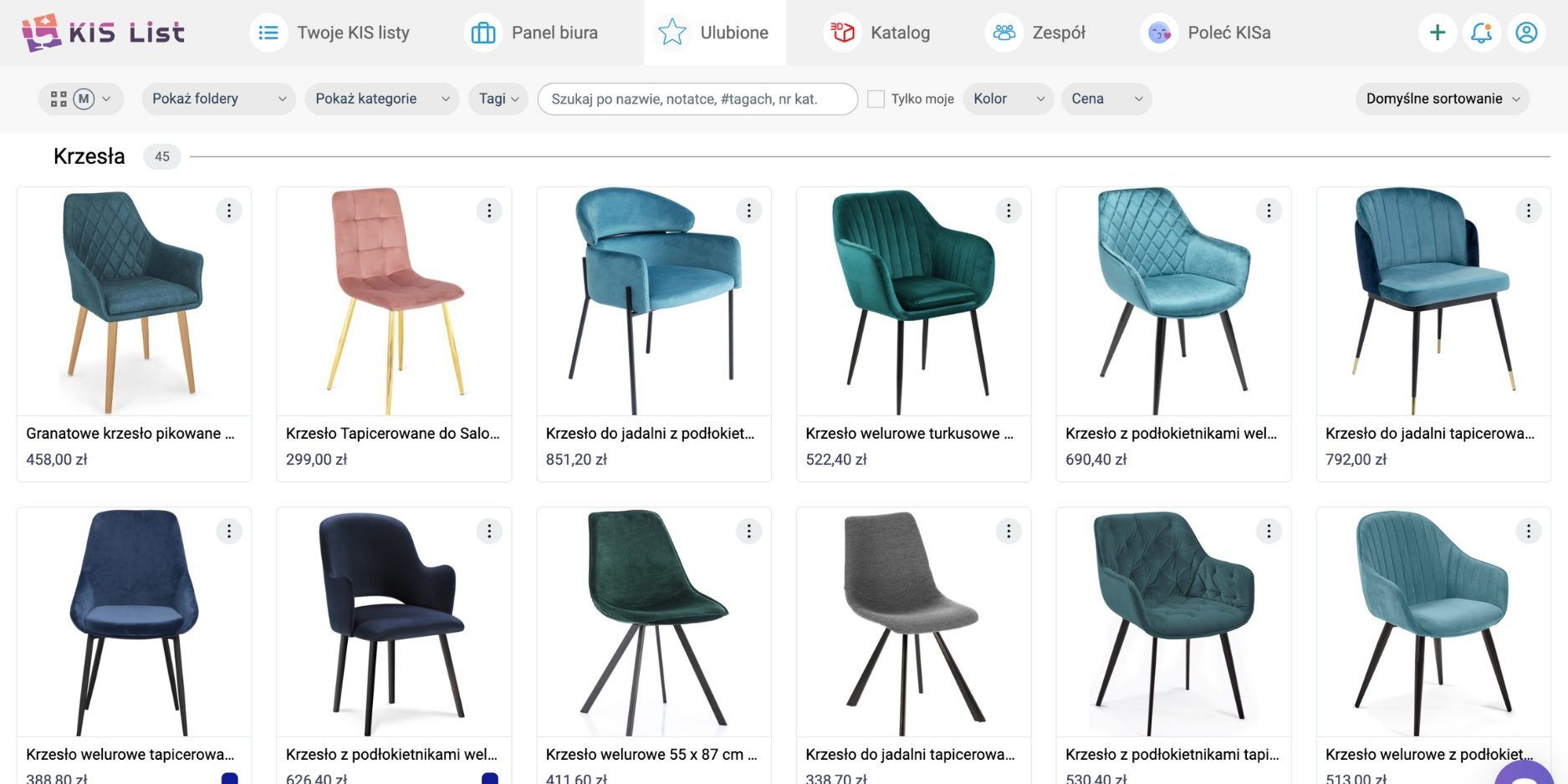
The favourite products library in the KIS List app.
This is where the favourite products library you build in the KIS List app comes to your aid.
You add products to your favourites library automatically with the KISer extension.
All you have to do is launch the extension on any shop's page, and it picks up all the product details, such as the name, price and link.
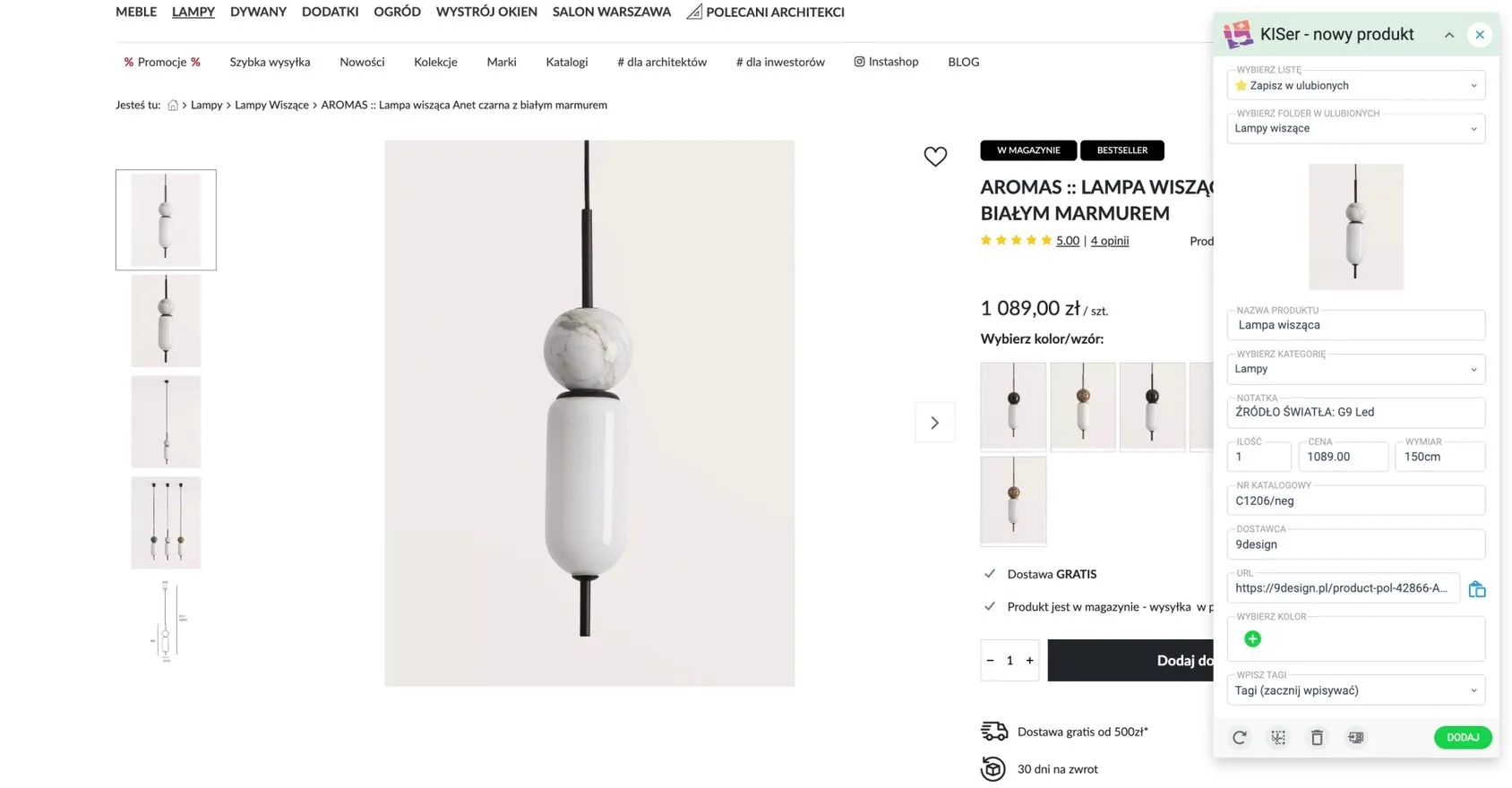
Most importantly, right at the stage of adding a product to your favourites in KIS List, you can set its category in the extension and even add it to a folder of your choice.
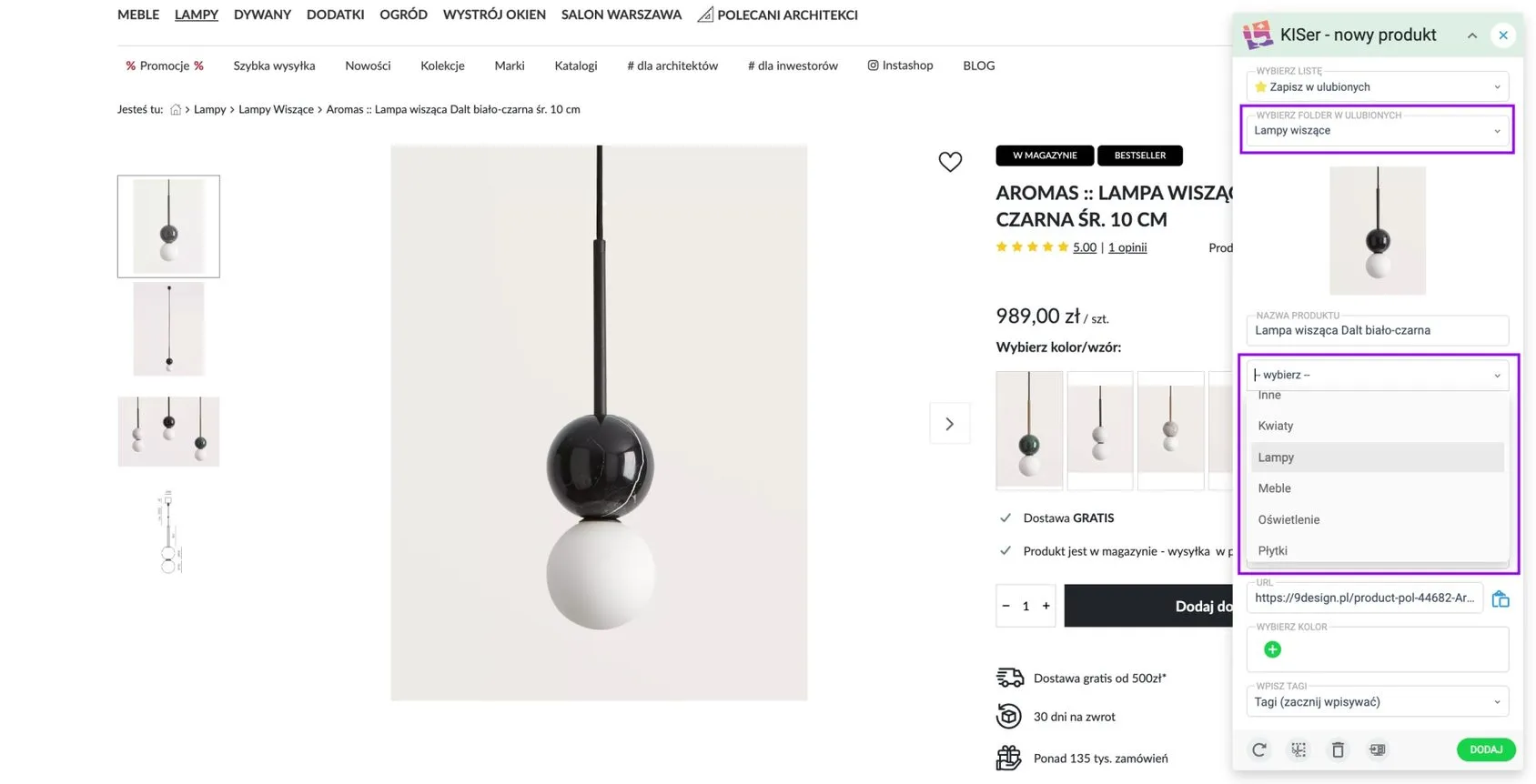
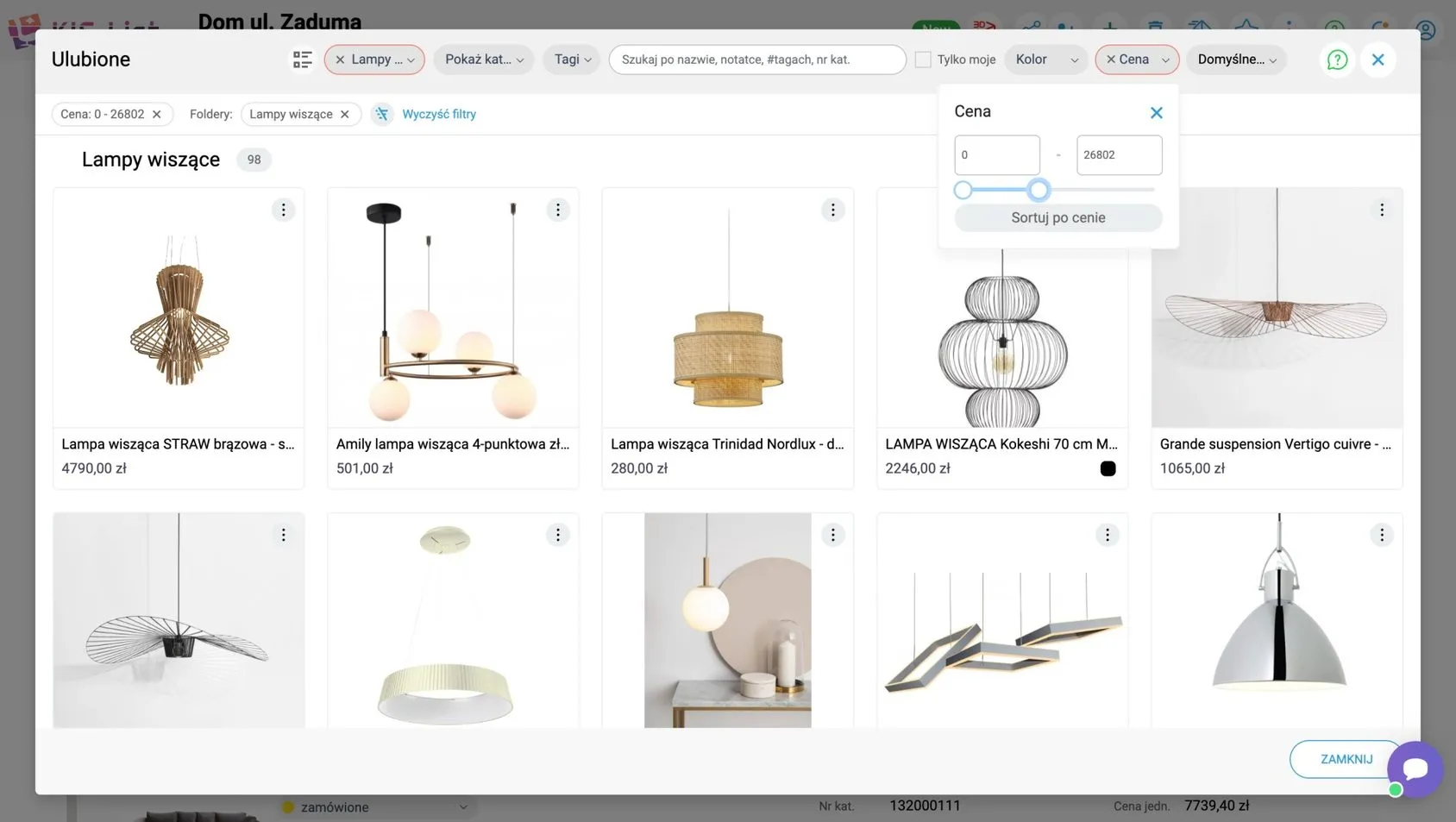
That way, when you start looking for a product for a project, all you need to do is use the "Show categories" filter, and only the products you're interested in will be displayed.
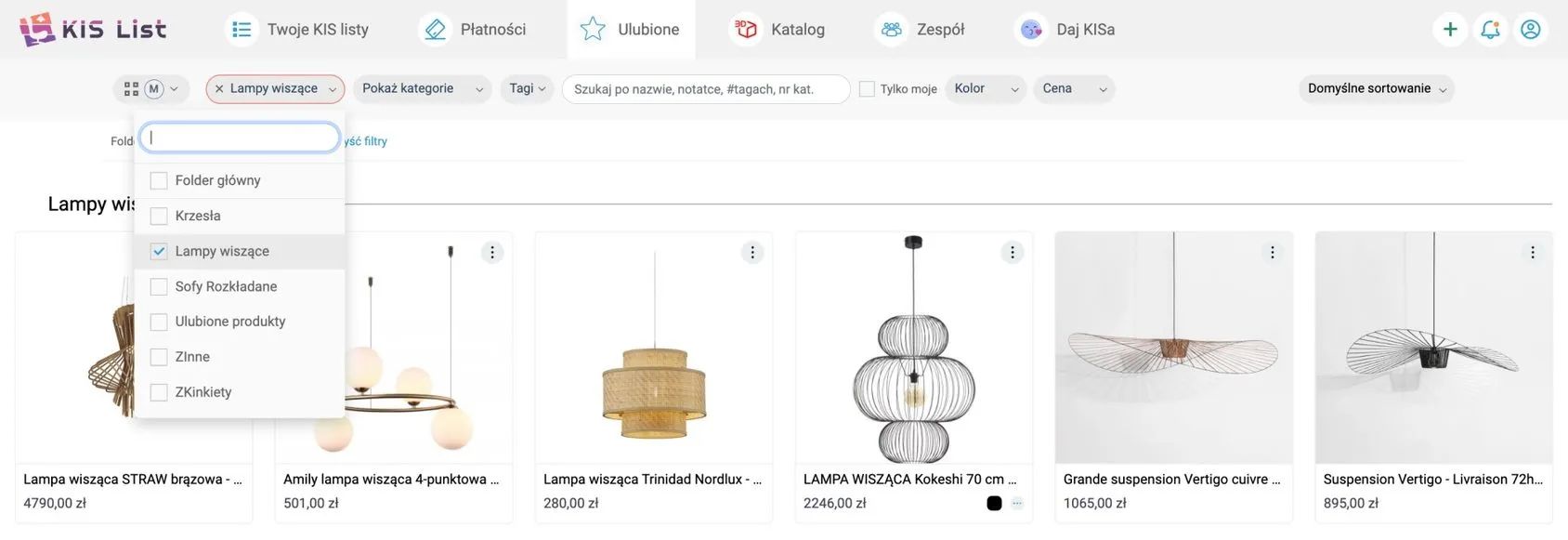
Add tags to your products.
To take the organisation of your favourites library to an even higher level, you can add tags to individual products.
Adding tags is like pinning a small but telling label on each product.
A product tag like this could be, for example, the style it was made in.
That way, when you're designing, say, a Scandinavian-style space, all you need to do is type "Scandinavian style" and you'll see a list of the products assigned to that style.
Adding tags to favourite products in KIS List.
When building your favourites library in KIS List, just as with the category, you can tag (label) products right when you add them to the library with KISer.
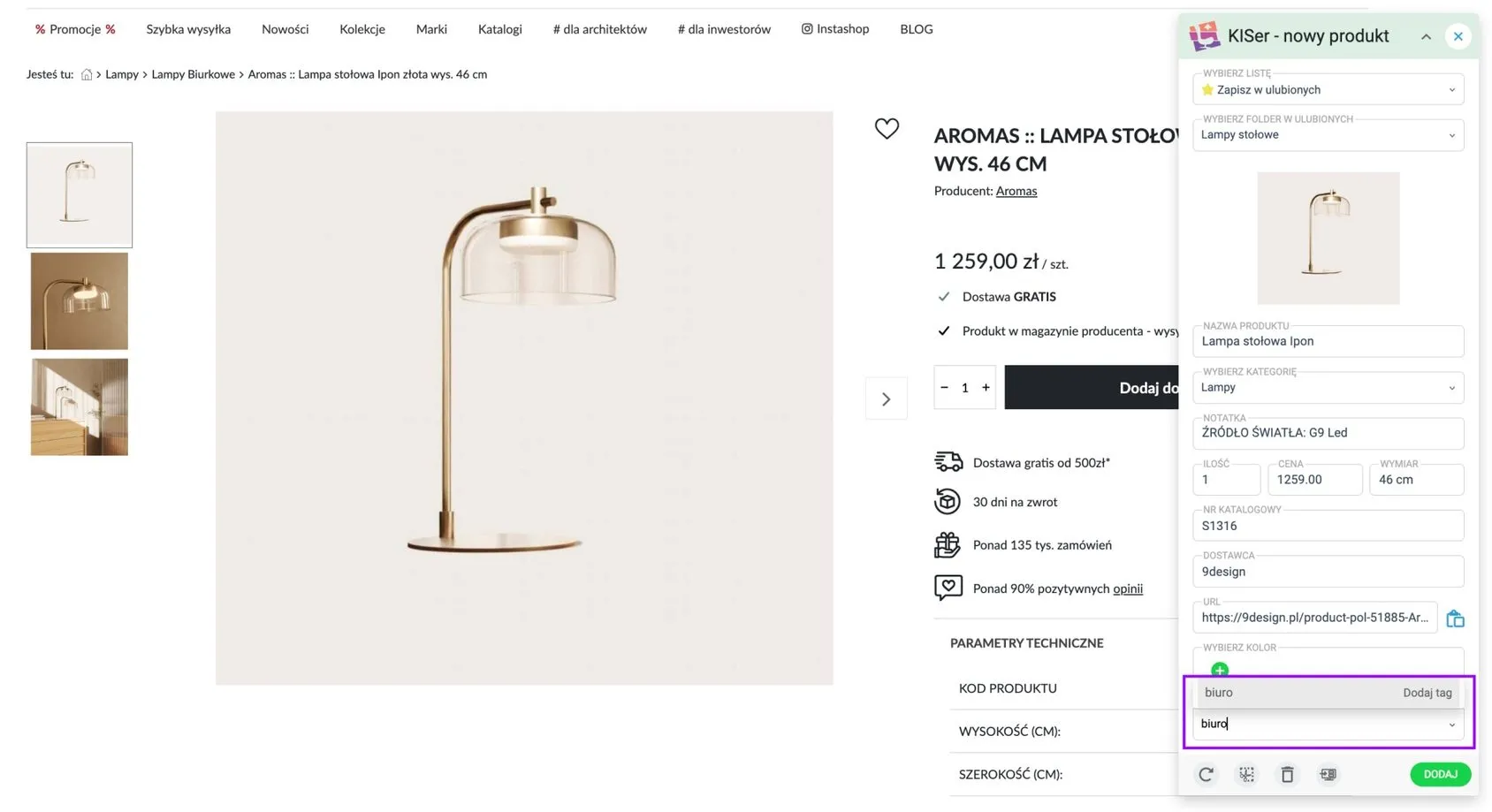
What's more, to make filtering your library even easier, you can also set the colour of the product you're adding in the extension.
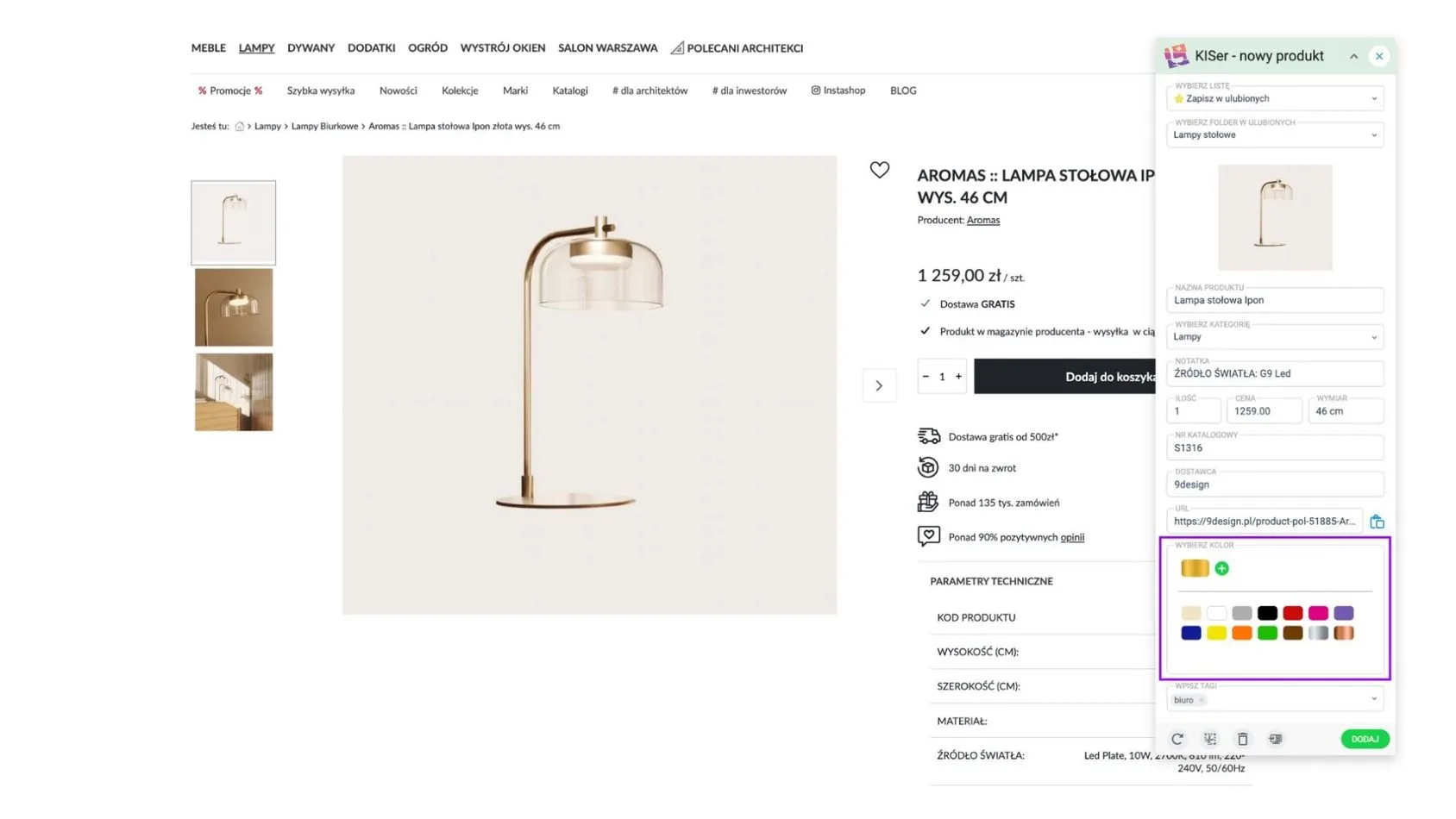
Include all the necessary details in the product description.
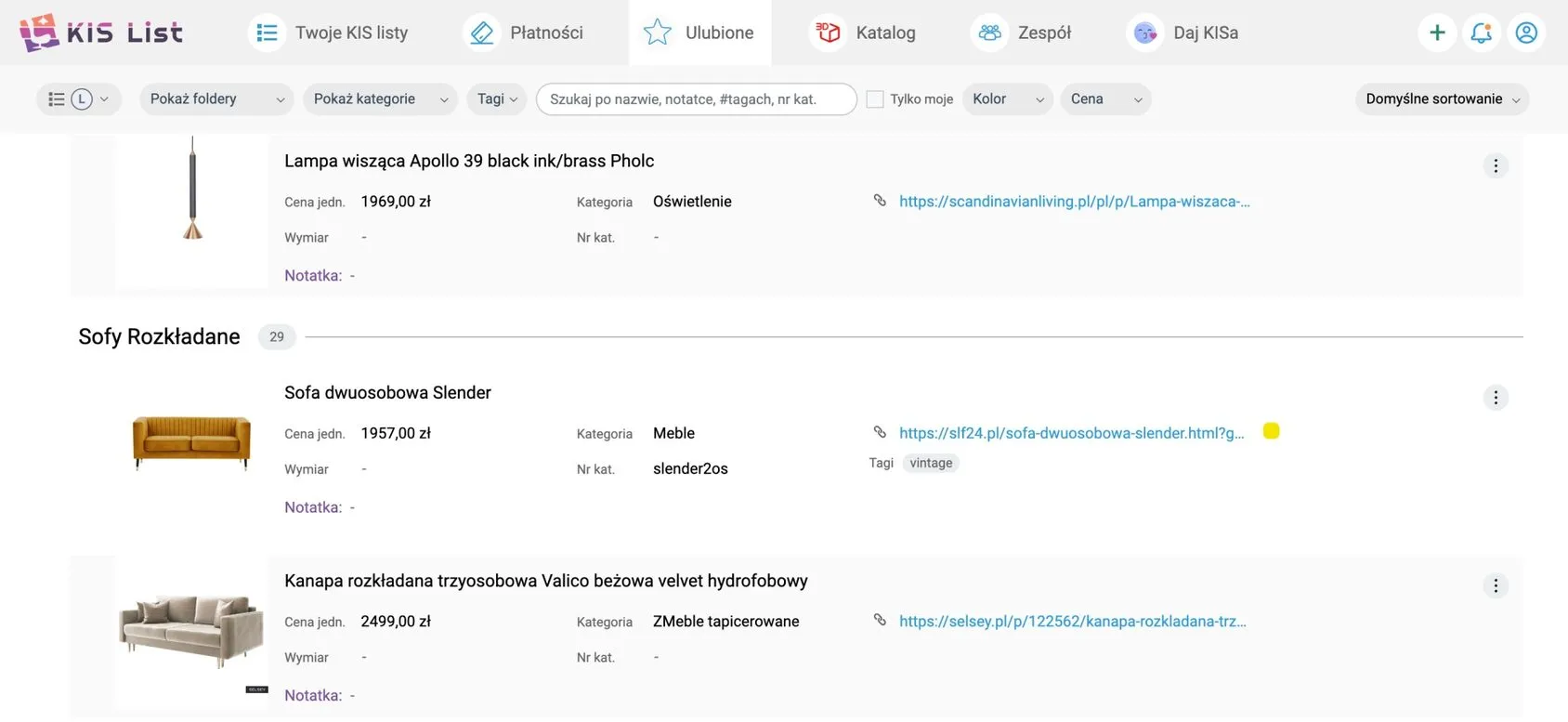
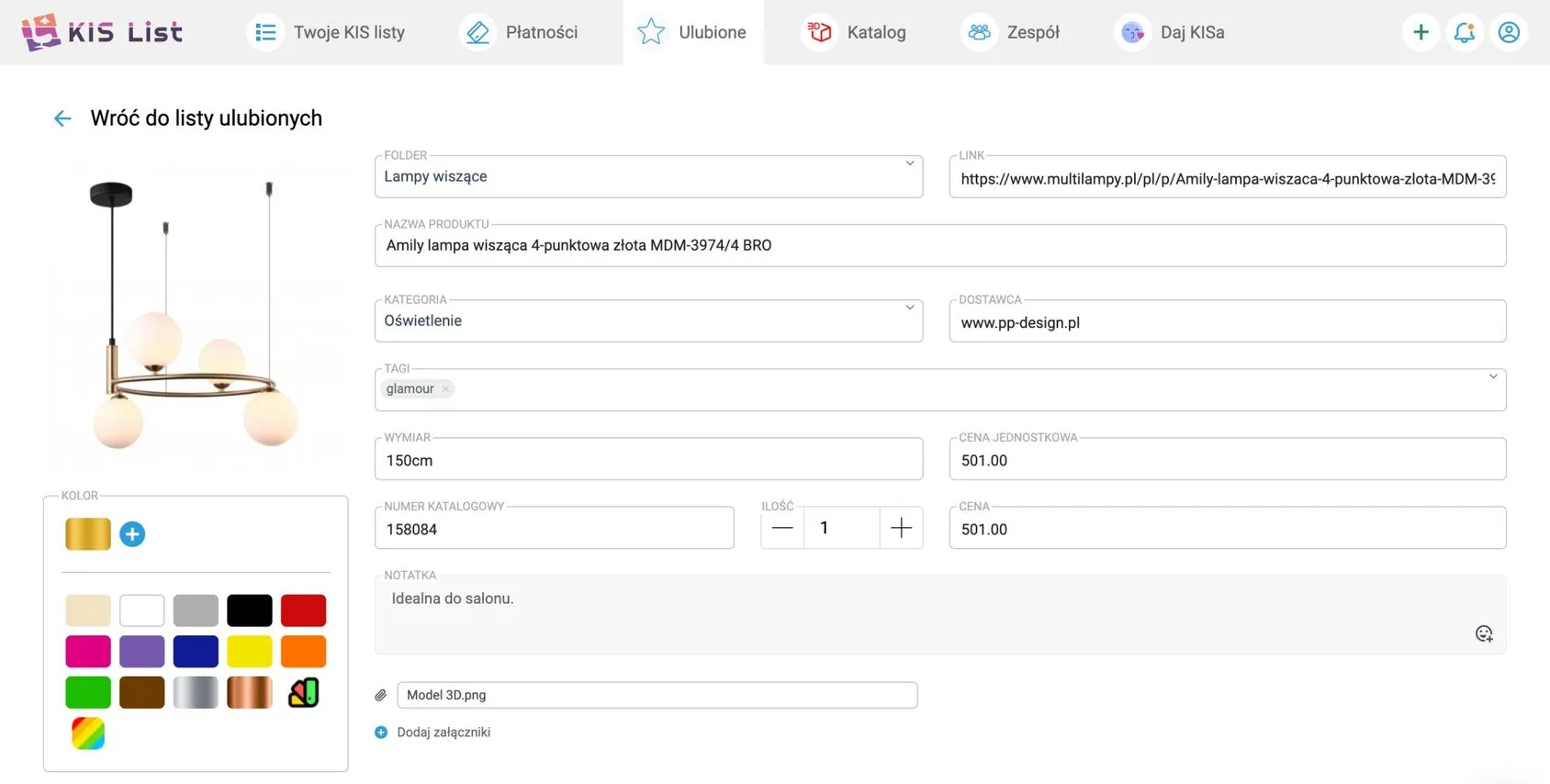
When you're putting together your personal atlas of products, the key is to give each item a description full of essential details: the name, a link to the shop, supplier information and the price.
These details are the foundation on which you build a solid base for a shopping list or a precise cost estimate.
With comprehensive product cards at your disposal, you can easily run a quick analysis, checking whether a given product fits the project concept and the planned budget perfectly.
Sounds like a lot of extra work, doesn't it? But I have a solution!
A detailed product library in KIS List.
In KIS List, you don't have to worry about whether a product you've added to your favourites contains all the information you need to create a cost estimate or shopping list.
The KISer extension gathers all the basic product information for you (photo, price, link, etc.) and adds it to your library.
As a result, your library in KIS List isn't a collection of links like your browser bookmarks or a wall of photos on Pinterest that tell you nothing. It's a detailed product catalogue with the most important information.
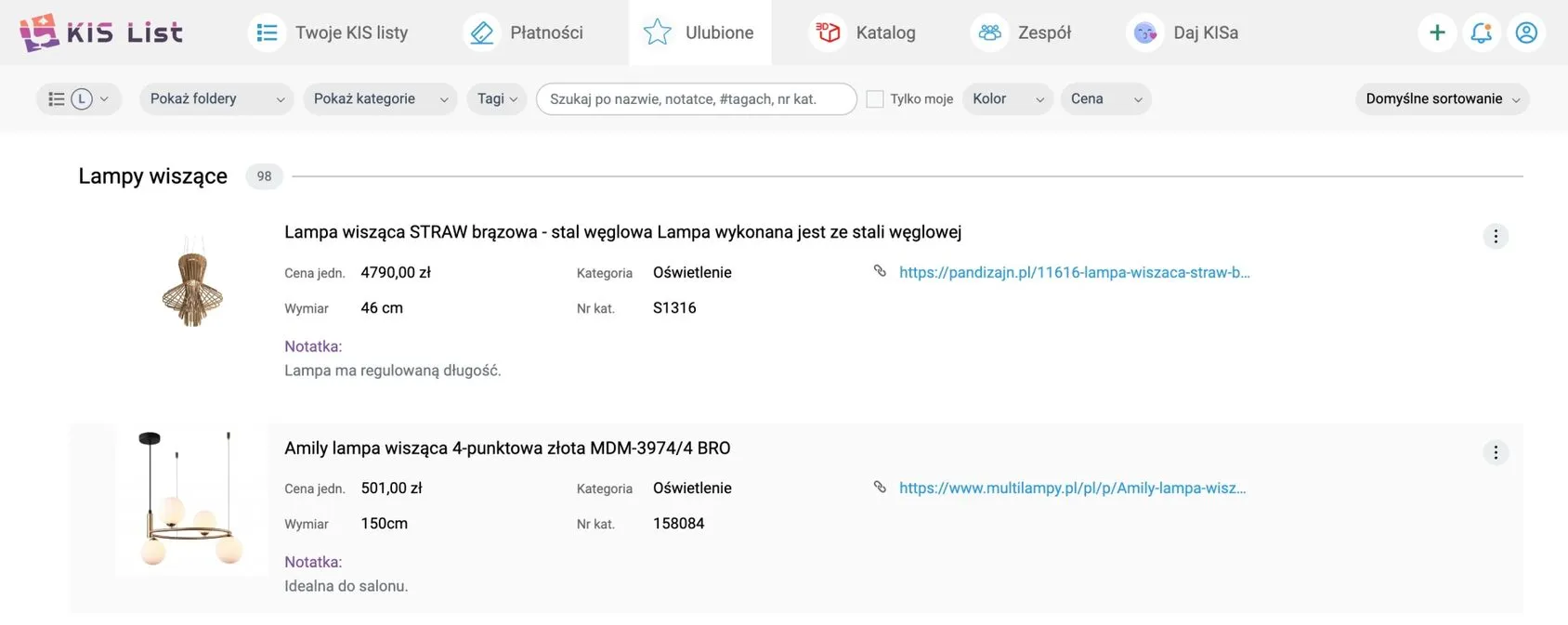
Of course, in the favourite products library in KIS List, you can edit the product card, adding, for example, an attachment with a 3D model or a detailed note.
The favourites library in KIS List makes your work smoother.
Building a well-organised library of favourite products is the key to your efficiency in the world of interior design.
For that to be possible, though, it's crucial to see it not only as a source of inspiration, but as a powerful tool that's meant to serve us at every stage of working on a project.
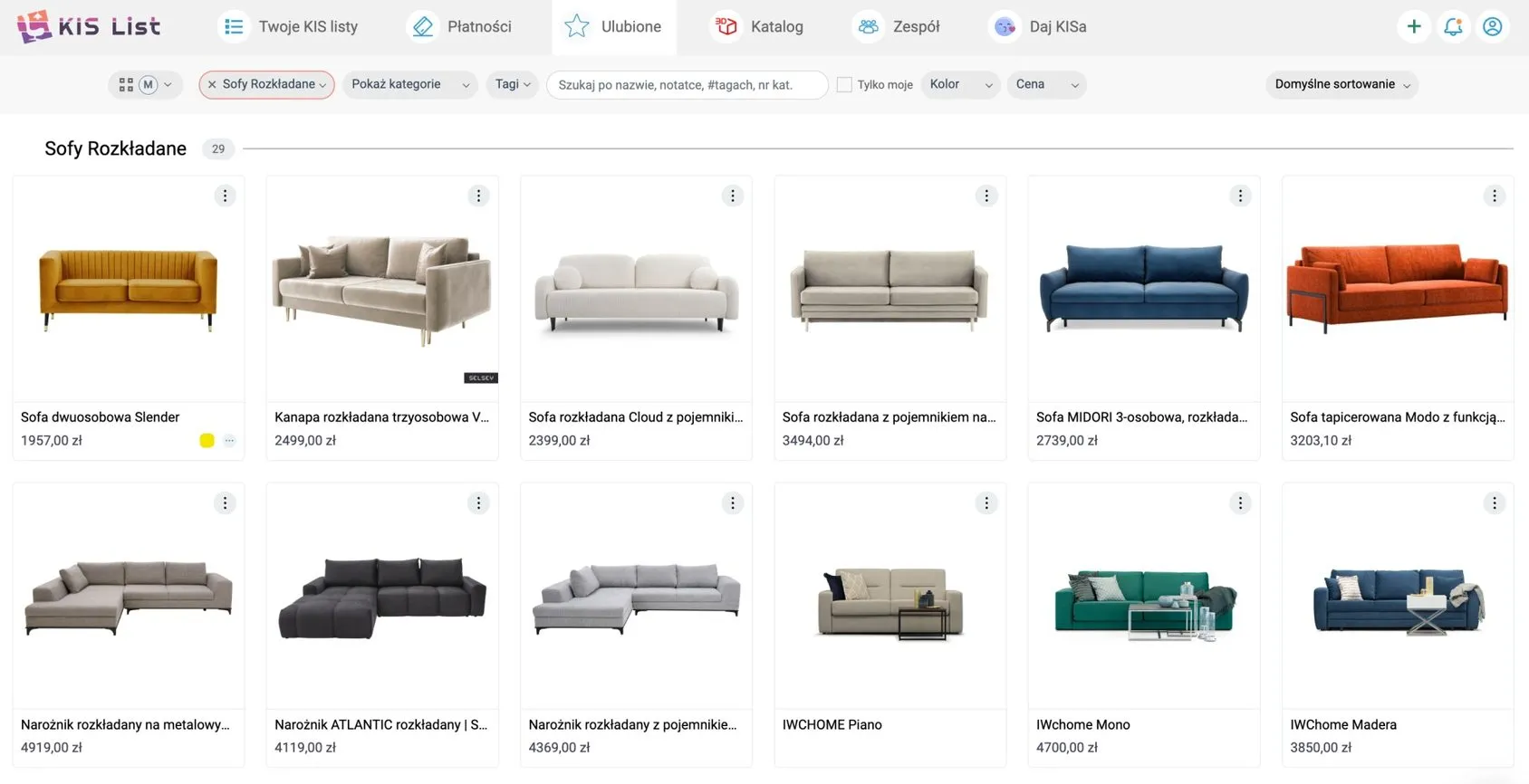
In this light, the favourites library in KIS List emerges as a masterful travel companion.
Thanks to its intuitive nature, an innovative browser extension that automatically picks up products and their details into your library, and lightning-fast features for filtering and adding items to the shopping list, KIS List comes across as a tool that will not only save you time, but take your design process to a whole new level.