Can making a shopping list be easy, quick and enjoyable?
Of course it can! You just need to find the right allies. If, like me, you work in interior design, always have loads of things to do, get driven mad by painstakingly entering products into a table, and on top of that don't get on too well with tools like Excel - the topic of today's article is sure to interest you.
Have you ever counted how many items, on average, you enter on your shopping lists when making a cost estimate for finishing a flat? My list usually bursts the spreadsheet at the seams and contains at least several dozen items. Yes, I'm detail-oriented and I like to have all the important points spelled out precisely (which is why the pages of my documentation run into the dozens, if not hundreds), but that doesn't come out of nowhere. This approach makes carrying out a project much easier and lets me sleep soundly.

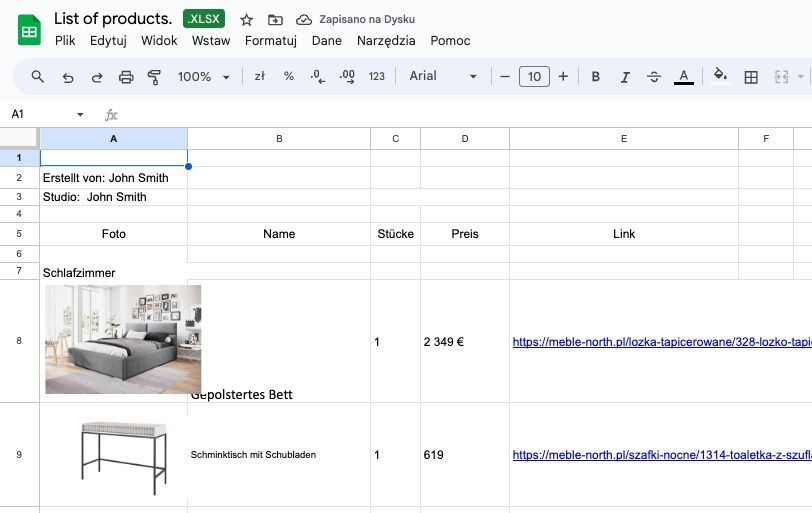
Creating a shopping list based on a spreadsheet
The one time I decided to wing it and not prepare a list, I remember as a real Armageddon: a time of waking up at three in the morning and frantically recalculating dimensions in my head until dawn. Would I take on another project without making a detailed finishing list? No way!
On a building site, the saying "forewarned is forearmed" only partly holds true, and in 99% of cases some unexpected surprises crop up.
It's high time to accept that the nature of our profession demands meticulousness and careful planning, and a well-prepared shopping list is its essential foundation.
So if it seems to you that your work has been slipping out of control lately and you spend most of your time on everything but design, it's time to start fighting. For the quality of your work, your self-respect and time that could surely be spent more productively than typing sockets and handles into yet another column in Excel.

Shopping list – what do you really need?
How do you go about this fight if you have a pacifist approach to life? Well, all's fair in war and on the building site. The most important thing, though, is analysis; so to start with, it's worth asking yourself whether shopping lists made in programs like Word or Excel are good enough.
The question is loaded and the answer obvious, because these widely available tools were created with completely different fields in mind.
I know it's easiest to reach for exactly these, but while the sheet and column are great for organising technical data, creating a decent-looking list in them with photos of products or visualisations is terribly time-consuming. And absurd - it's as if editors wrote their columns in CAD and accountants rendered taxes in visualisation software...
The direction is right: both Word and Excel have a long list of advantages and useful functions and make a good starting point; you just need to look at a different address, one made strictly for architects.

Shopping List and Cost Estimate in one - the KIS List online app
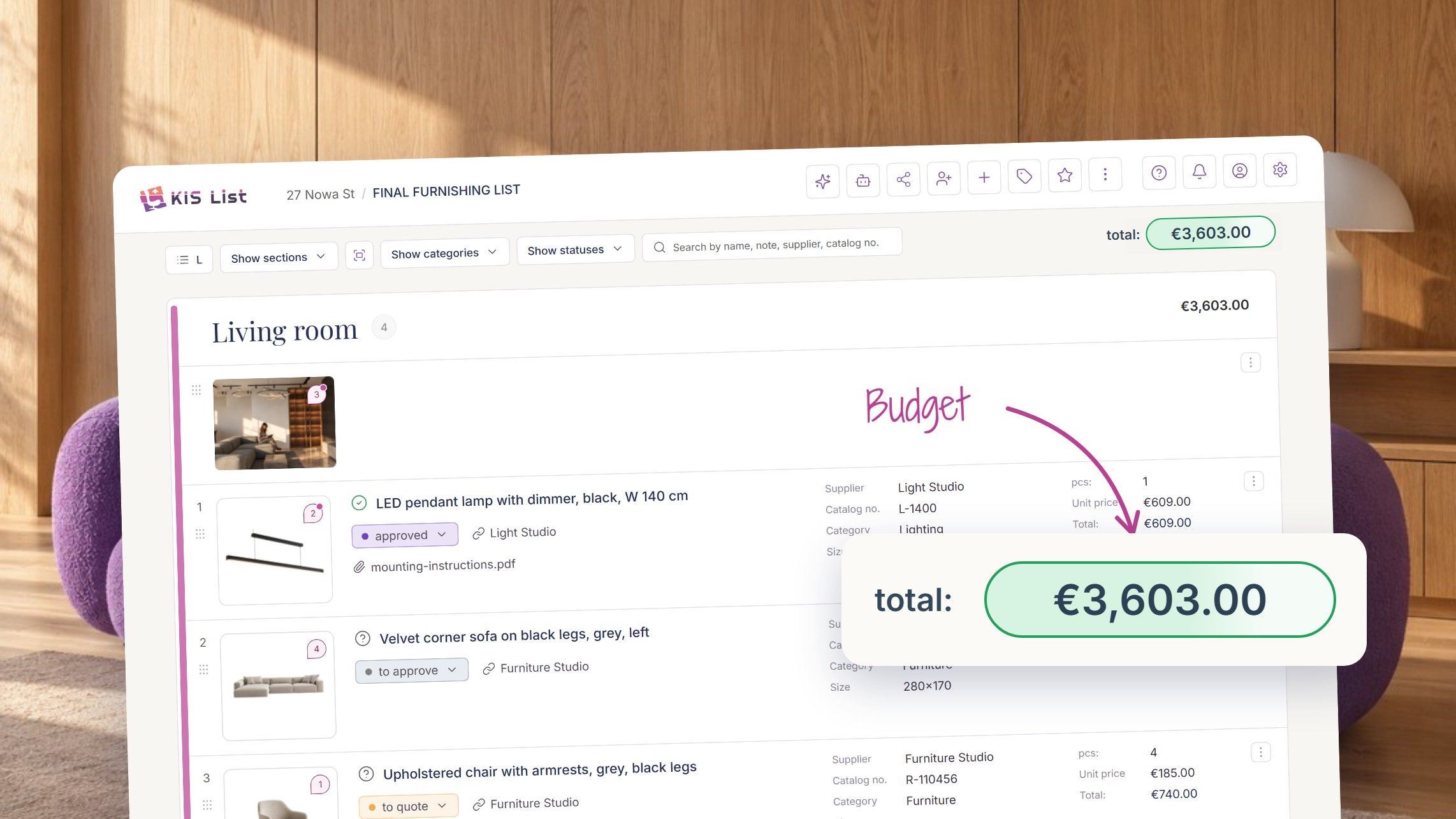
KIS List is a tool that, by design, complements software for interior designers. This modern shopping list app with built-in online cost estimating software was created by architects for architects, which you can see just moments after you log in to your account.
The KIS List shopping list stands out for its intuitive menu, clearly displayed products and values, easy redirection to manufacturers' pages and online shops' websites, and on the other hand - a system that organically combines the shopping list feature with cost estimating. We've packed into it everything that may come in handy during your design work.
With our list, people working in architecture, interior design and landscape design can create visually attractive selections of products chosen in the shop and manage a detailed shopping list in one place.
You no longer have to stick yellow notes everywhere and leave reminders on the fridge - KIS List guarantees that you won't miss a single address or deadline, and in the shop you'll put your order together in no time, following your planned list
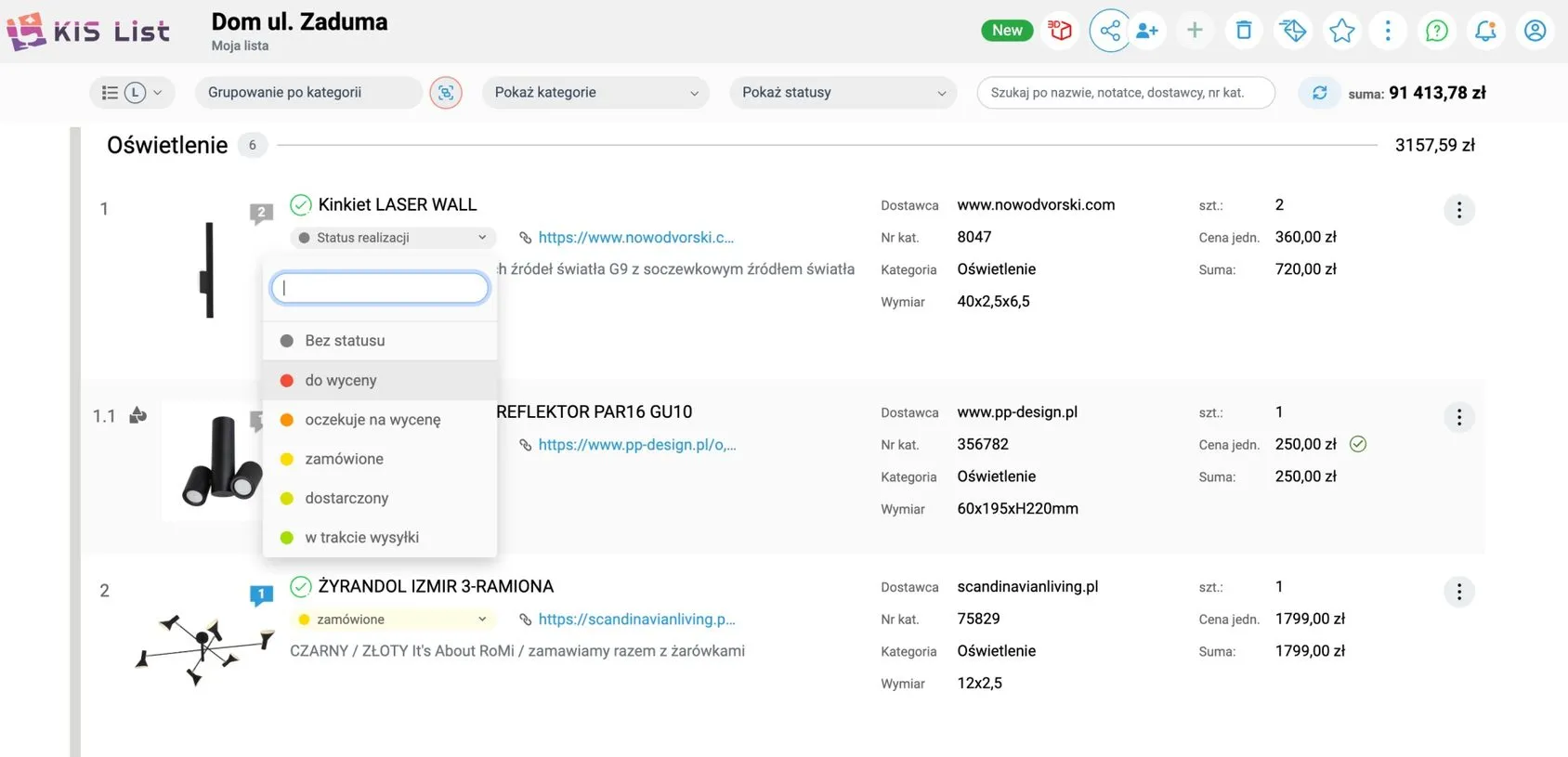
A shopping list with the KIS List app
A smart shopping list complete with a pre-construction cost estimate, a finishing works cost estimate and investor's cost estimates sounds cool enough, but that's not all!
While developing our app, we decided that communication is an essential part of a successful project - with clients as well as with collaborators and manufacturers.
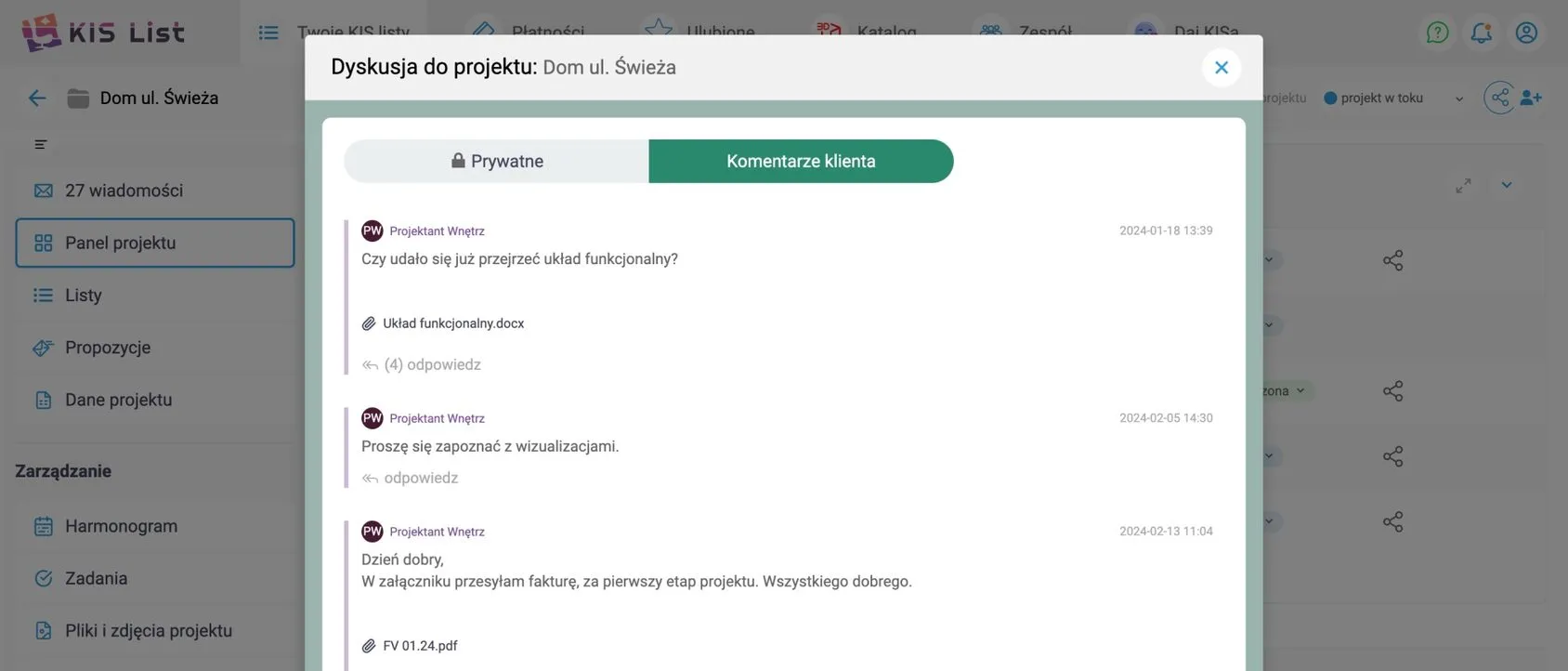
That's how the private chat came about, where you can talk about the shopping list, the cost estimate and tasks to be done. If you don't like writing essays while you work, that's handy. A visualisation needs correcting? Choose the file to revise, add a pin with a comment and send it to the list of people concerned.
Add products to the list with a single click!
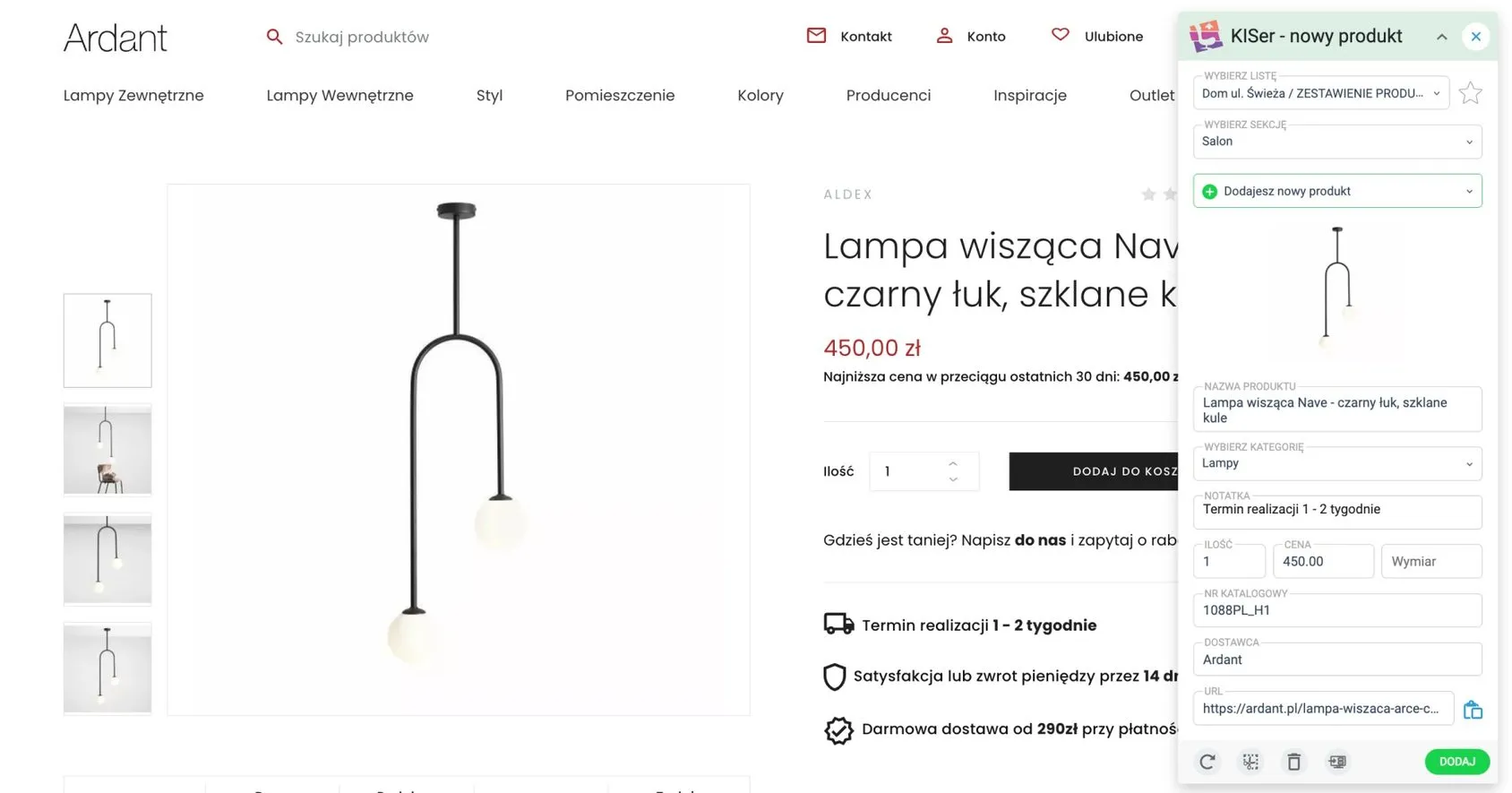
To speed up creating shopping lists, KIS List lets you add products to your selection with literally one click. Just launch the KISer extension on the shop's page, and it reads all the product information you're interested in.
Then the product, along with its key details such as the name of the selected product, price, catalogue number and link, is sent straight from the manufacturer's website or the shop to the list and section you choose. What's more, you can also save the selected product for the future in your private favourites library.
What can you put on a shopping list?
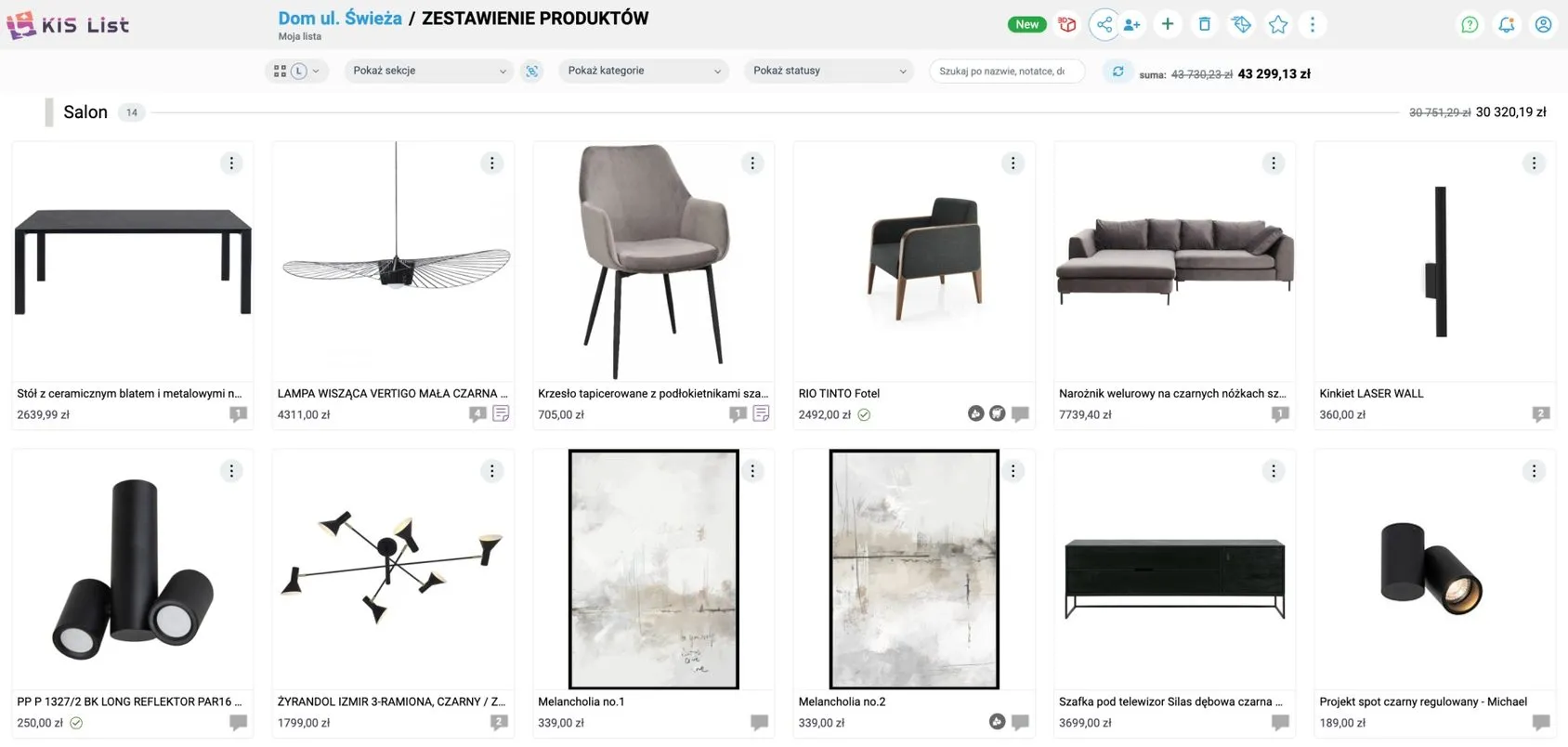
Everything! For example, you can make a list of typical finishing materials (porcelain tiles, parquet and wallpaper), create a separate list just for lighting, or one where you itemise freestanding furniture or textiles. If you often design made-to-measure furniture, there's nothing stopping you from gathering cabinets and shelving on a separate list, which you (again - with one click) share with your joiner for a quote.
In KIS List, you decide how items are catalogued and how categories are added to the list. In fact, you even decide how your lists will look, because you can choose between the traditional list form and a moodboard. You can also add a link, a photo file, a PDF, a graphic or a visualisation to the list.
Create as many shopping lists as you need
With KIS List you can create as many shopping lists as you need. They can be lists covering whole buildings, flats or individual rooms. The tool's flexibility lets you adapt your list to any situation.
A clear menu and the ability to build lists together with other team members make preparing a cost estimate for a given project child's play.
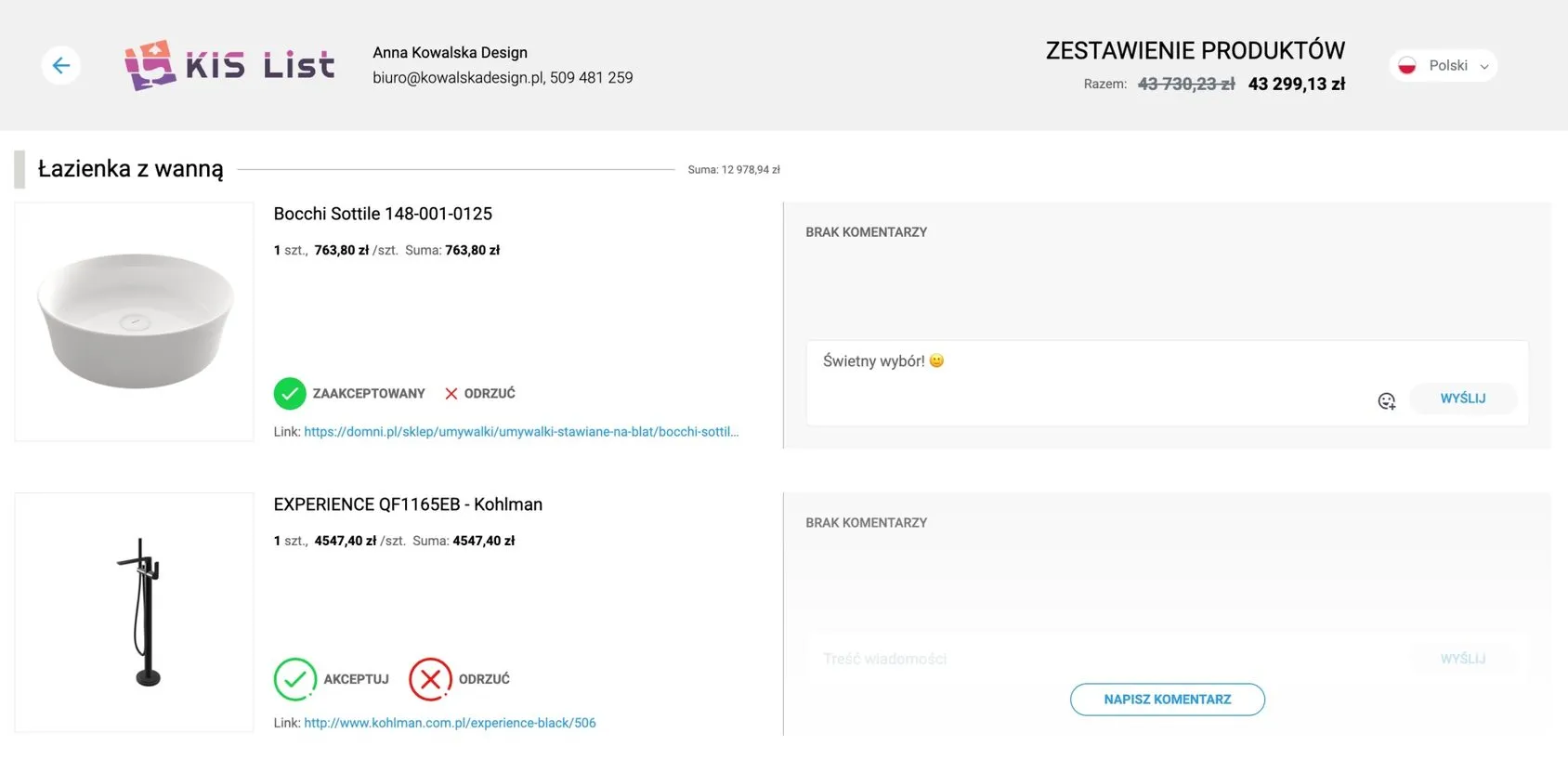
Shopping lists can be exported and sent as a PDF file, depending on your needs, or shared in the browser as an online proposal - our second-favourite feature after KISer, which speeds up choosing and approving the selected items as much as possible.
Once the client receives the interactive list, they can use the approve and reject buttons to accept or reject a product and leave their remarks in comments on the product or visualisation, or give their opinion on the selection they've been sent in the project's private chat.
Simple, easy and enjoyable: creating shopping lists with KIS List
Our app also makes it easier to look at alternative proposals - with one click you can conveniently hide or restore individual products and compare their price options.
Creating shopping lists is a very time-consuming task, but with the right tools you'll significantly increase the efficiency and precision of the process. KIS List will help you keep the project under control and take the weight of organisational work off your shoulders, so you can focus on what matters most - creative design.
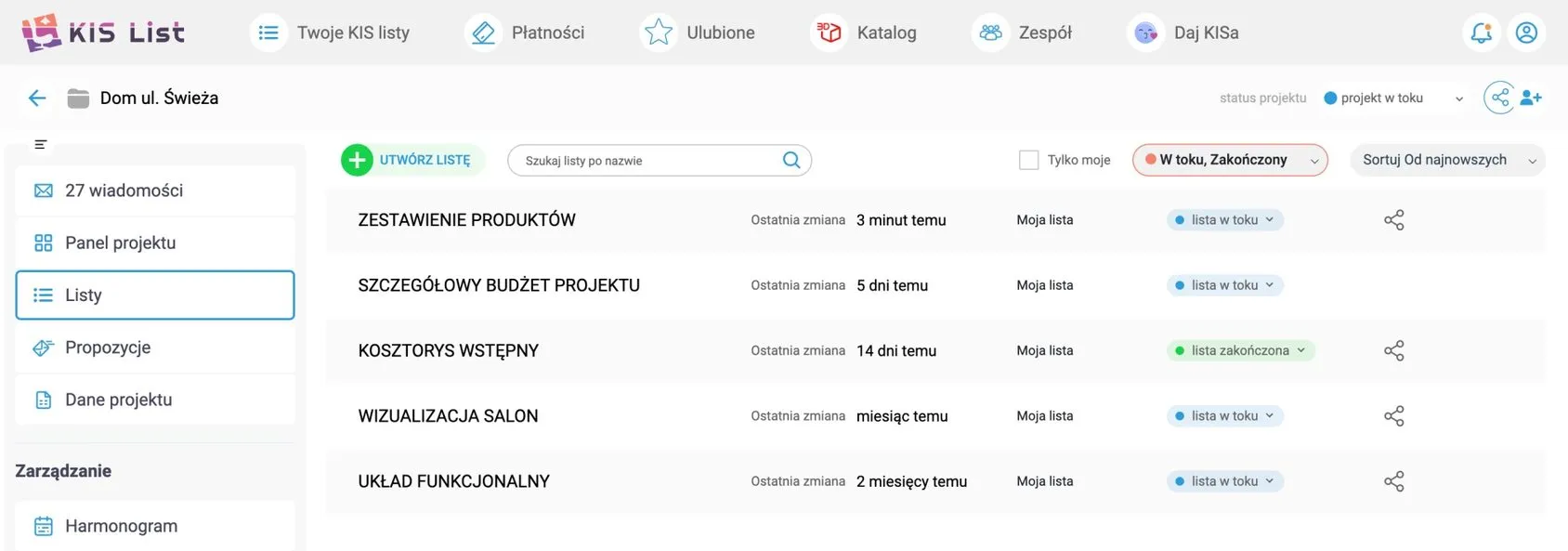
A shopping list that keeps all parties happy
Finally, it's high time for hard data for those for whom every second counts.
A shopping list prepared in KIS List is created 80% faster than lists made in Excel. Now that's a hard fact!
Don't waste time - try KIS List today during the free trial. Create an account and give us your feedback on the product.