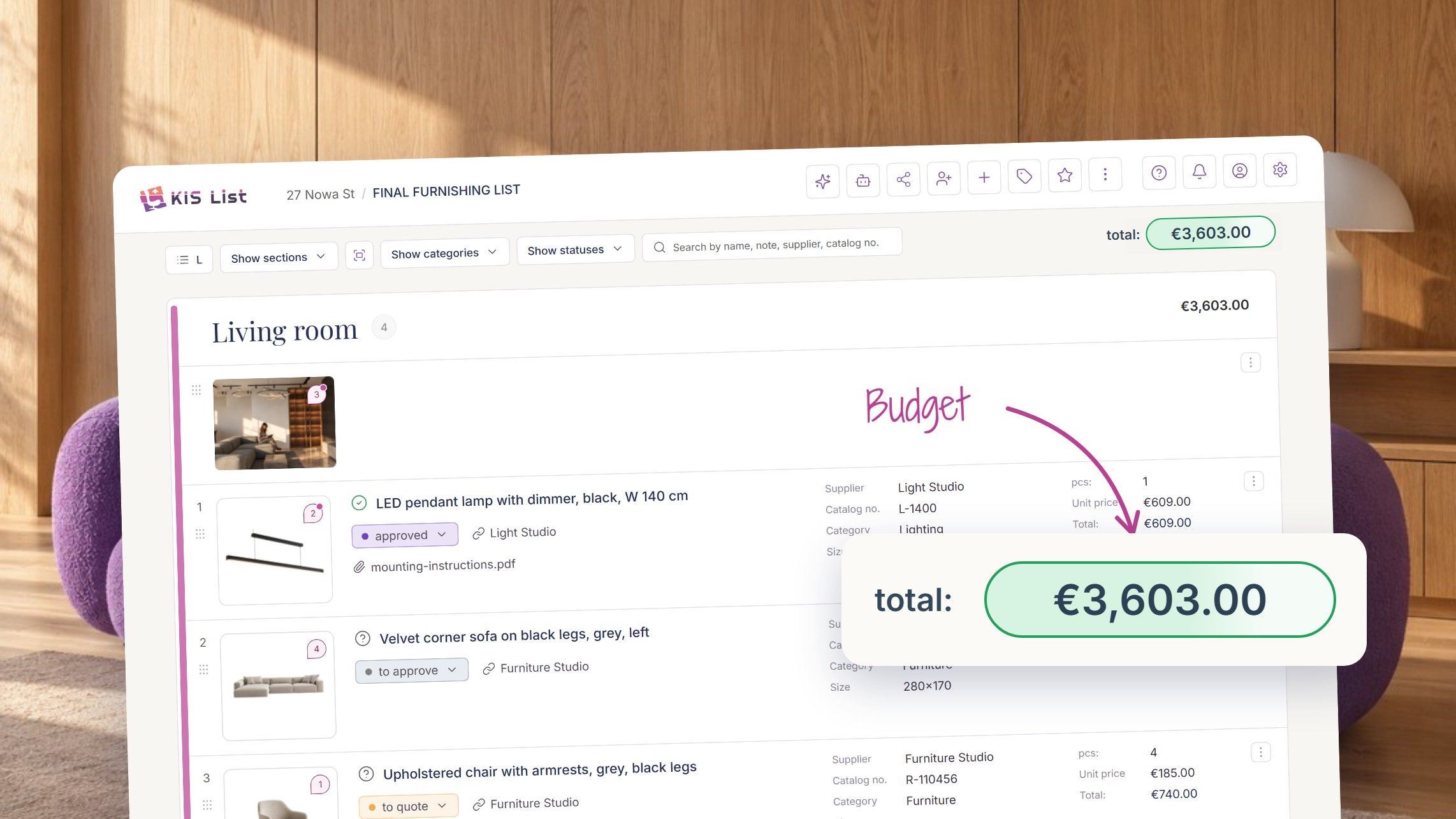
1. Install the KISer extension
Click the link for the browser you use and add the extension to your browser.
- If you use Chrome: download the KISer extension for Chrome
- If you use Safari: download the KISer extension for Safari
- If you use Firefox: download the KISer extension for Firefox
- If you use Edge: download the KISer extension for Edge
- If you use Opera: download the KISer extension for Opera
- If you use an Android phone: download the KISer app for Android
2. Pin the extension to your browser toolbar.
If you use Chrome, click the little puzzle piece icon, find the KISer extension and click the pin icon.

If you use a different browser, follow the guide How to add the KISer extension to your browser?.
3. Create your first list.
- Go to KIS List and click the big green "Create new" button

- Name your list (1), then create a section (e.g. living room, kitchen) to build the structure of the list (2)
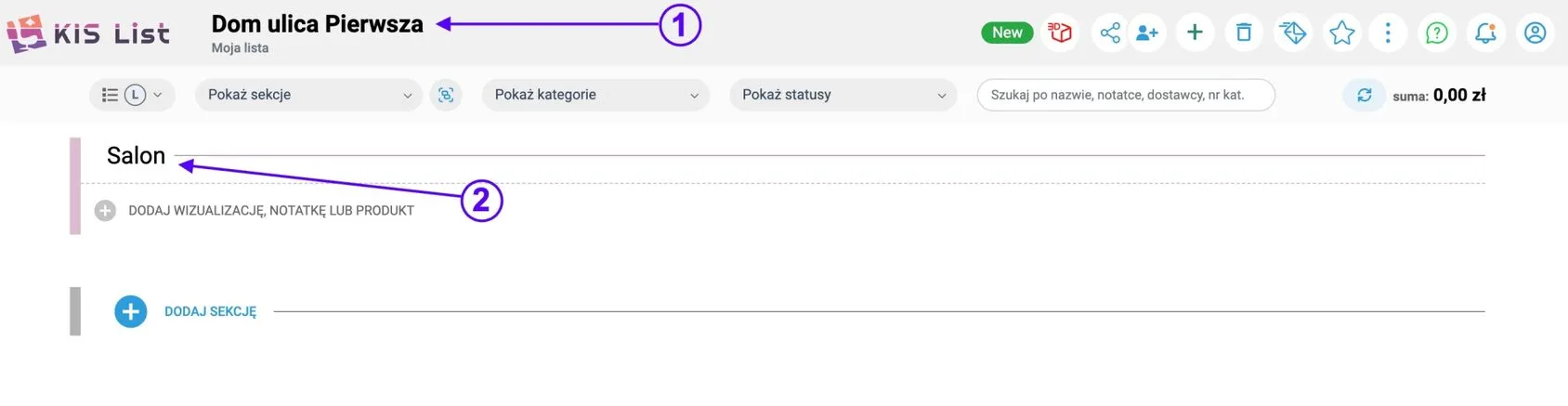
4. Add your first product.
- Go to a product page and click the KISer extension!
- The extension will read the product data, such as the name, price, link and photo.
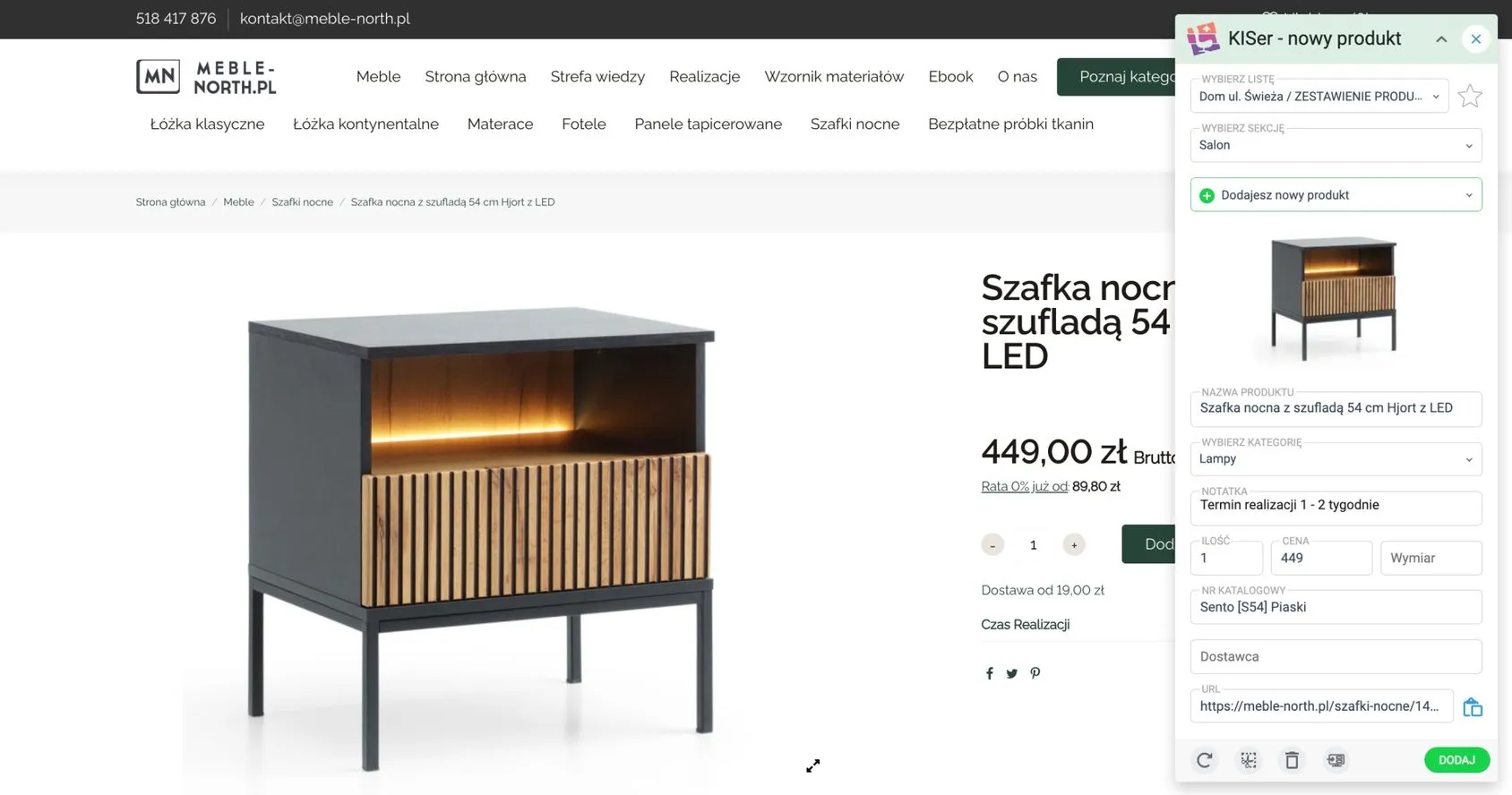
- Choose the list you want to add the product to, and the section.
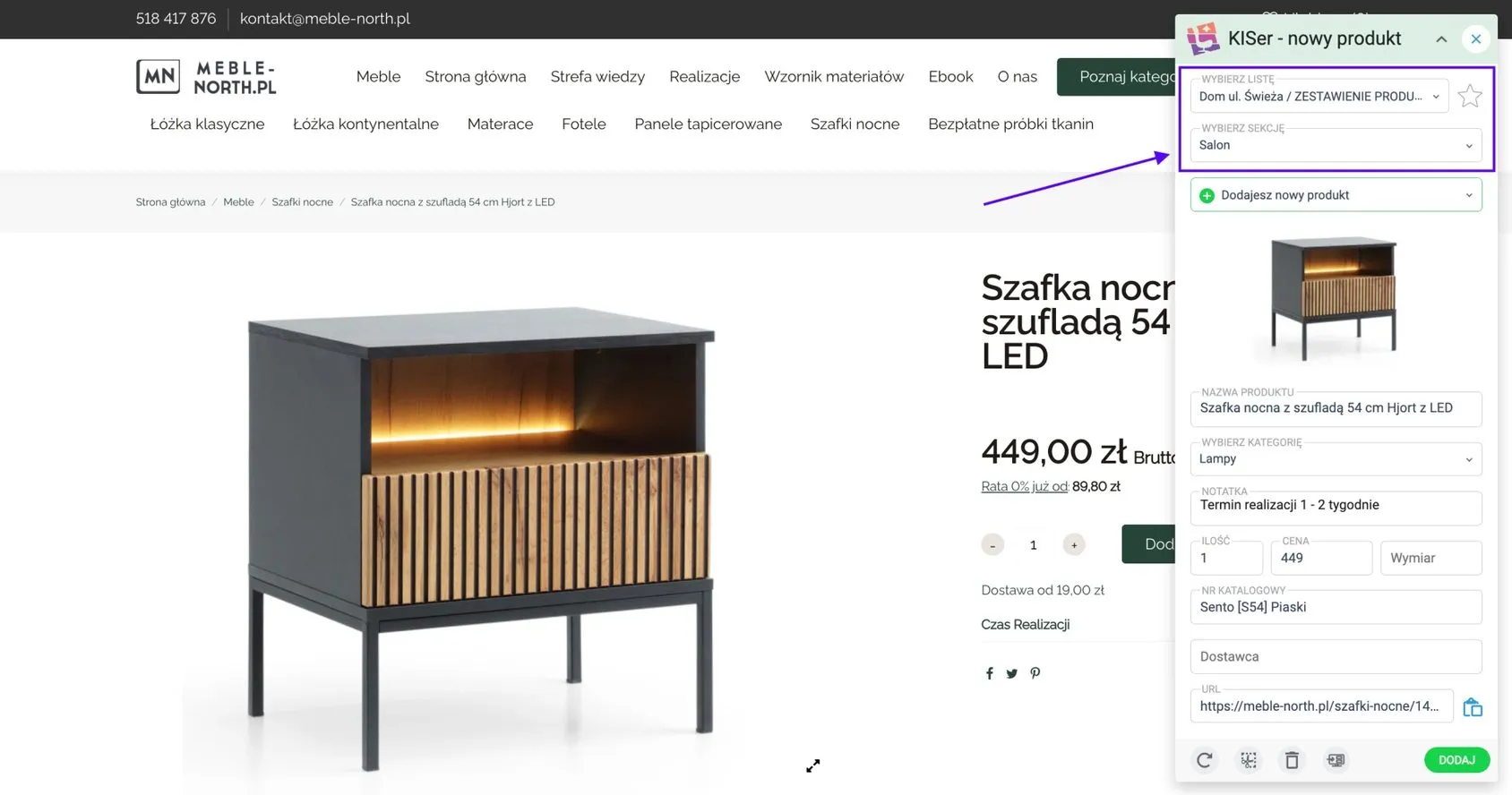
- Click "Add" and the product will appear on your list!
5. Want to add extra product data to the extension, such as dimensions or a note?
-
Select the information you want.
-
From the list, choose the field you want to put the selected information into, and you're done.
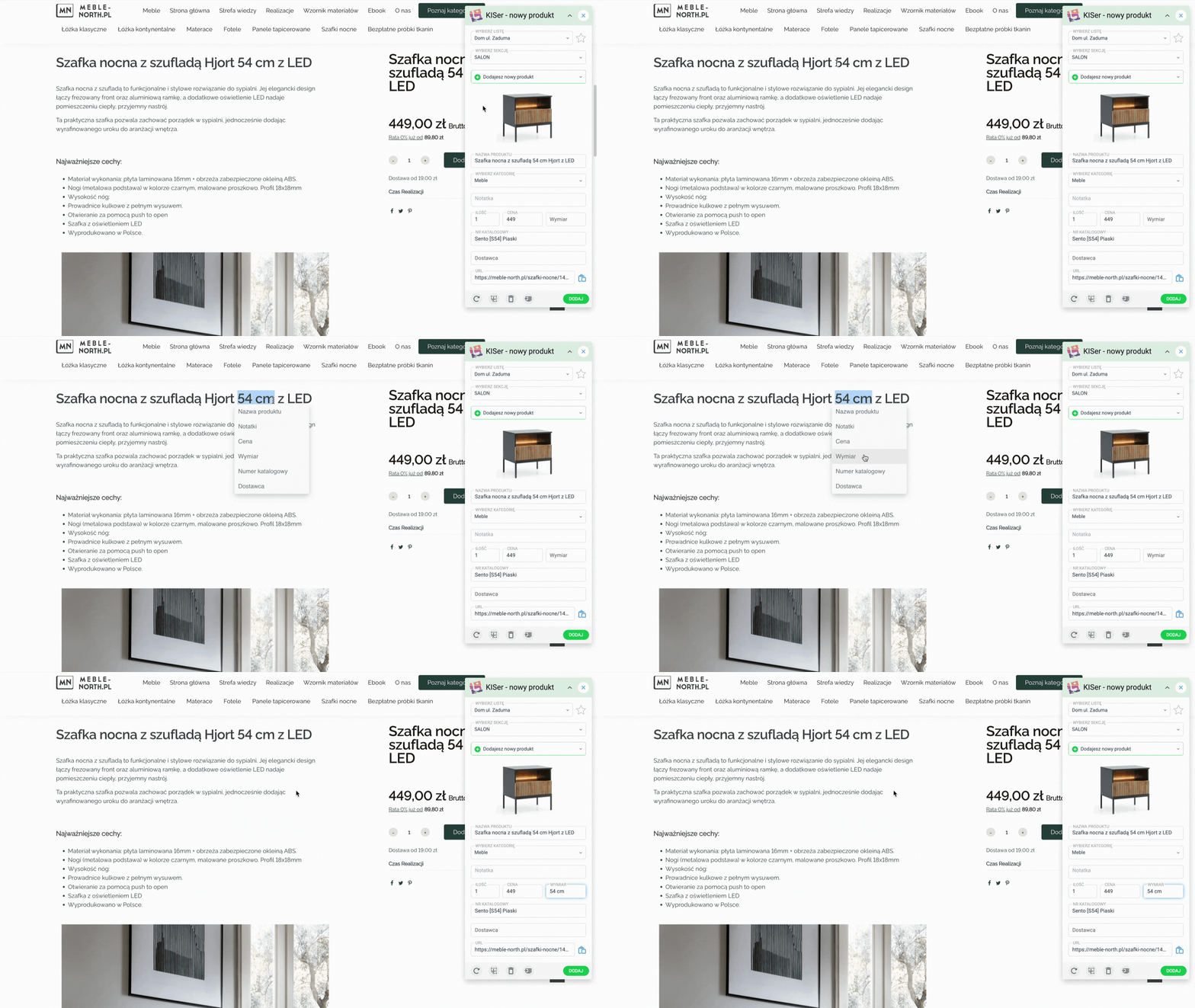
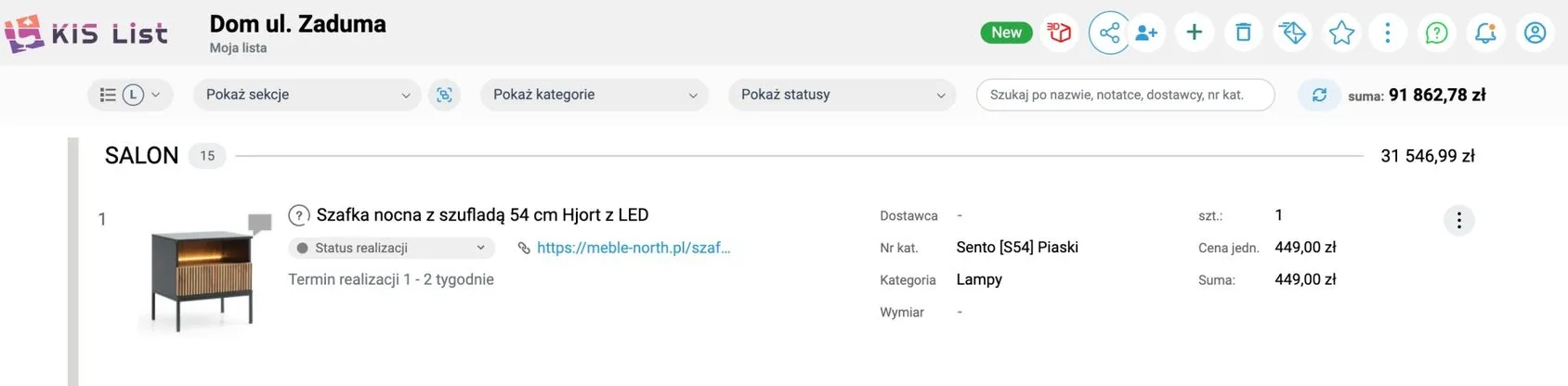
- Click "Add" and the product, together with the data you placed in the extension, will appear on your list!
6. Want to discover more KIS List features?
- Watch the 7-minute training "Getting started with KIS List"
- Book a 15-minute training
- Write to us at pomoc@kislist.com or use the in-app chat.
- Use our Knowledge base
We're glad that, from today, your work on cost estimates will become easier and more enjoyable!